2.11 Windows Security Measures
2-43
2
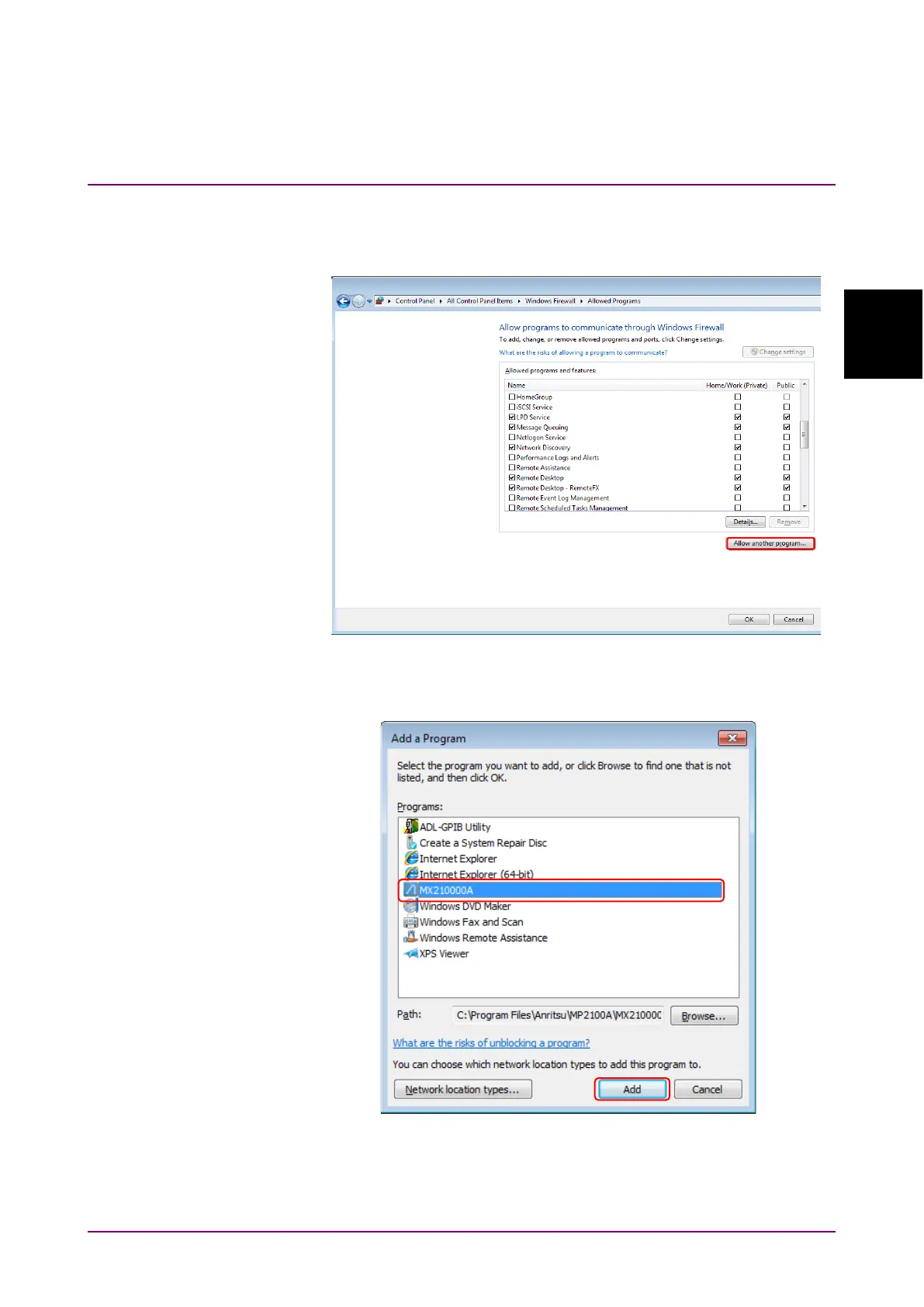
Procedure to add MX210000A when it is not registered (WES7):
1. Use the mouse to click
Allow another program… found in Allowed
Programs window.
Figure 2.11.1-5 Allowed Programs Window
2. In Add a Program window, select
MX210000A, and click Add.
Figure 2.11.1-6 Add a Program Window














 To Next Page