Chapter 6 How to Operate Sampling Scope
6-14
6.2.2 Displaying Measured Jitter
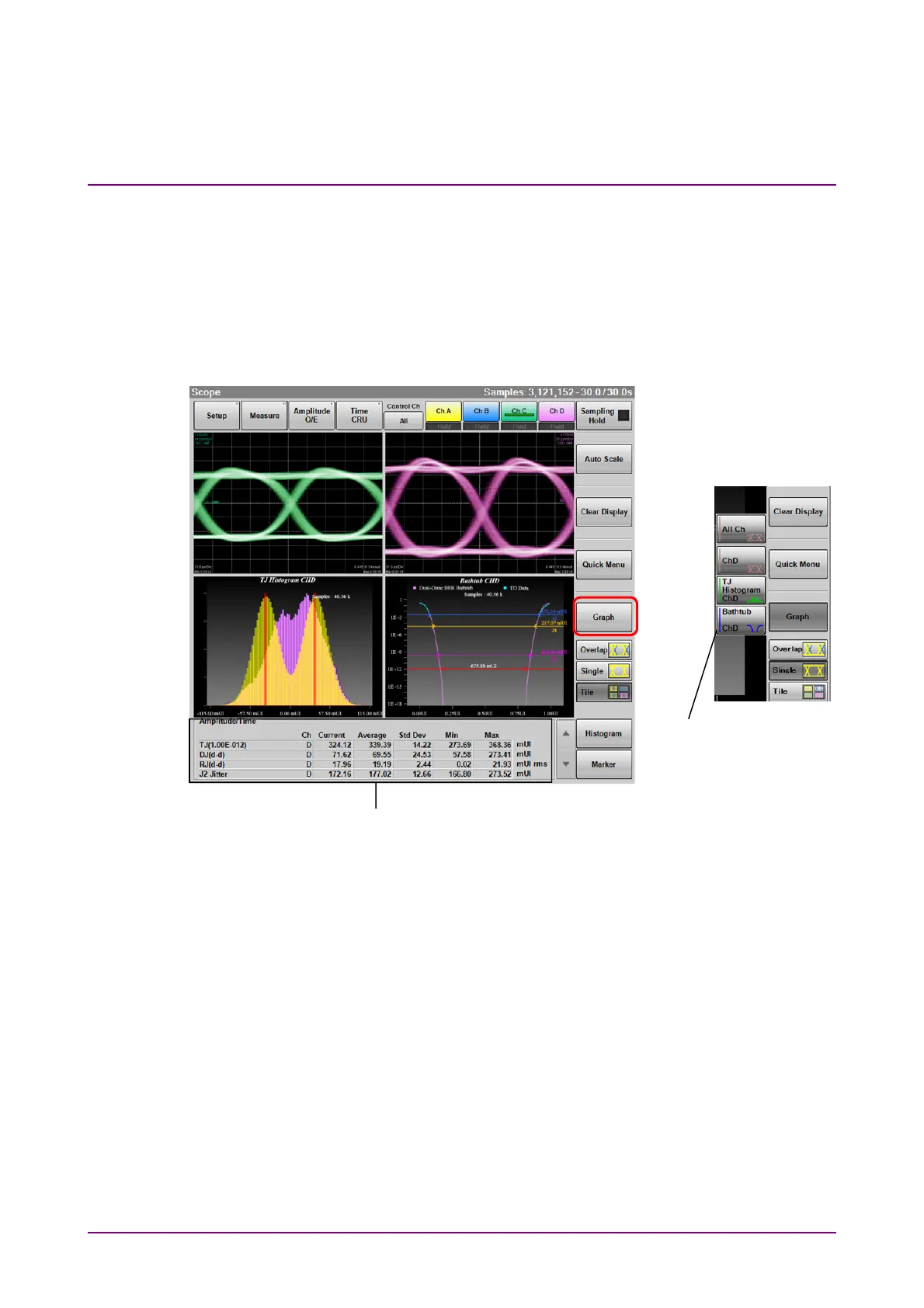
When MP2110A-096 is installed, Graph is displayed in the Result window.
Click Graph to display the Graph selection buttons.
Note:
Graph cannot be operated when Sampling Mode is set to Pulse or
Coherent Eye.
Figure 6.2.2-1 Result Window (Graph Display)
When Advanced Jitter is set to Sampling Mode in the Setup dialog box,
the following buttons in the Result window cannot be operated.
Control Ch, Auto Scale, Clear Display, Quick Menu, Overlap, Histogram,
Marker
When the Correction Factor of Figure 6.2.4-8 “Jitter Measure Dialog Box -
Advanced Tab” is ON, corrected value(s) is(are) indicated by “*1”, in red
letters, in the measurement result display area. When Fixed RJ is ON,
“*2” is displayed at RJ.
Graph selection
buttons
Jitter analysis result














 To Next Page