Chapter 6 How to Operate Sampling Scope
6-114
6.9.5 Using Marker
The marker is used to read the amplitude and time values of the
waveform.
Also, the level and time differences between two points can be measured.
There are two markers each for the x- and y-axes. Display of each marker
can be set to on or off separately.
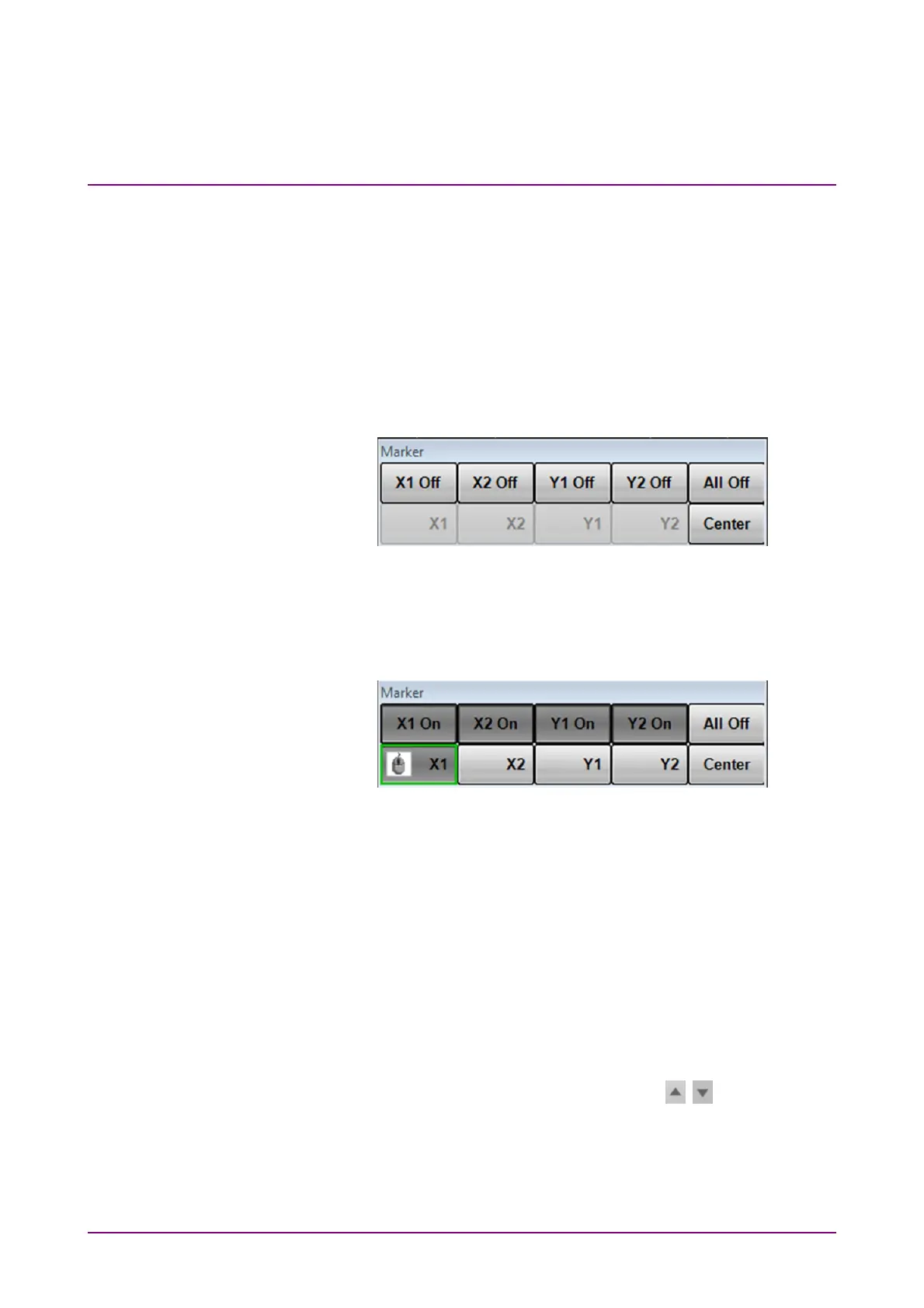
1. Click Marker to display the marker panel.
The marker panel can be moved in the Scope window.
2. To display the marker, click the upper line buttons other than All Off.
When the marker is displayed, the lower line buttons are invalid.
3. To move the marker, click the lower line buttons other than Center.
The selected marker button is changed to the in-use display, and then
the icon is displayed.
4. Set the marker position using the mouse wheel.
The marker position and time/level differences are displayed.
When the graph display mode is Overlap or Single, the histogram marker
position can also be changed by clicking the screen and dragging the
marker.
Marker Panel
X1 Off, X1 On, X2 Off, X2 On,
Y1 Off, Y1 On, Y2 Off, Y2 On
Sets marker display
X1, X2, Y1, Y2 Selects marker to be moved
Center Centers marker in the screen
All Off Hide all markers
When the measurement result is displayed, click at the left side
of Marker to switch the marker display.














 To Next Page