Chapter 2 Before Use
2-22
2.8 Turning Power On/Off
2.8.1 Power-on
1. Before turning power on, connect an external monitor, a keyboard
and a mouse to MP2110A. Refer to 2.4 “Connecting Peripheral
Devices”.
2. Turn on the external monitor.
3. Connect the power cord plug, referring to 2.3 “Power Connection”.
The MP2110A enters the standby state and the Standby lights
orange.
4. Press the power switch.
The power lamp lights green and the Windows start-up begins.
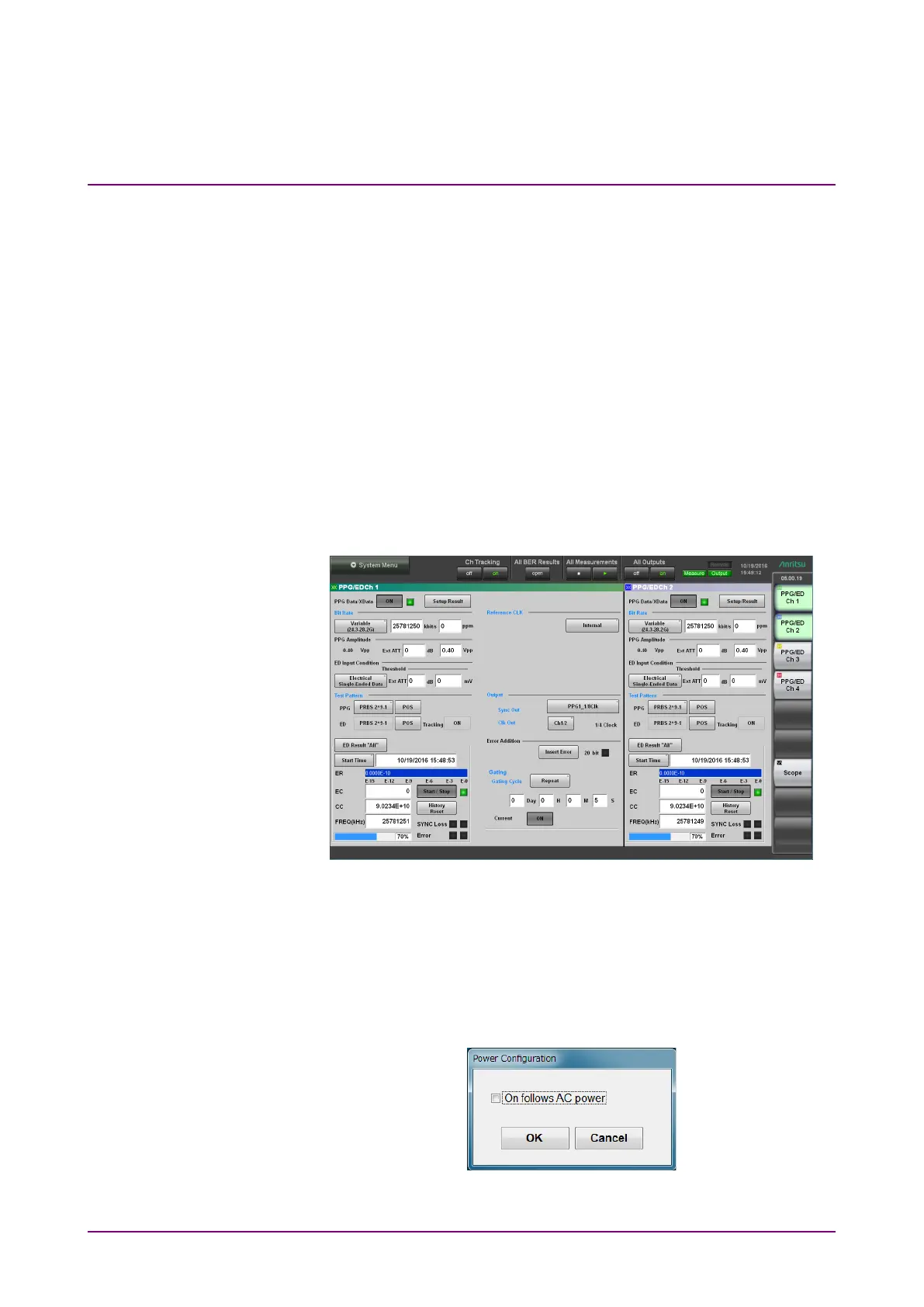
5. In 30 seconds, the application window is displayed. If the application
window is not displayed, refer to 2.9.3 “Setting External Monitor”.
Figure 2.8.1-1 Application Window
Note:
The power of MP2110A can also be turned on by supplying the AC
power even if the power button on the panel is not pressed. To
perform this operation, select the
On follows AC power check box in
the dialog box displayed by clicking Start Menu - Program -
MX210000A - Power Configuration.
Figure 2.8.1-2 Power Configuration Dialog Box














 To Next Page