6.2 Explanation of Windows
6-51
6
How to Operate Sampling Scope
To measure an optical signal at the other wavelength than 850 nm,
1310 nm, or 1550 nm by selecting User at Wavelength, change the
setting values of Conversion Gain and Responsivity according to the
changed wavelength. For the way to change the setting values, refer
to 6.3.3, “Adjusting values for changing the wavelength bands”.
Depending on options, the settings are restricted as follows:
Channel Math is displayed in the Amplitude dialog box of the
MP2110A-021 only.
6.2.6 Time, CRU Dialog Box
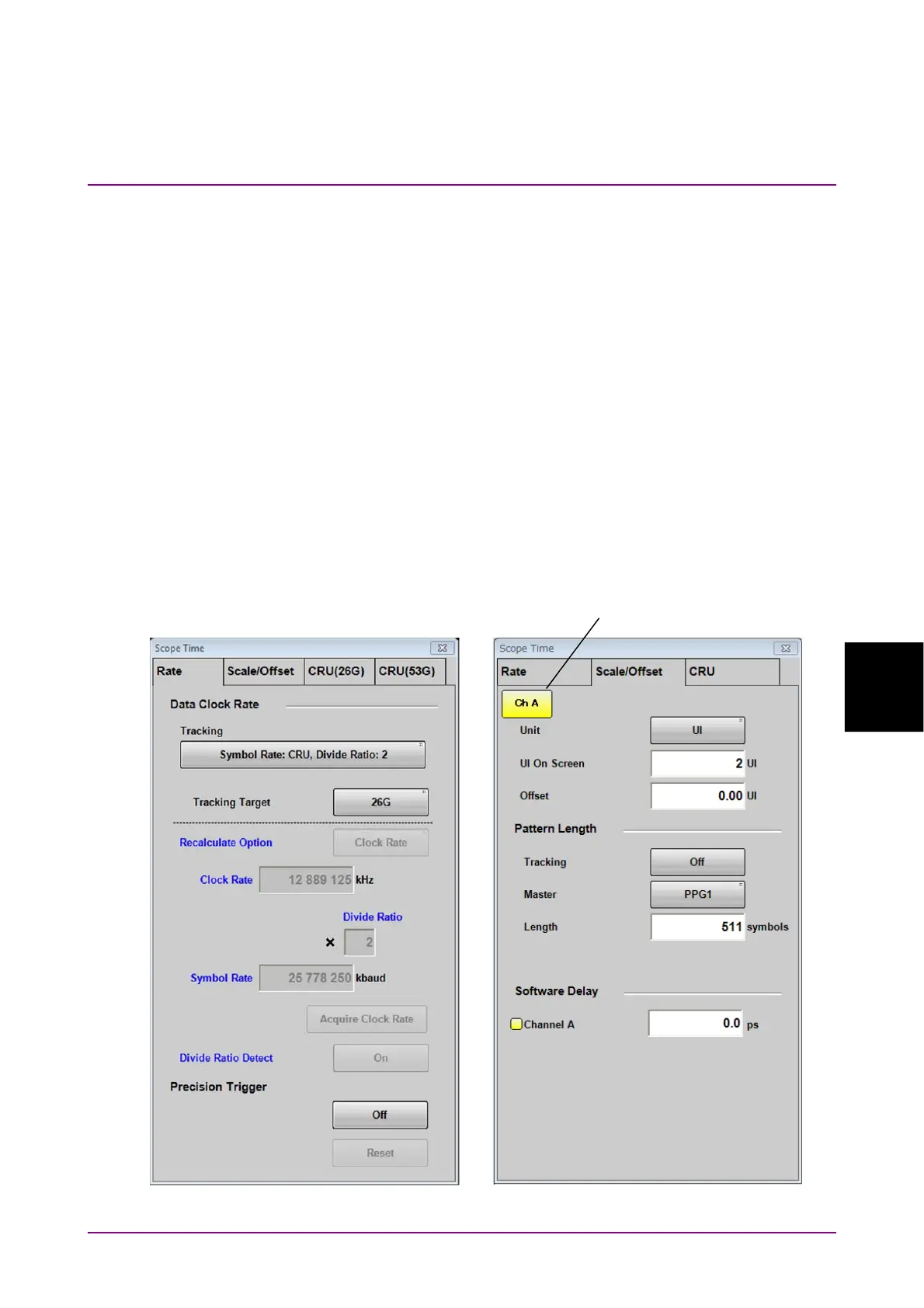
When clicking Time in Figure 6.2.1-1 “Result Window”, Time dialog box
shown in Figure 6.2.6-1 is displayed.
When MP2110A-054 or MP2110A-055 is installed, the CRU tab is
displayed. When both options are installed, the CRU(26G) and CRU(53G)
tabs are displayed.
The setting items effective only for the active channel are indicated by the
same color as the active channel.
Figure 6.2.6-1 Time Dialog Box (Rate Tab, Scale/Offset Tab)
Active channel switch














 To Next Page