Chapter 6 How to Operate Sampling Scope
6-116
6.9.6 Displaying Waveform Calculation
MP2110A-021 can display the math results of two waveforms of CH A and
CH B as different waveforms. The calculated math results can be
measured at Section 6.9.1 “Setting and Displaying Measurement Items”.
Note:
When calculating the EYE pattern waveform, set Sampling Mode to
Coherent Eye and collect the data.
If Sampling Mode is set to Eye and data is collected, a
computational error occurs.
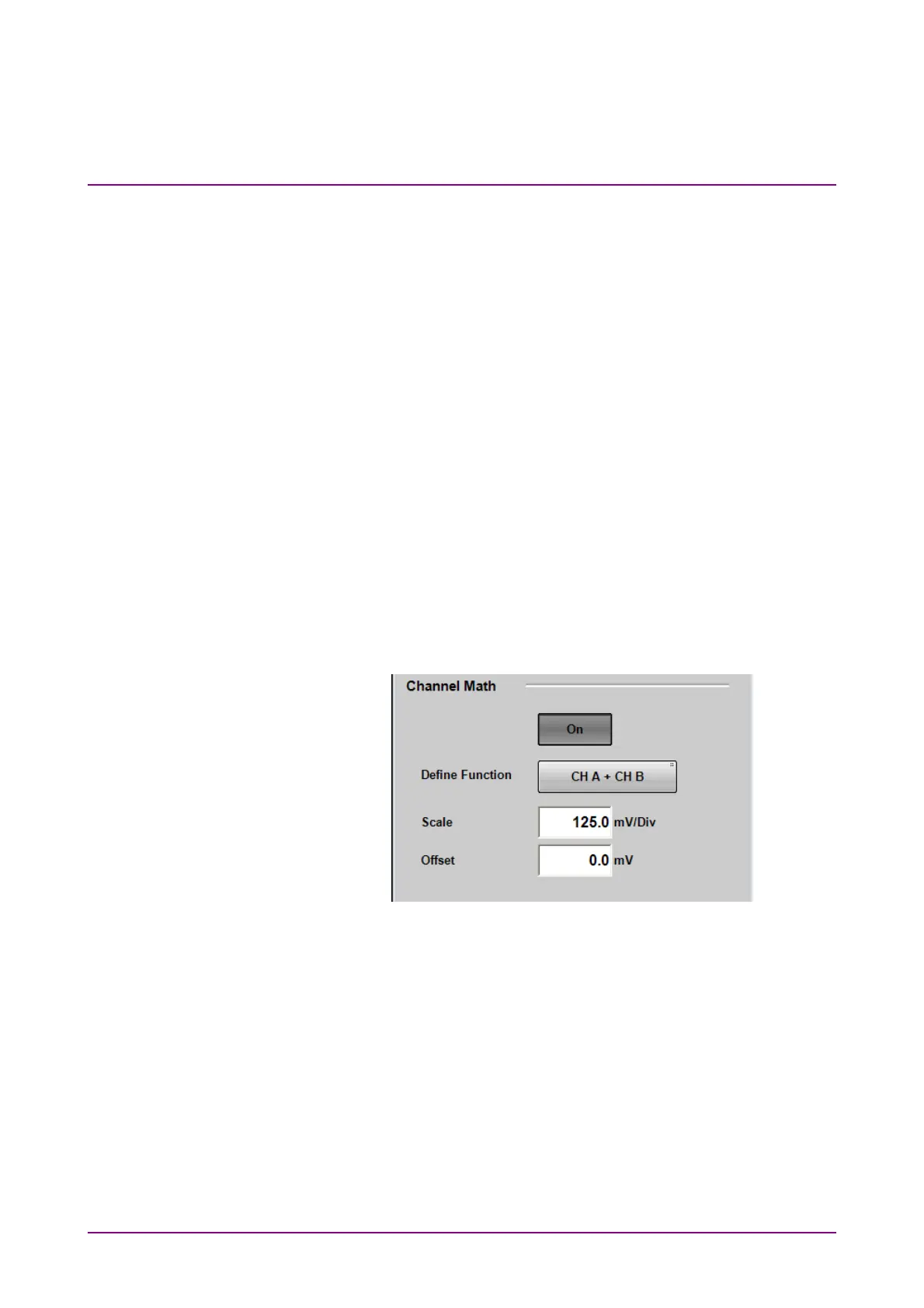
Setting waveform calculation method and vertical scale
1. Click Amplitude to open the Amplitude dialog box.
2. Click the Channel Math button to set the button display to On.
3. Click the Define Function button and select the calculation method
from the following:
CH A + CH B
CH A – CH B
CH B – CH A
4. Click the Scale text box.
5. Input the voltage per vertical scale.
6. Click the Offset text box.
7. Input the voltage for the center of the vertical scale.
For the adjustment method of the time axis, refer to 6.8.3 “Adjusting
Horizontal Axis ”.
Even when the calculated waveform is displayed, Auto Scale works.
To close the waveform calculation display, click the Channel Math button
and set the button display to Off.














 To Next Page