6.2 Explanation of Windows
6-3
6
How to Operate Sampling Scope
Explanation of Windows
6.2
6.2.1 Result Window
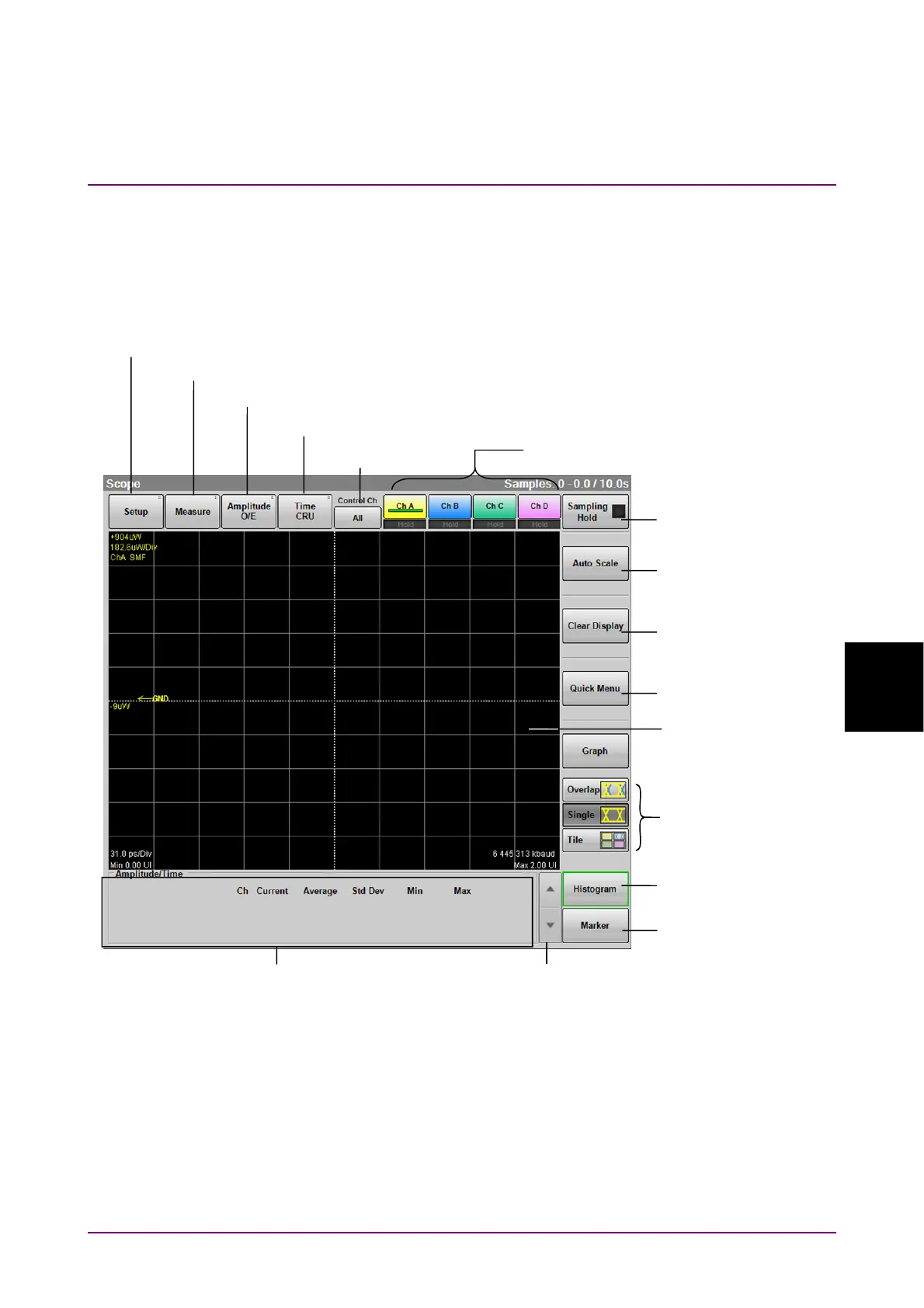
In the function menu, click Scope, and then the Scope result window is
displayed.
Figure 6.2.1-1 Result Window
When no scope option is installed but MP2110A-055 26G/53Gbaud Clock
Recovery (SM Optical) is installed, the Result window is not displayed.
The CRU dialog box is displayed, instead.
When you click Setup, Measure, Amplitude O/E or Time CRU, the
corresponding dialog box is displayed.
Scale self adjust
Graph display mode
setting
Histogram panel
display
Quick Menu
Clear display
Marker Panel
display
Sampling start/stop
Opens the Setup Dialog Box.
Opens the Measure Dialog Box.
Opens the Amplitude, O/E Dialog Box.
Opens the Time, CRU Dialog Box.
Trace switch buttons
Waveform
display area
Measurement result/
marker display area
Measurement result/
marker display switch
Control Ch














 To Next Page