Chapter 6 How to Operate Sampling Scope
6-8
Note:
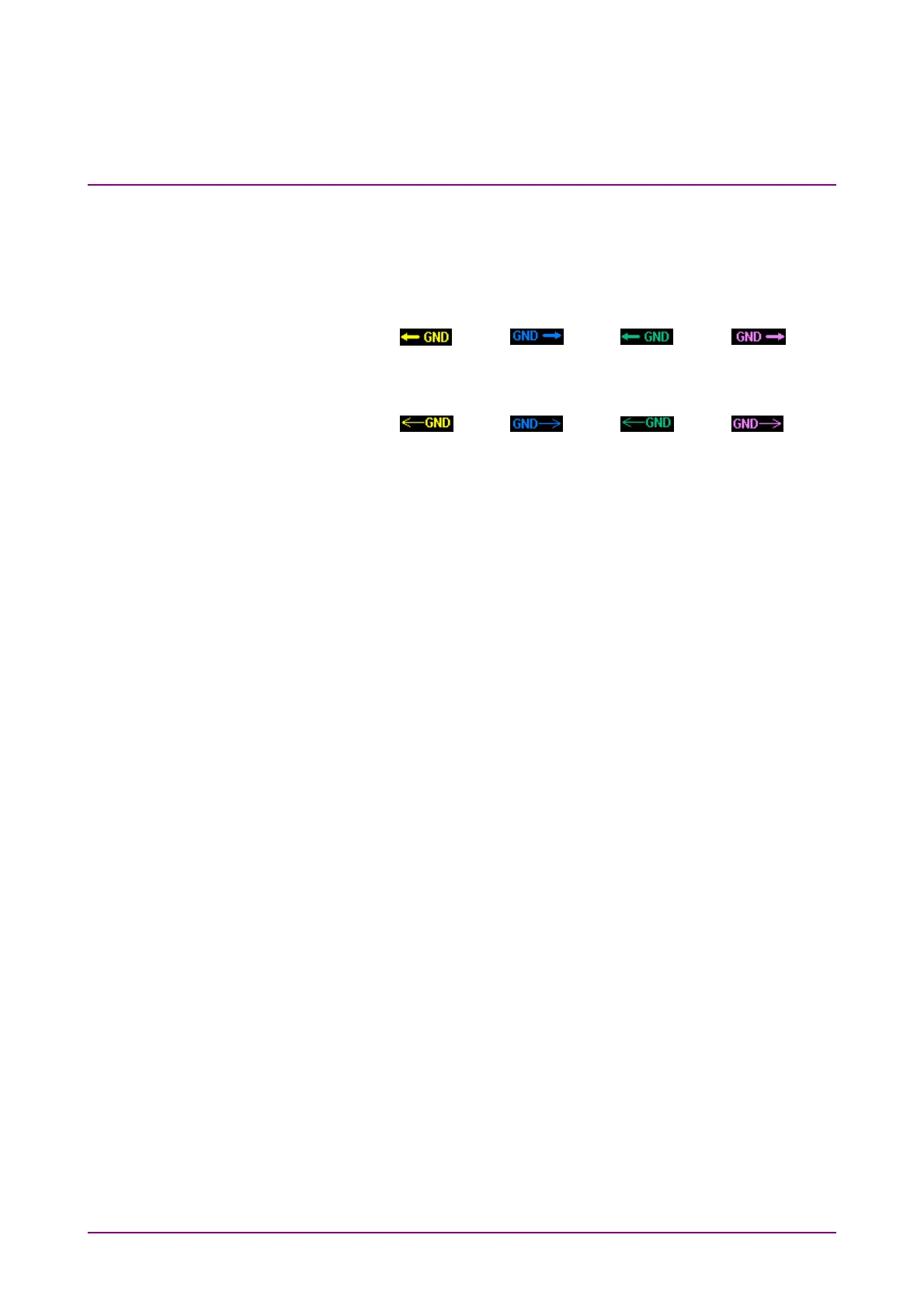
The arrows that indicate the GND levels appear differently
according to the options installed.
■ With MP2110A-021, 022, 023, 025, 026, 040, 042, 043, 045, 046
or 049, the GND levels are indicated by thick lines.
Ch A: Ch B: Ch C: Ch D:
■ With MP2110A-030, 032, 033, 035, 036 or 039, the GND levels
are indicated by thin lines.
Ch A: Ch B: Ch C: Ch D:
Depending on the type of input signal, you may receive a warning
in the waveform display area. In this case, connect an attenuator to
the optical connector to lower the input level.
Overload: The waveform is distorted because the optical input
power exceeds the upper limit.
An index of the peak power level is 2200 µW for SM
(2600 µW for MP2110A-x30 and x40) and 3200 µW for
MM.
Clipped: A clipped waveform is displayed because the amplitude
of the electrical input signal (for optical input,
O/E-converted signal) exceeds the dynamic range. An
index of the dynamic range is ±400 mV.
Quick Menu
Provides the setting items frequently used.
For how to adjust scale and offset, refer to 6.8, “Adjusting Scales”,
Amplitude:
Sets the scale and offset of the vertical axis.
Time:
Sets the scale and offset of the horizontal axis.
When Sampling Mode is Pulse, Offset is displayed.
Otherwise, Delay is displayed.
Waveform:
Sets the button color of the active channel.
When, in the Setup Dialog Box, Waveform is set to Gray Scale, the
color of the trace graph changes as well.














 To Next Page