5.2 PPG/ED Panel
5-3
5
How to Operate BERT
5.2 PPG/ED Panel
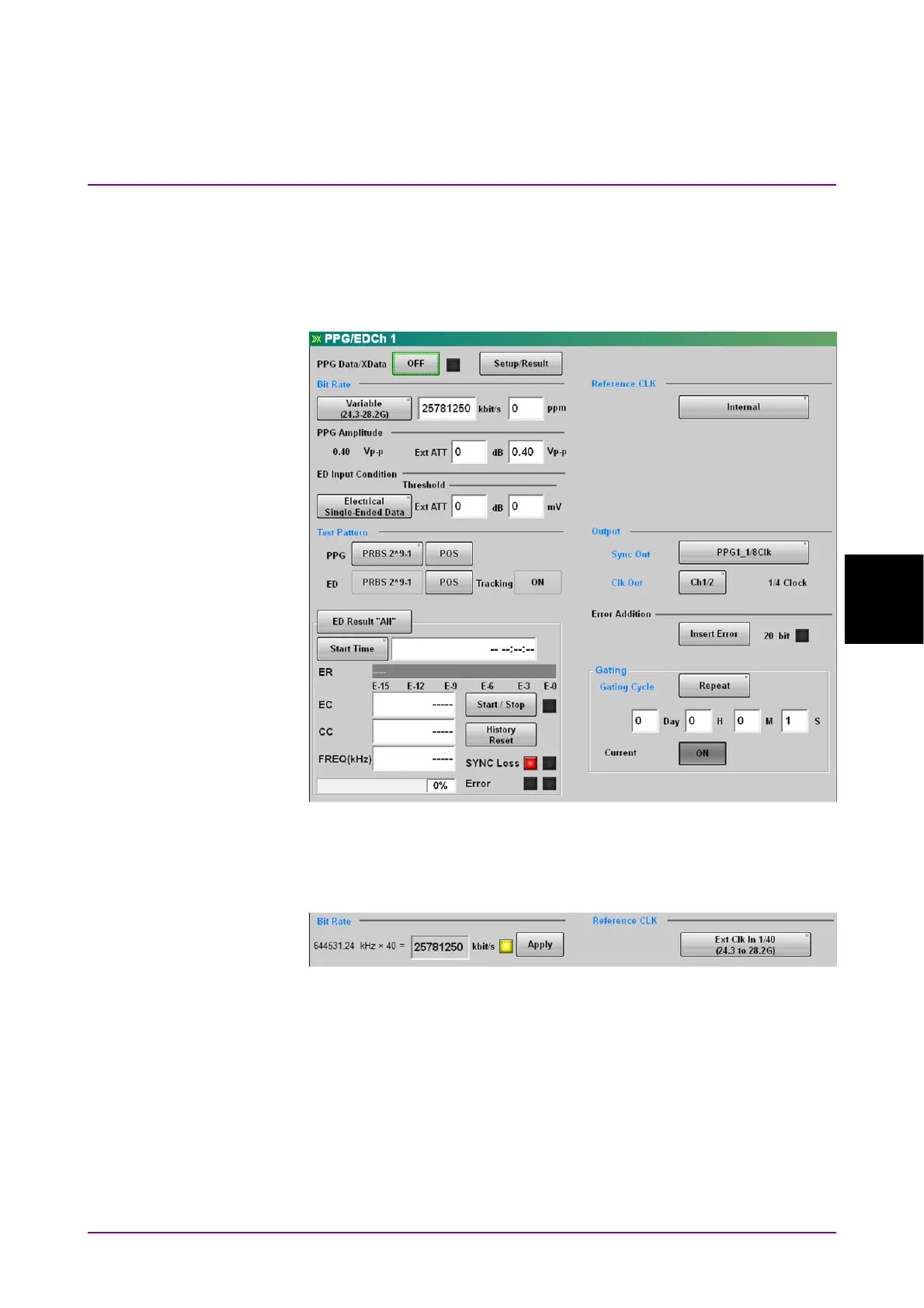
Clicking PPG/ED Ch1 of the function key displays the following panel.
The elements that are set as common in the channels other than Ch 1 are
displayed by the light blue characters.
Figure 5.2-1 PPG/ED Settings Panel
Figure 5.2-2 shows the bit rate display when setting Ext Clk In at
Reference CLK.
Figure 5.2-2 Bit Rate Display When Setting Ext Clk In














 To Next Page