6.8 Adjusting Scales
6-81
6
How to Operate Sampling Scope
6.8.3 Adjusting Horizontal Axis
Adjusting time at left edge of waveform display area
1. Click Quick Menu in the right side of the waveform display area.
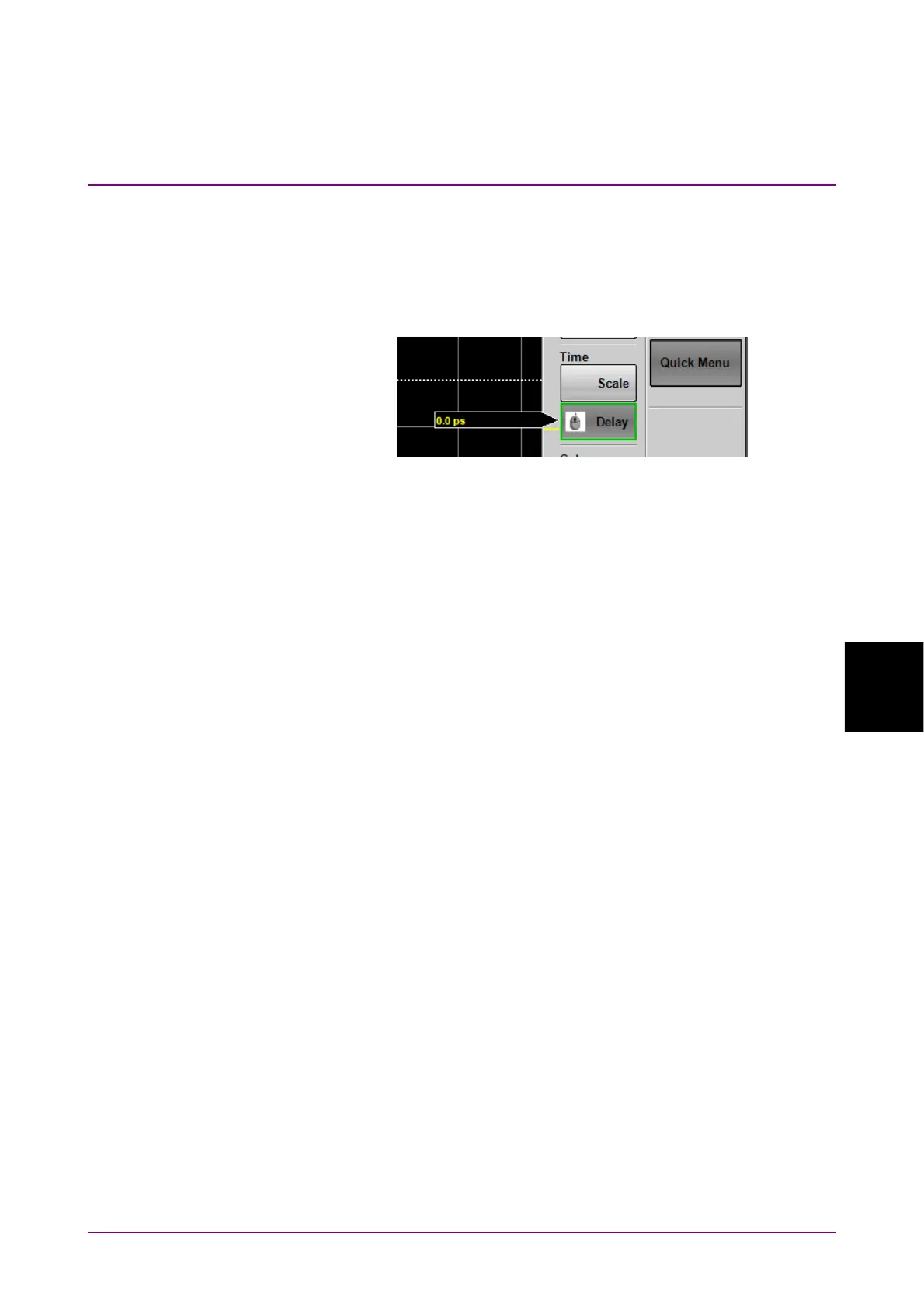
2. When the buttons are displayed, click the Offset or Delay button of
Time. The rotary knob icon is displayed in the button.
3. Input the time at left edge of screen using the mouse wheel.
4. The time entered is displayed at the left lower corner of the
waveform display.
When set to Offset, to switch the horizontal position units between UI
(unit interval) and time (ps), click Time and the Unit button.
Adjusting the number of bits to display
Result window
1. Click Quick Menu in the right side of the waveform display area.
2. When the buttons are displayed, click the Scale button of Time. The
mouse icon is displayed in the button.
3. Input the number of bits per scale using the mouse wheel.
4. The sum of the value at the bottom left of the screen and the input
value is displayed at the bottom right.
Time dialog box
1. Click Time.
2. Click the Scale/Offset tab.
3. Click UI on Screen text box.
4. Input the number of bits.






 To Next Page