Chapter 6 How to Operate Sampling Scope
6-118
6.9.8 Displaying a Label
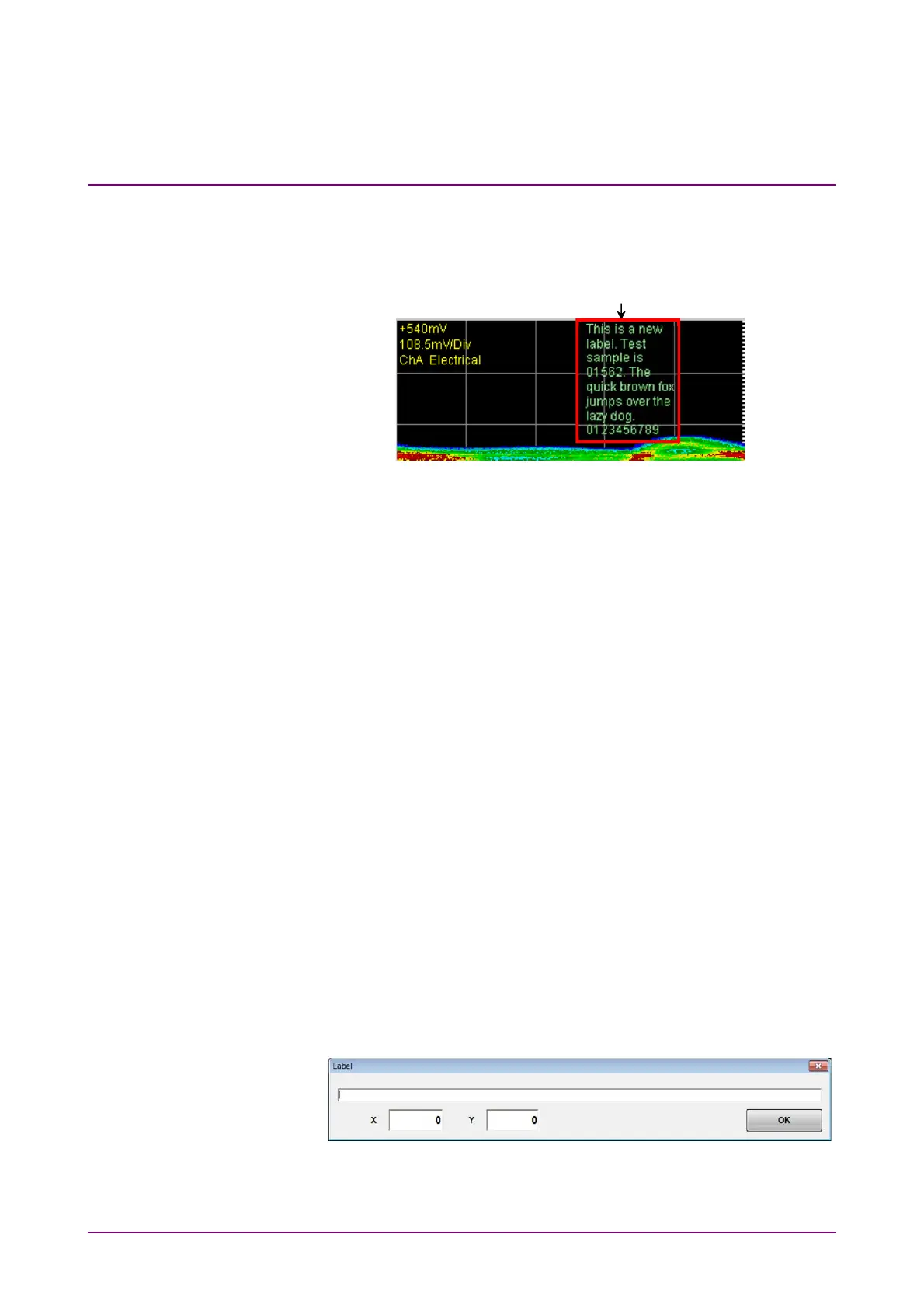
This section describes how to display an arbitrary string (label) in the
Scope screen.
Figure 6.9.8-1 Label Display
Displaying labels
Channels subject to label display vary depending on the graph display
mode.
Overlap: Displays the label for the active channel.
Single. Tile: Displays the labels for all channels.
Also, the channels subject to label addition vary depending on the Control
Ch setting.
All: Adds labels to all channels.
Single: Adds a label to the active channel.
1. Click Setup to open the Setup dialog box.
2. Click Utilities tab.
3. Set Preset Information to Off to specify the start position of label
display. Set Preset Information to On to display the label at the fixed
area as shown in Figure 6.9.8-1.
4. Click Add of Label to enter the character string for a new label.
Inputting a line feed code (\n) starts a new line.
When Preset Information is set to Off at step 3, specify the start
position of label display (in the waveform display area, the position of
upper left is (0, 0) and the position of lower right is (665, 497)).
5. Click OK on the software keyboard, and the label is displayed on the
screen.
Figure 6.9.8-2 Label Dialog Box
Label














 To Next Page