Chapter 5 How to Operate BERT
5-8
5.2.2 Setting Bit Rate
Set the bit rate when Reference CLK has been set to Internal.
The bit rate is set as common in PPG/ED Ch 1 to Ch 4. For example, when
the bit rate is changed in the PPG/ED Ch1 panel, the bit rates of PPG/ED
Ch2 to PPG/ED Ch4 are also changed.
1. Click the Bit Rate button.
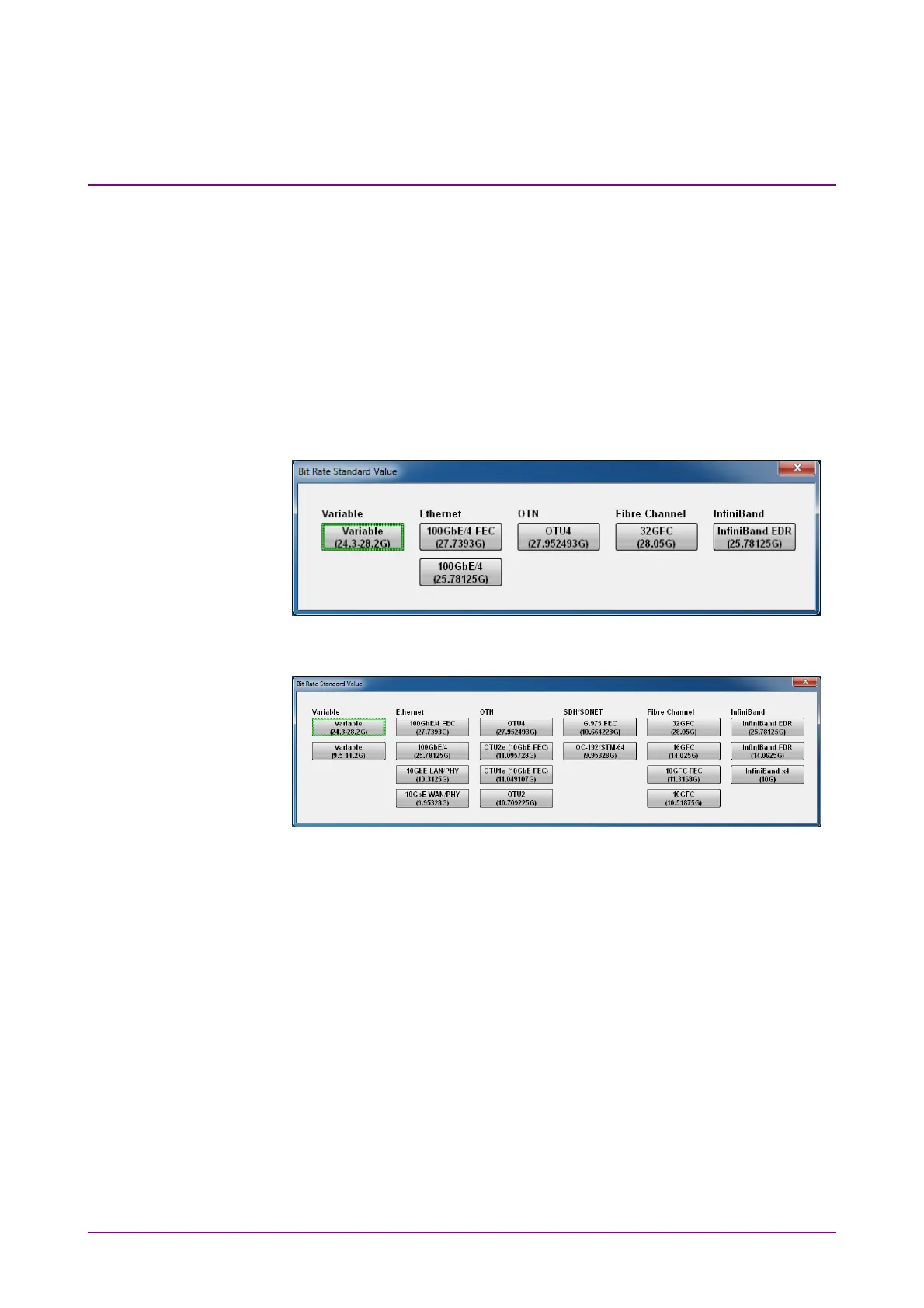
The window is opened to select the standards.
The number of displayed buttons varies depending on whether
MP2110A-093 is added or not.
Figure 5.2.2-1 Bit Rate Standard Value Dialog Box (Without MP2110A-093)
Figure 5.2.2-2 Bit Rate Standard Value Dialog Box (With MP2110A-093)
2. Click the bit rate standards button.
The number displayed in the button is the specified bit rate (bit/s).
When indicating 28.05G, this means 28.05 Gbit/s.
3. When selecting Variable, click the bit rate and offset text boxes and
input the value. The bit rate can be set in the range 24.3 to 28.2 GHz,
and the offset can be set in the range –100 to 100 ppm.
When MP2110A-093 is installed, the offset can also be set in the
range 9.5 to 14.2 GHz.














 To Next Page