6.8 Adjusting Scales
6-77
6
How to Operate Sampling Scope
Adjusting Scales
6.8
6.8.1 Adjusting Scales Automatically
Measure the waveform amplitude and period, and then set to the easily
viewable scale.
For Eye /Coherent Eye Mode
1. With the trace switch buttons, select the channel you want to display
in the center of the waveform display area. In this example, click Ch
A.
2. Click Auto Scale. The waveform is displayed at the center of the
waveform display area.
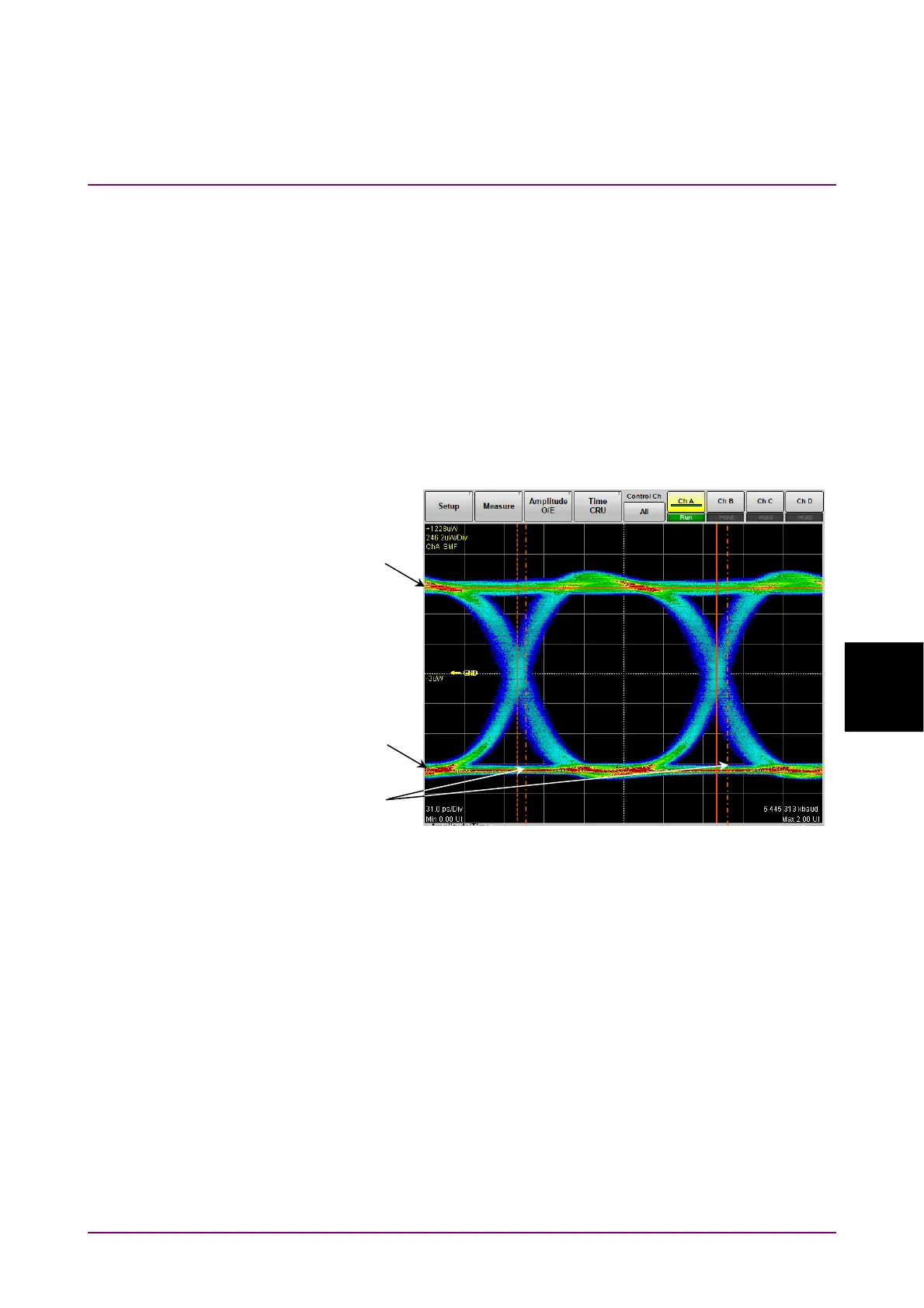
Figure 6.8.1-1 Waveform Display after Auto Scale
(Eye/Coherent Eye Mode)
When adjusting scale automatically, the two-bit waveform is displayed on
the horizontal axis.
The Eye pattern waveform crossing points are 2.5 and 7.5 scale divisions
from the left side.
At the vertical axis, “one” level 2.5 gridlines above center of grid, “zero”
level 2.5 gridlines below center of grid.
Note:
If more than one channel display is ON, the action depends on the
Control Ch setting.
● When Control Ch is Single
The time axis offset and the amplitude axis scale and offset are
One level position
Zero level position
Position of an
intersection point














 To Next Page