6.5 Setting Rate
6-67
6
How to Operate Sampling Scope
6.5.1 Setting Symbol Rate
This section explains how to set the symbol rate of the signal to measure
with Scope.
1. Click Time.
2. Click Rate tab.
3. Click the Tracking button of the Data Clock Rate to set to Off.
4. Click the Recalculate Option button to select Clock Rate.
5. Click the Divide Rate text box and input the division ratio.
6. Click the Symbol Rate text box and input the symbol rate.
The clock rate is calculated by the division rate and symbol rate.
Set the symbol rate and division rate so that the clock rate will be 15
000 000 kHz or less.
When BERT (MP2110A-011, MP2110A-012, or MP2110A-014) is installed,
the bit rate value of PPG can be set to the symbol rate of the sampling
oscilloscope using the following procedure.
1. Click Time.
2. Click the Rate tab.
3. Click the Tracking button of the Data Clock Rate to select one of the
following.
Symbol Rate: PPG, Divide Ratio: Clock Output
Symbol Rate: PPG, Divide Ratio: Sync Output
Symbol Rate: PPG, Divide Ratio: User Defined
When Symbol Rate: PPG, Divide Ratio: User Defined is selected, set
Divide Ratio.
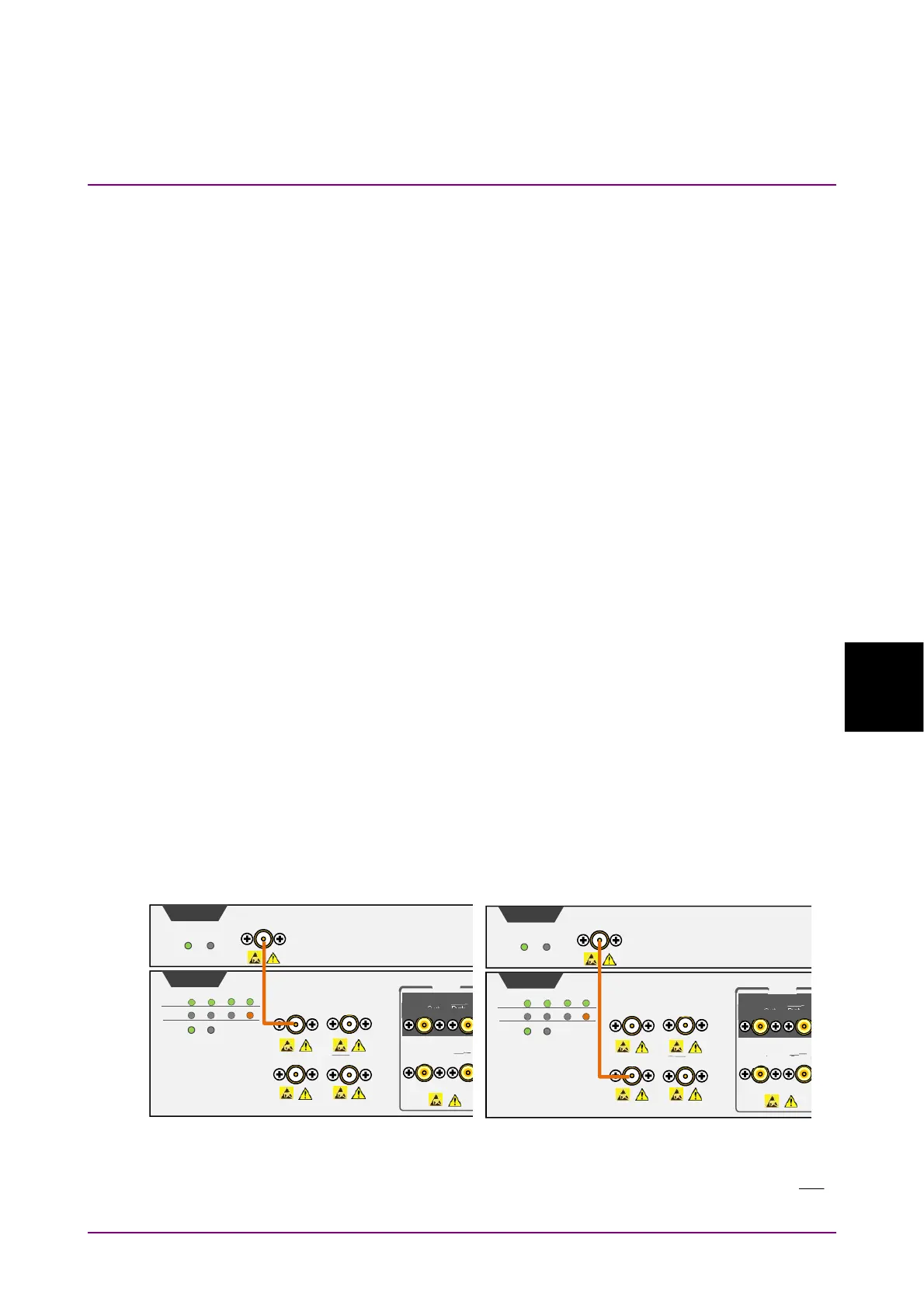
4. Connect the
Trigger Clk In
connector of Scope and a BERT connector.
When Symbol Rate: PPG, Divide Ratio: User Defined is selected,
input clock with the divided frequency of
Clk Out
,
Data Out
, or
Data
Out
signal from BERT to the
Trigger Clk In
connector of Scope.
Trigger Clk In
2Vp-p Max
Sco
e
Status Fail
Clk Out
BERT
Output 1 2 3 4
Ext Clk In
1.6Vp-p Max
S
nc Out S
nc Out
Data In
Data Out Data Out
Data In
PPG
ED
1Vp-p Max
Ch 1
Error 1 2 3 4
Status Fail
Bit Rate: PPG, Divide Ratio: Clock Output Is Selected
Trigger Clk In
2Vp-p Max
Sco
e
Status Fail
Clk Out
BERT
Out
ut 1 2 3 4
Ext Clk In
1.6Vp-p Max
S
nc Out S
nc Out
Data In
Data Out Data Out
Data In
PPG
ED
1V
-
Max
Ch 1
Error 1 2 3 4
Status Fail
Bit Rate: PPG, Divide Ratio: Sync Output Is Selected














 To Next Page