Chapter 6 How to Operate Sampling Scope
6-68
6.5.2 Setting Clock Rate and Divide Ratio
The symbol rate can be set by measuring the clock rate from the signal
input to the
Trigger Clk In
connector of the front panel.
1. Click Time.
2. Click the Rate tab.
3. Click the Tracking button of the Data Clock Rate to set to Off.
4. Click the Recalculate Option button to select Symbol Rate.
5. Click Acquire Clock Rate.
The frequency is displayed in the Clock Rate text box.
Confirm the waveform and signal level input to the
Trigger Clk In
connector when the frequency is not displayed.
6. When the clock frequency is not displayed at Clock Rate or the
displayed frequency is not correct, click the Clock Rate text box and
input the frequency.
7. Click the Divide Ratio text box and input the divide rate.
The symbol rate is calculated by the divide rate and clock rate.
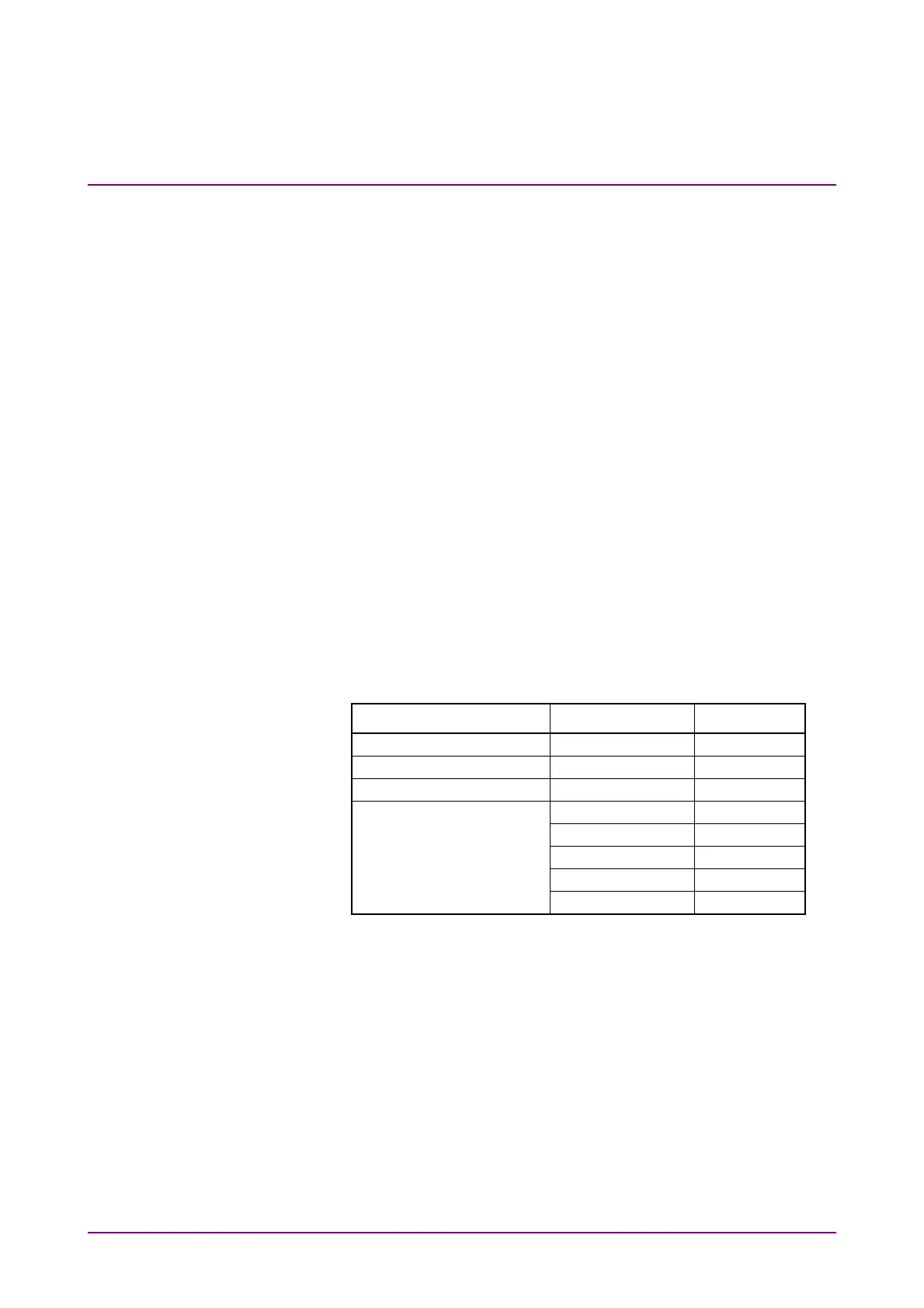
When using the BERT Sync Out as an external clock, the divide ratio is
set as follows.
Sync Output settings Pattern Divide Ratio
1/8 Clock – 8
1/16 Clock – 16
1/40 Clock – 40
Pattern Sync PRBS 2^7–1 127
PRBS 2^9–1 511
PRBS 2^15–1 32767
PRBS 2^23–1 8388607
PRBS 2^31–1 214748647
When setting Sync Output to Pattern Sync, the data cannot be collected.














 To Next Page