4.2 Data Input Method
4-5
4
4.2 Data Input Method
The measurement setting item selection, numeric data, and character
data are input from the panel displayed on the screen.
The displayed panel varies depending on the input data types.
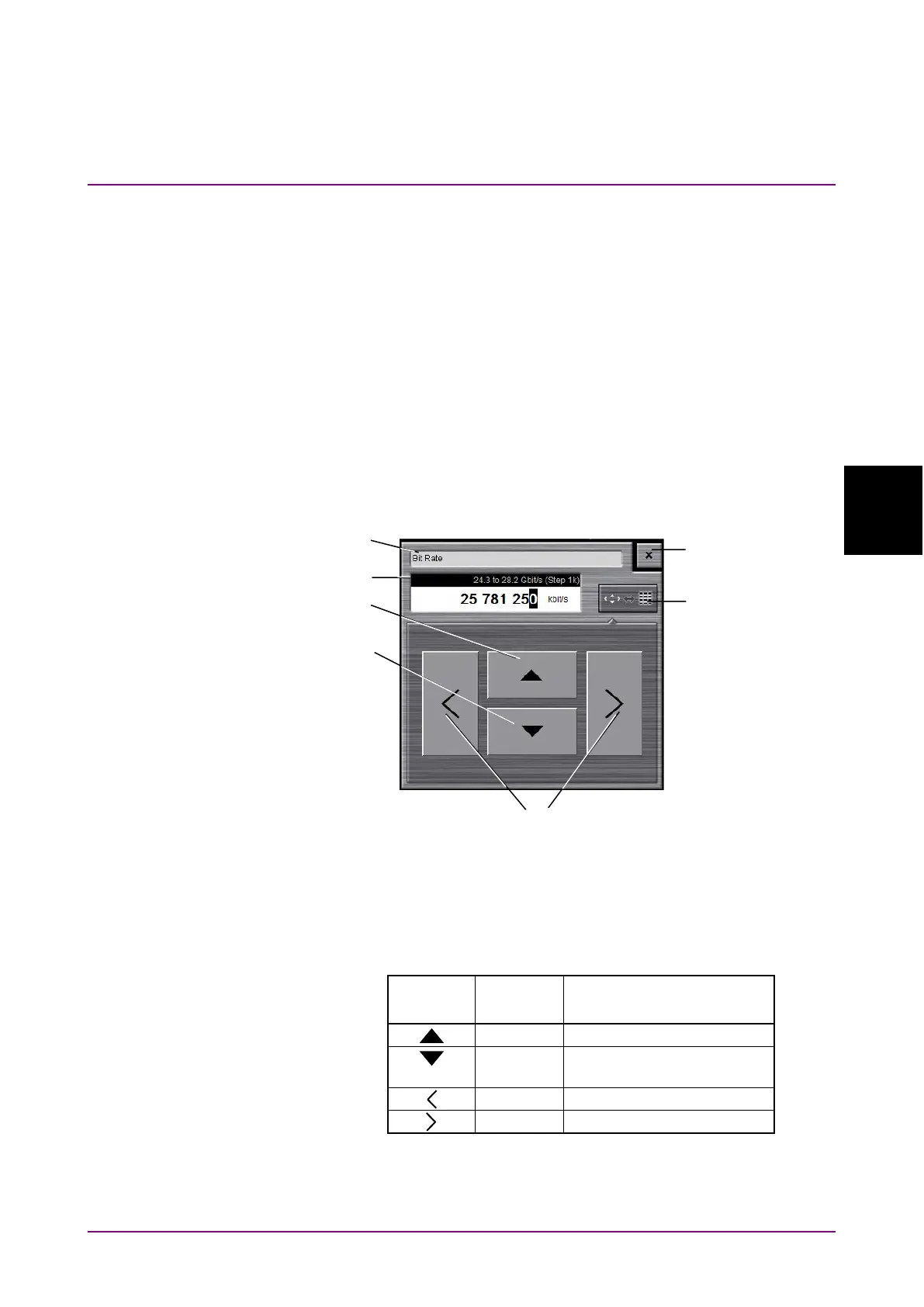
Arrow Key Entry Panel
Click the numeric data area when entering the numeric data of the bit
rate or power voltage.
The arrow key entry panel as shown in Figure 4.2-1 is displayed.
Click the right and left arrow keys and select the line to change the value.
Click the up and down arrow keys or turn the rotary knob to change the
value.
Figure 4.2-1 Arrow Key Entry Panel
Table 4.2-1 lists the key and mouse operations corresponding to the
buttons on the arrow key entry panel.
Table 4.2-1 Correspondence between Mouse Operation and Keyboard
Panel
Button
Keyboard Mouse
Turn the mouse wheel
down.
numeric
value entry/arrow
key entry display














 To Next Page