Chapter 4 Screen Operation
4-6
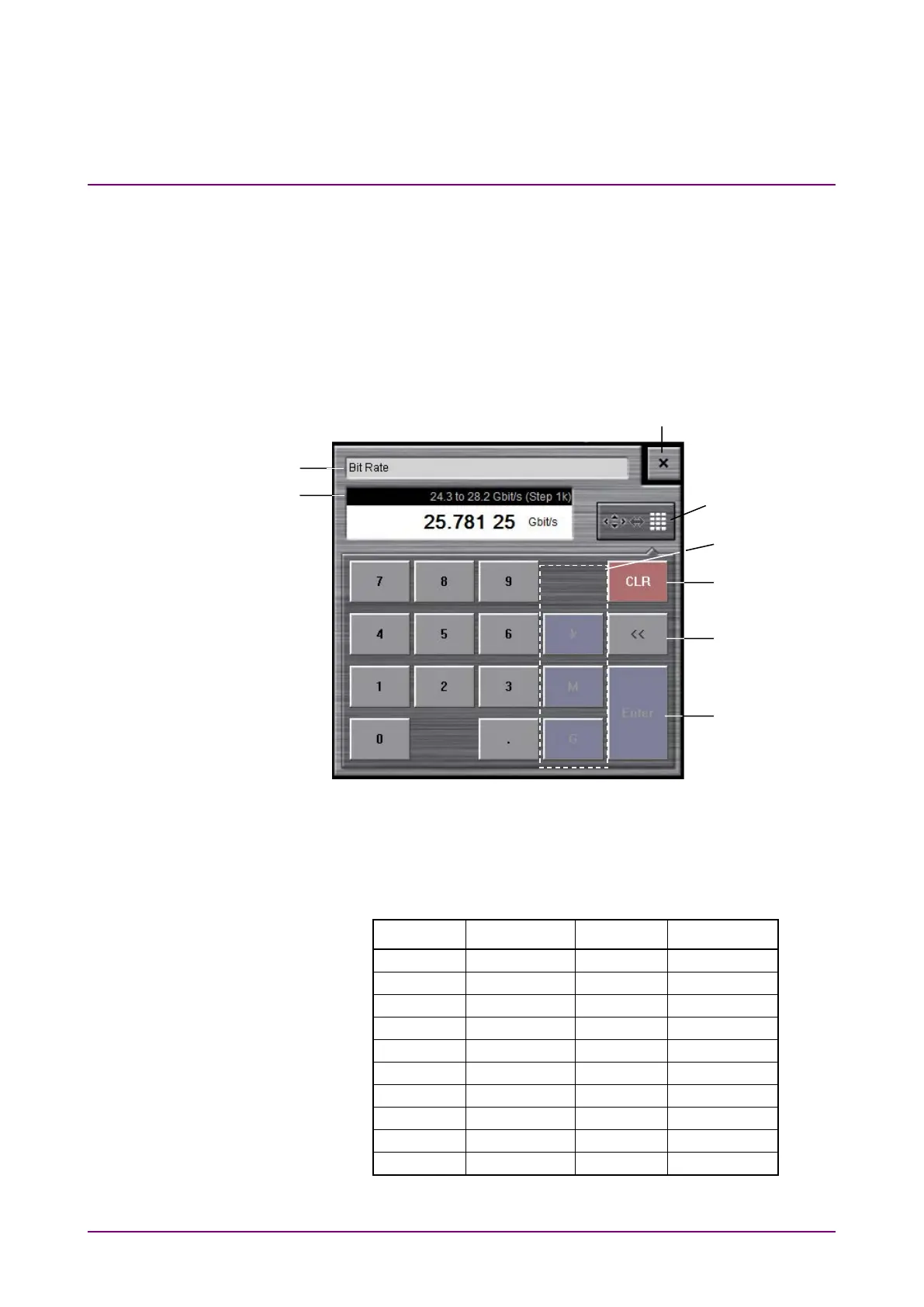
Numeric value entry panel
Click the button for switching the display of the numeric value entry/
arrow key entry panel as shown in Figure 4.2-1, and then the numeric
value entry panel as shown in Figure 4.2-2 is displayed. The key type,
unit and input range displayed on the panel vary depending on the data.
Click the arrow key entry panel display button, and then the arrow key
entry panel as shown in Figure 4.2-1 is displayed.
Figure 4.2-2 Numeric Value Entry Panel
Table 4.2-2 lists the keys on the keyboard corresponding to buttons on the
numeric value entry panel.
Table 4.2-2 Correspondence between Panel Keys and Keyboard
Panel Key Keyboard Panel Key Keyboard
numeric
value entry/arrow
key entry display














 To Next Page