Chapter 4 Screen Operation
4-22
4.7 Displaying BER Measurement Results for Multiple
Channels
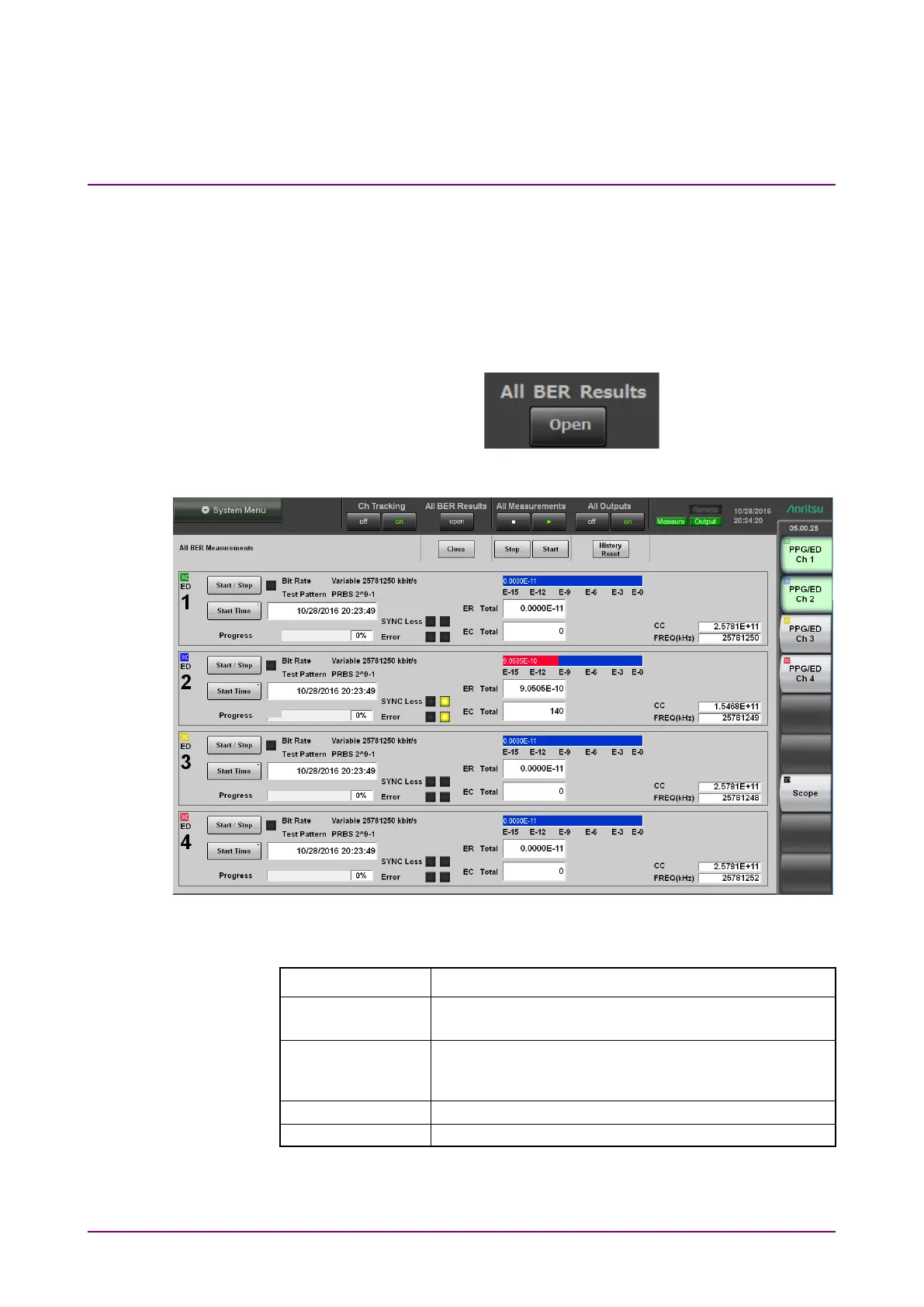
With the MP2110A-014, All BER Results is displayed in the application
screen.
To view BER measurement results for all channels, click
Open.
Figure 4.7-1 All BER Results
Figure 4.7-2 All BER Results Display
Table 4.7-1 All BER Measurements Buttons
Name Description
Starts BER measurement for all channels.
The sampling oscilloscope measurement is not started.
Stops BER measurement for all channels.
The sampling oscilloscope measurement is not
Resets the History lamps for all channels.
Closes the All BER Results display.
Clicking the function button of the top menu closes the All BER Results
display.














 To Next Page