Chapter 2 Before Use
2-50
2.11.2 Installing Windows Important Update Programs (Windows
Update)
It is necessary to regularly check for important Windows update
programs and keep them up-to-date. However, the performance of
MP2110A could decrease while downloading and installing Windows
updates. Turn off automatic updates in Windows. Instead, it is
recommended to manually check for, download, and install new updates
on a periodic basis, avoiding the operating hours of MP2110A.
Windows Update setting and execution:
For Windows 7:
1. Click Start → Control Panel from the Windows menu bar hidden in
the lower part of the screen.
2. Click
System and Security → Windows Update to show Windows
Update window.
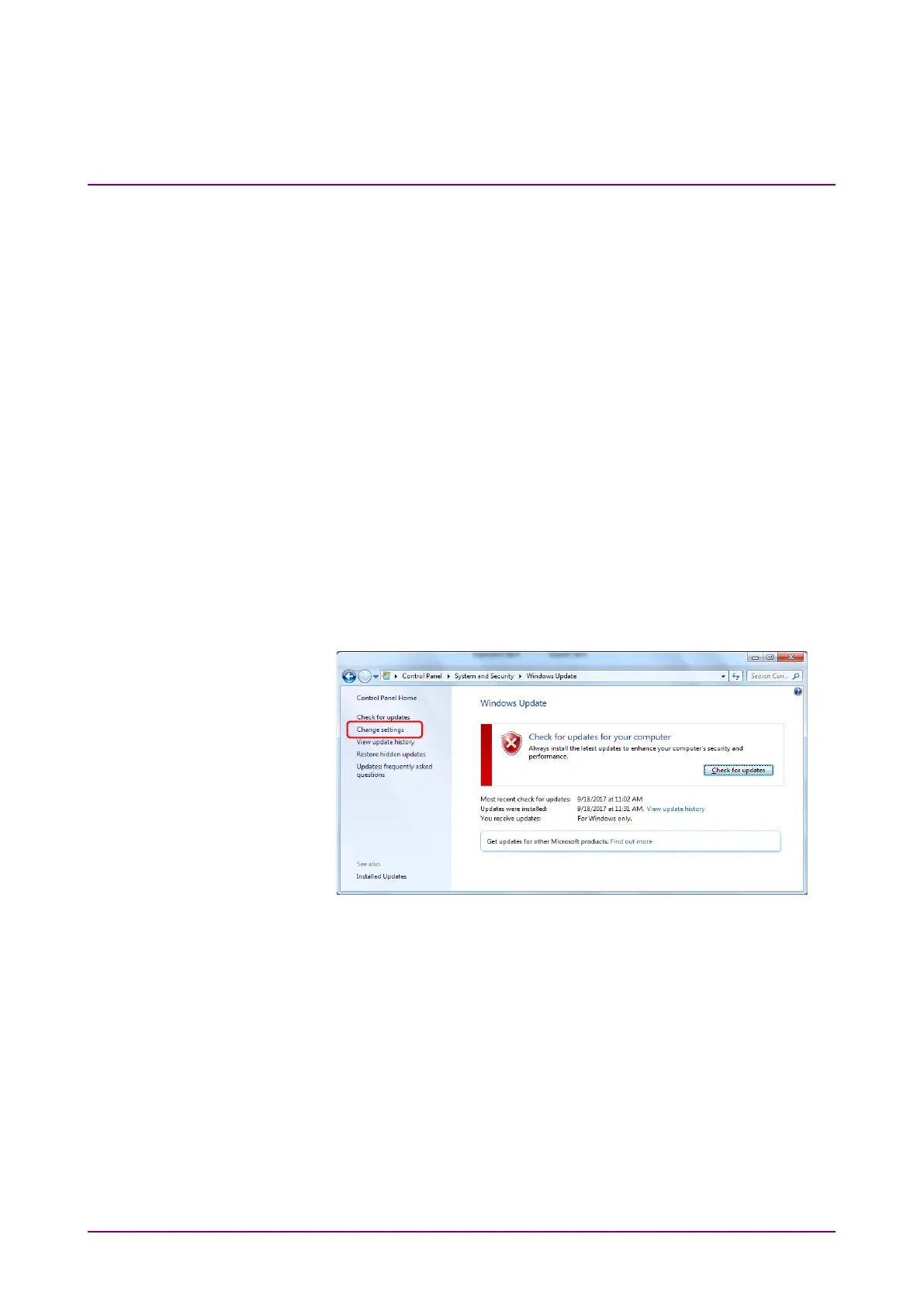
3. To turn off automatic updates, click
Change settings found in left
side of Windows Update window.
Figure 2.11.2-1 Windows Update Window














 To Next Page