Chapter 2 Before Use
2-12
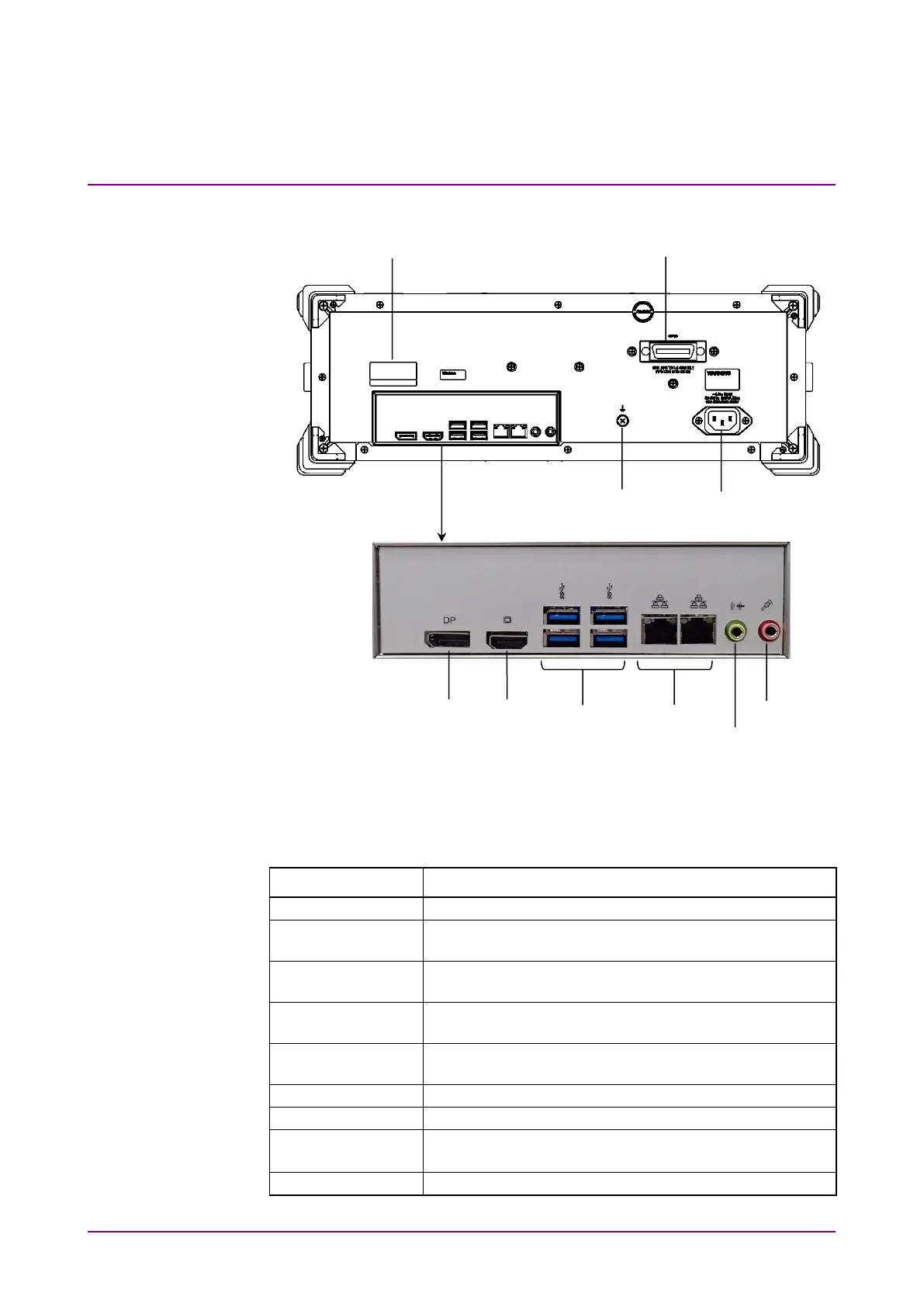
2.2.2 Rear Panel
Figure 2.2.2-1 Rear Panel
The following table describes the connectors.
Table 2.2.2-1 Connector List
Name Description
For connecting to a PC to control MP2110A remotely.
For connecting a DisplayPort-compatible external
monitor.
For connecting an HDMI-compatible external monitor.
Refer to 2.4 “Connecting Peripheral Devices”.
For connecting accessories including keyboard and
mouse.
For connecting to a PC or network to control MP2110A
remotely.
This connector is not used.
This connector is not used.
Terminal
Ground terminal
For connecting wrist strap or DUT.
For connecting the accessory power cord.
Serial Number, Option Number Label
Ground Terminal














 To Next Page