Chapter 2 Before Use
2-52
For Windows 10:
1. Click
Start ( )→ Settings ( ) from the Windows menu bar hidden
in the lower part of the screen.
2. Click
Update and Security to show Windows Update window.
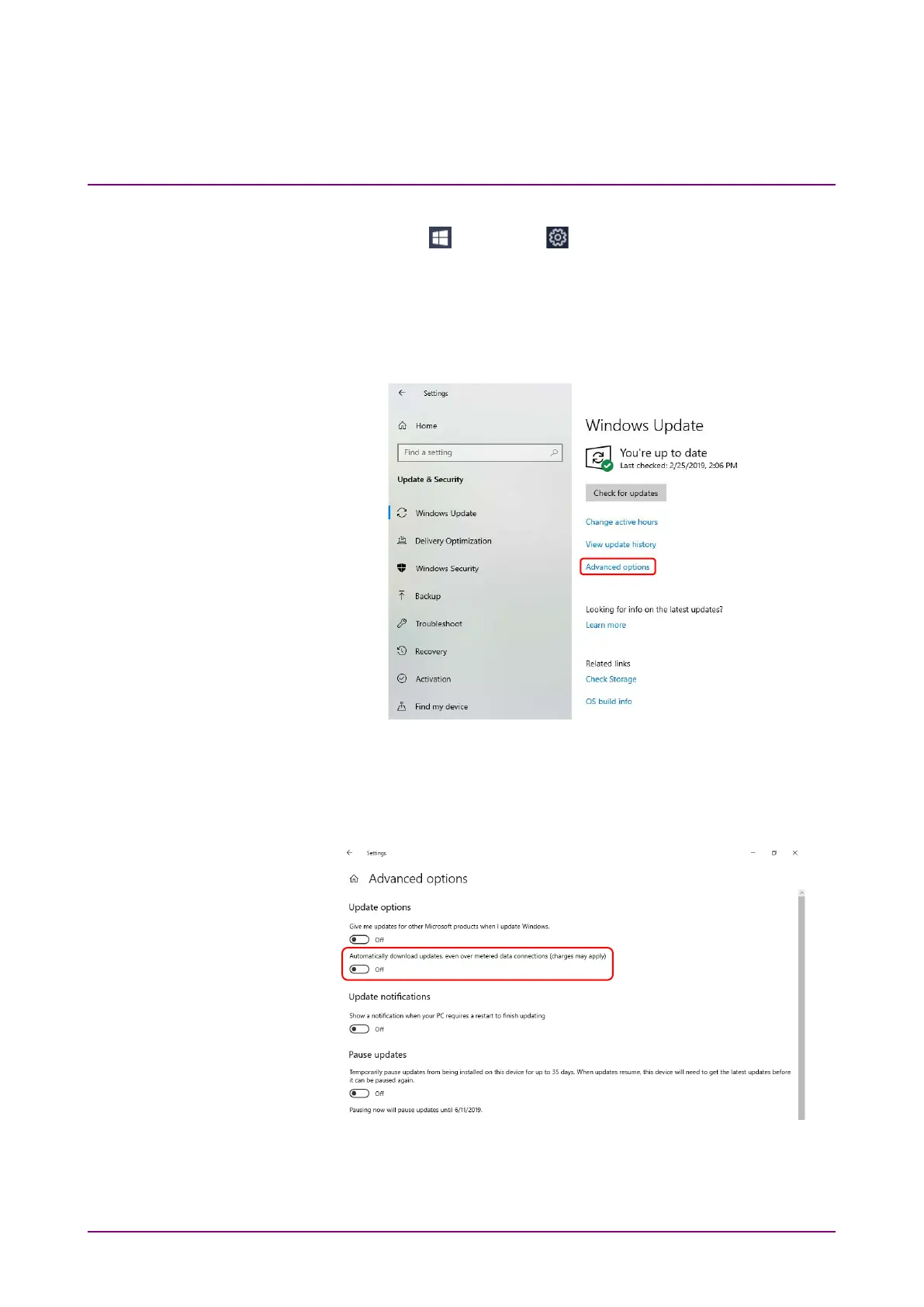
3. To turn off automatic updates, select
Windows Update found in left
side of Windows Update window, and then click Advanced options.
Figure 2.11.2-4 Windows Update Window
4. Advanced options window will be shown.
Confirm if
Automatically download updates, even over metered data
connections (charges may apply) is set to Off.
Figure 2.11.2-5 Advanced options Window














 To Next Page