3.2 Measuring Waveform
3-5
3
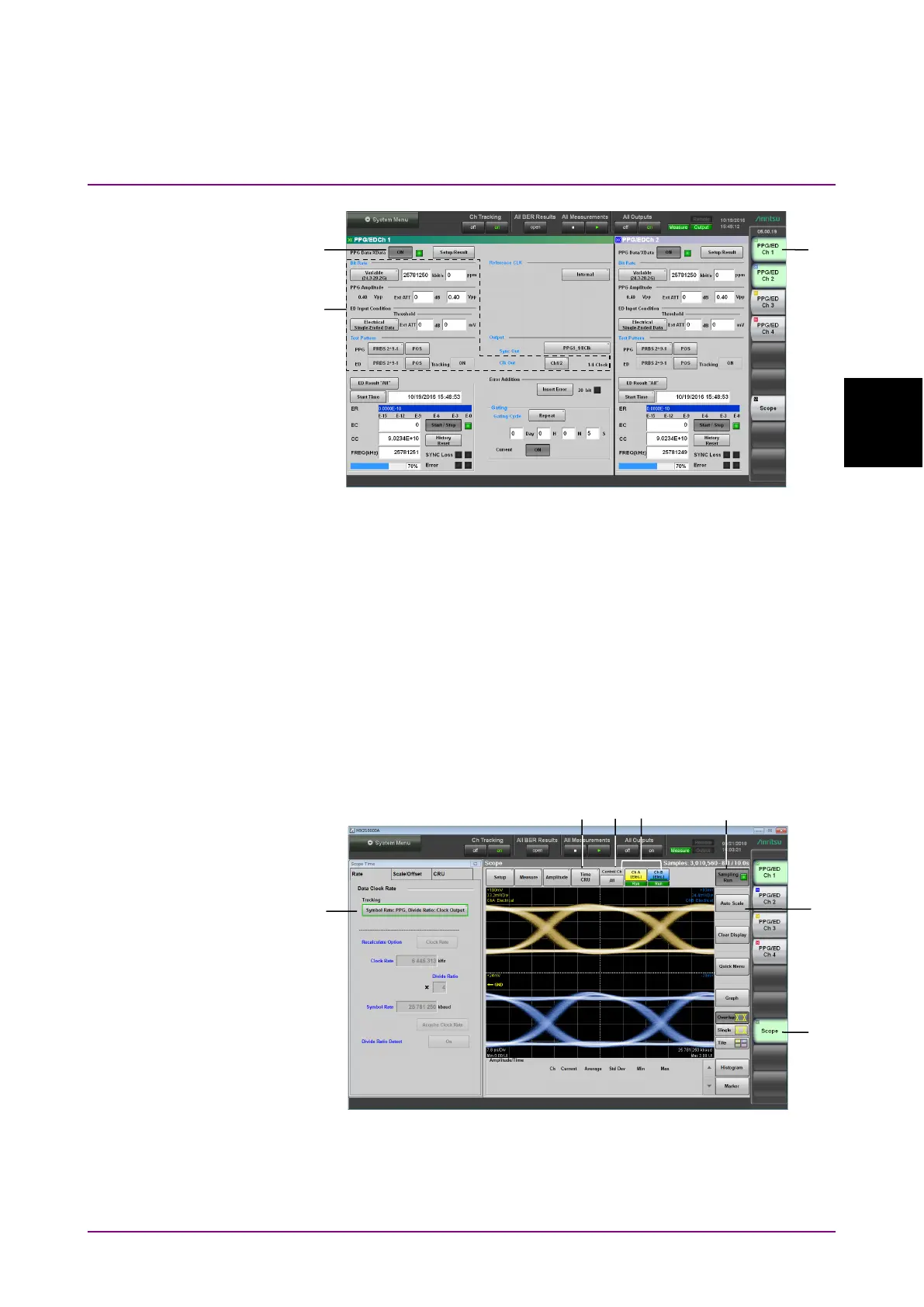
Figure 3.2-2 User Interfaces Used For Operating PPG
(Numbers Shown Correspond to Step Numbers.)
4. In the application window, click
PPG/ED Ch1.
5. Set Clk Out, Bit Rate, PPG Amplitude and Test Pattern. Refer to
Chapter 5, “How to Operate BERT” for details of the operation
method.
6. Click the PPG Data XData button and set the display to
ON. Check
the following items.
•
The Output lamp 1 on the BERT panel is lit. (Refer to Figure
2.2.1-3.)
•
In the application window, the SYNC Loss and Error indicators
are off.
Figure 3.2-3 User Interfaces Used For Operating Scope
(Numbers Shown Correspond to Step Numbers.)
7. Click
Scope.
8. Click
Time.














 To Next Page