Chapter 4 Screen Operation
4-16
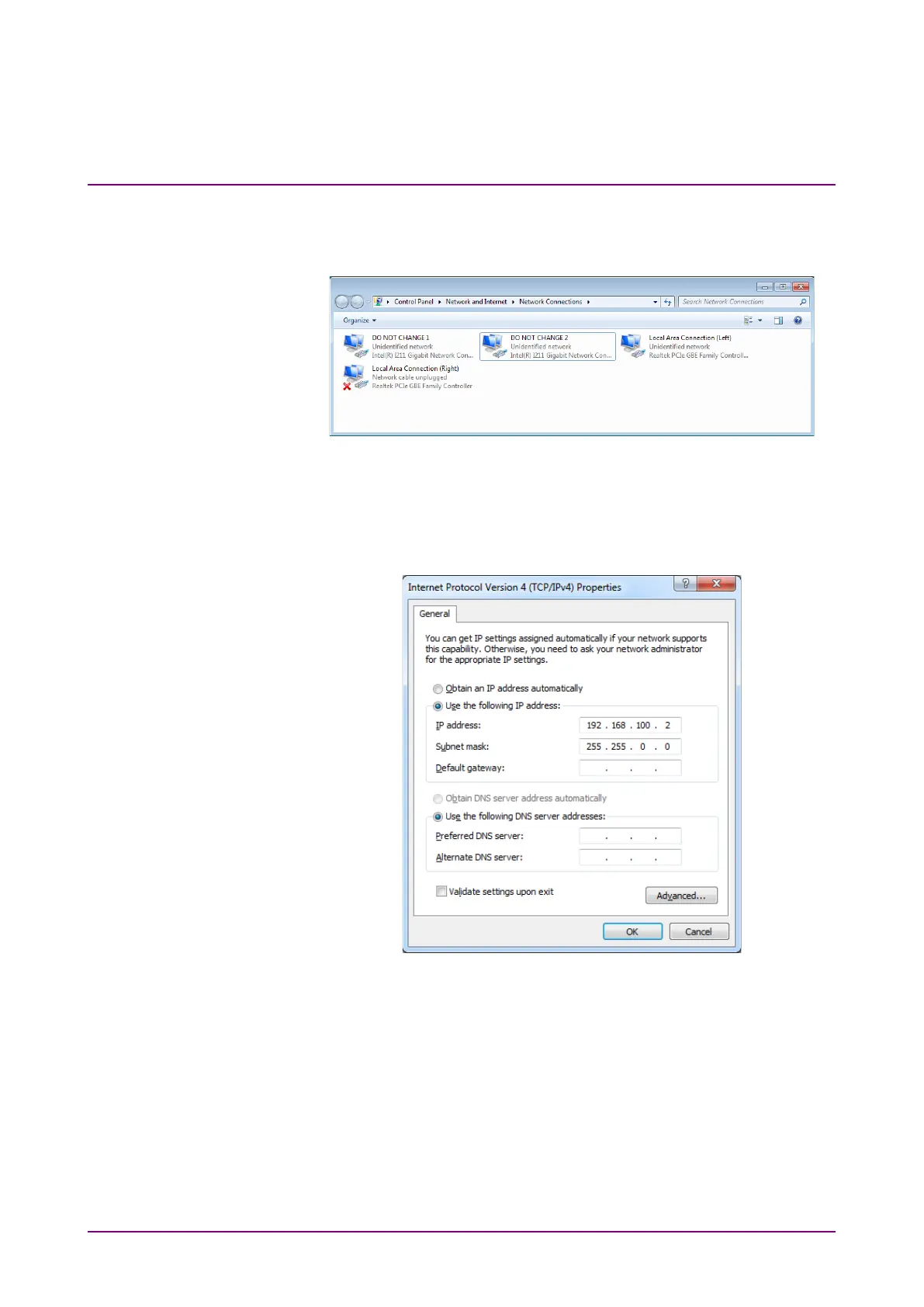
3. Click Change Network Connections to change the IP address, subnet
mask, and gateway address of the MP2110A. The Windows Network
Connections window is displayed.
4. Right-click the
Local Area Connection (Left) or Local Area
Connection (Right) icon, and click Properties.
5. Click
Internet Protocol Version 4 (TCP/IPv4), and click Properties.
6. In the
Internet Protocol Version 4 (TCP/IPv4) Properties dialog box,
configure the settings.
To automatically obtain an IP address of Local Area Connection
using DHCP, click
Obtain an IP address automatically.
7. Click
OK to complete the settings.
Click Cancel to cancel the settings.
Note:
At step 3, do not change the setting of Intel(R) Gigabit Network
Controller in the Network Connections dialog box. If changed, the
application is not started correctly. If this setting is changed, click
Obtain an IP address automatically at step 6.














 To Next Page