6.9 Measuring Waveform
6-107
6
How to Operate Sampling Scope
Jitter Analysis (Eye)
1. Click Scope.
2. Click Setup and set Sampling Mode to Eye. Set Signal Type to NRZ if
it is displayed.
3. Click Time and set Data Clock Rate and Pattern Length.
4. Click Sampling to display Sampling Run at the button display.
5. Click Auto Scale.
6. To check NRZ? error, click Measure > Amplitude/Time tab.
7. Turn Display Result to On.
8. Check that the eye pattern is displayed at the center of screen and
NRZ? error is not displayed.
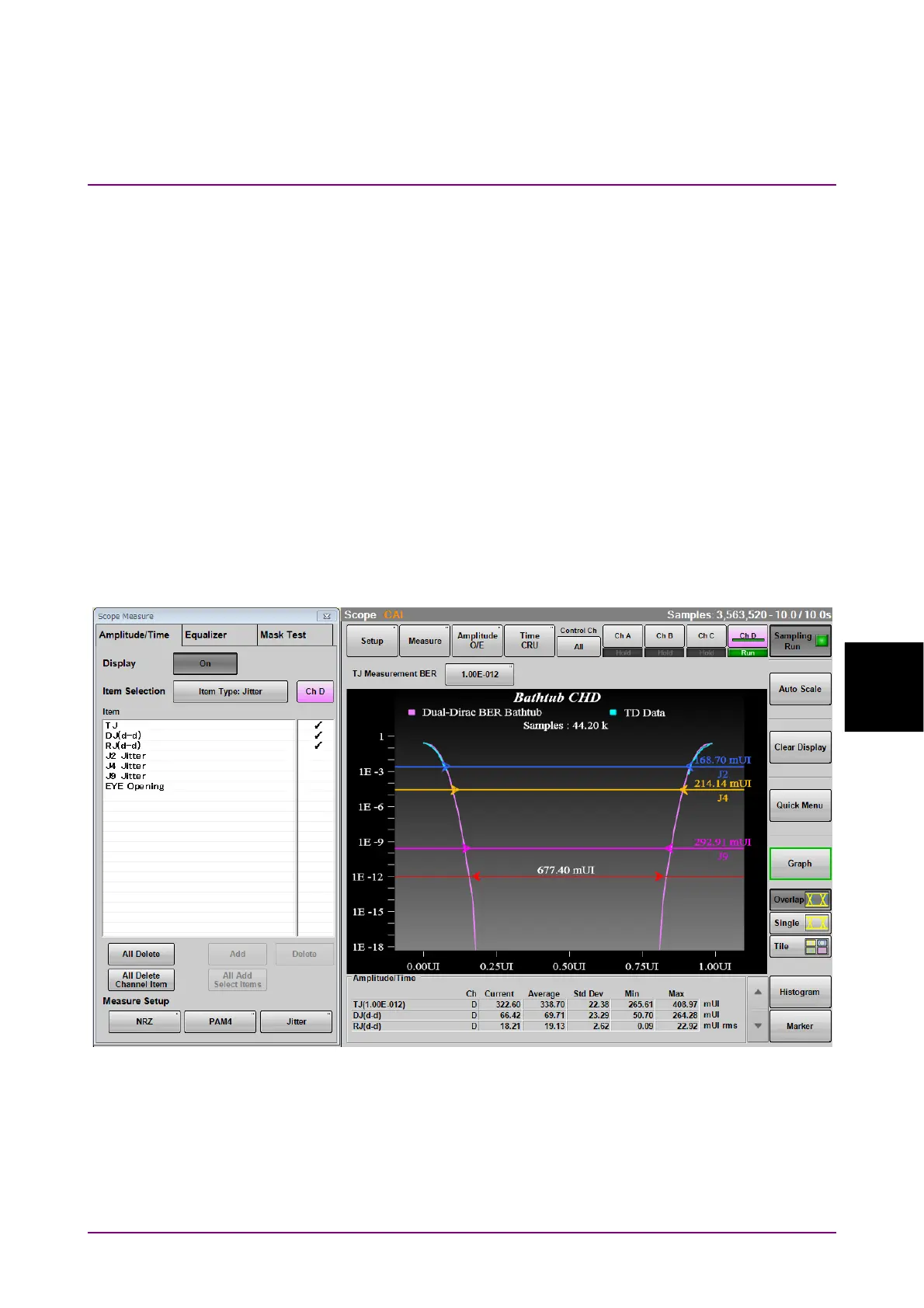
9. Set Item Selection to Item Type: Jitter.
10. To select an item or items, click on the right column.
11. Click Add. The measurement item is displayed on the Result window.
Figure 6.9.3-4 Display Example of Waveform
12. To change the measurement conditions, click Jitter of Measure
Setup.














 To Next Page