Safeguard stop Reset Input
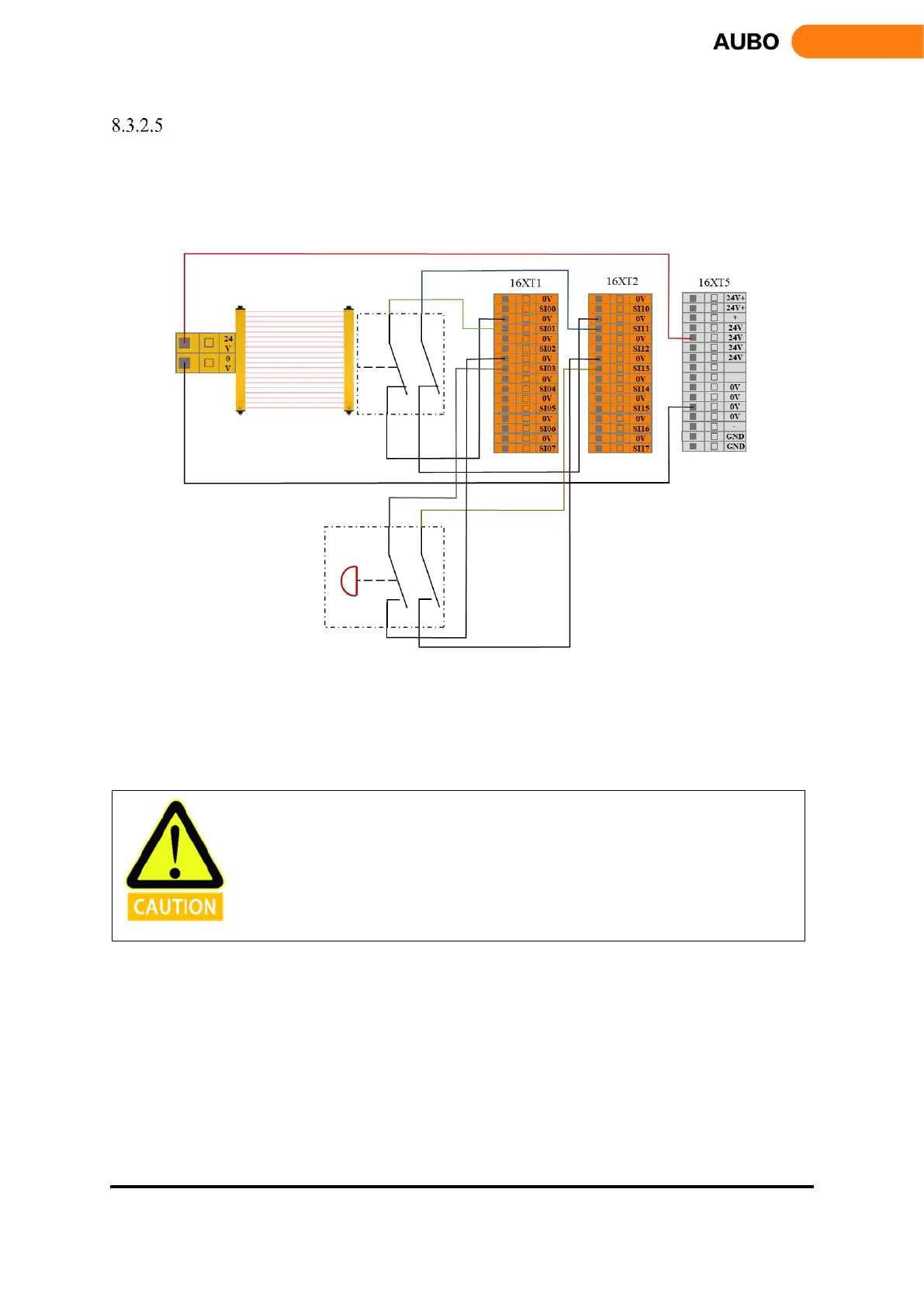
When configure the safeguard stop with reset device, users can use this interface to connect external reset
devices (reset buttons, etc.). Refer to the following example, connect the safety light curtain to the safeguard
stop input terminal and use the safety reset button to connect to the safeguard stop reset input terminal. See
the next figure.
Figure 8.10 Safeguard stop Reset Input connection (Internal power supply)
After the operator enters the safety zone, the robot stops moving and maintains at category 2 stop. When
the operator leaves the safety zone, it is necessary to reset the manipulator from the outside of the safety
zone and reset the button. The robot continues to run from the stop point. In this process, user needs to use
the safeguard stop reset input.
When using this type of configuration, the user needs to configure the protective reset as
manual reset through the AUBOPE.



 To Next Page