Motion speed control
Figure 10.17 Motion speed control.
Users can adjust the robot’s motion speed by sliding the slide bar (the percentage of the maximum
speed).
Sliding the slide bar can only be used in teaching mode. Users can not adjust the motion speed of the
robot by sliding the slide bar in the auto mode.
I/O Control Interface
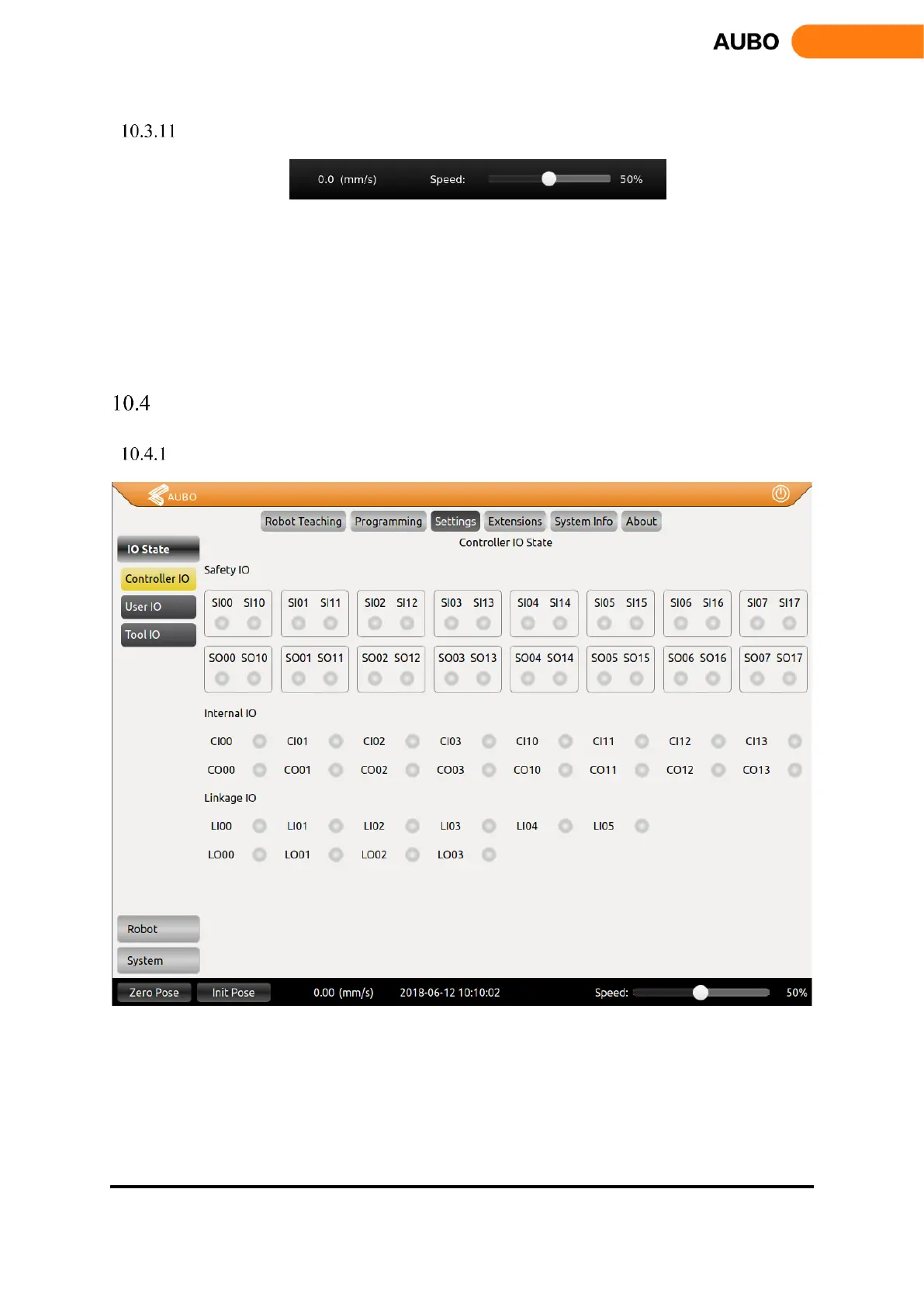
Controller I/O Tab
Figure 10.18 Controller I/O
Safety I/O: the safety I/O designed as dual channel (redundant design) to ensure the safety function
should not lost in any case of single failure.
Internal I/O: only for internal function interface to provide status display of the internal I/O which are
not available for user.
Linkage I/O: for linkage mode I/O status display.



 To Next Page