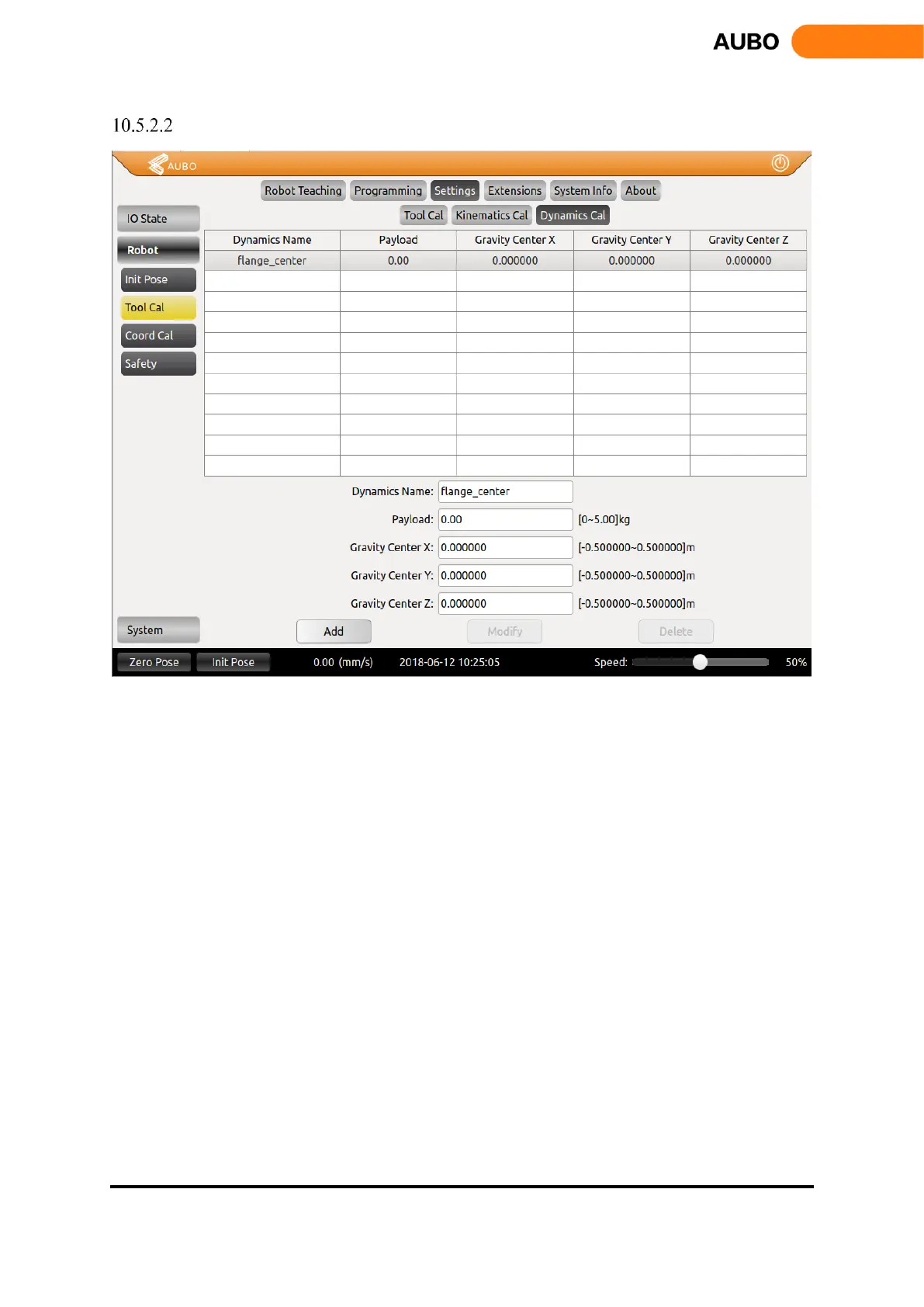
Tool Dynamics Calibration
Figure 10.25 Tool Dynamics Calibration
The picture above shows the tool dynamic calibration interface. enter the load, the tool center of
gravity parameters and tool name and click Add to save the parameters
When modifying the tool dynamics parameters, first, select the item to be modified, and then, enter
the value to be modified, and click the Modify button to complete the modification.
When deleting the tool dynamic parameters, first select the item to be modified, and then click the
Delete button to delete.
It should be noted that, flange_center option is the system default parameter, which cannot be
modified and deleted.



 To Next Page