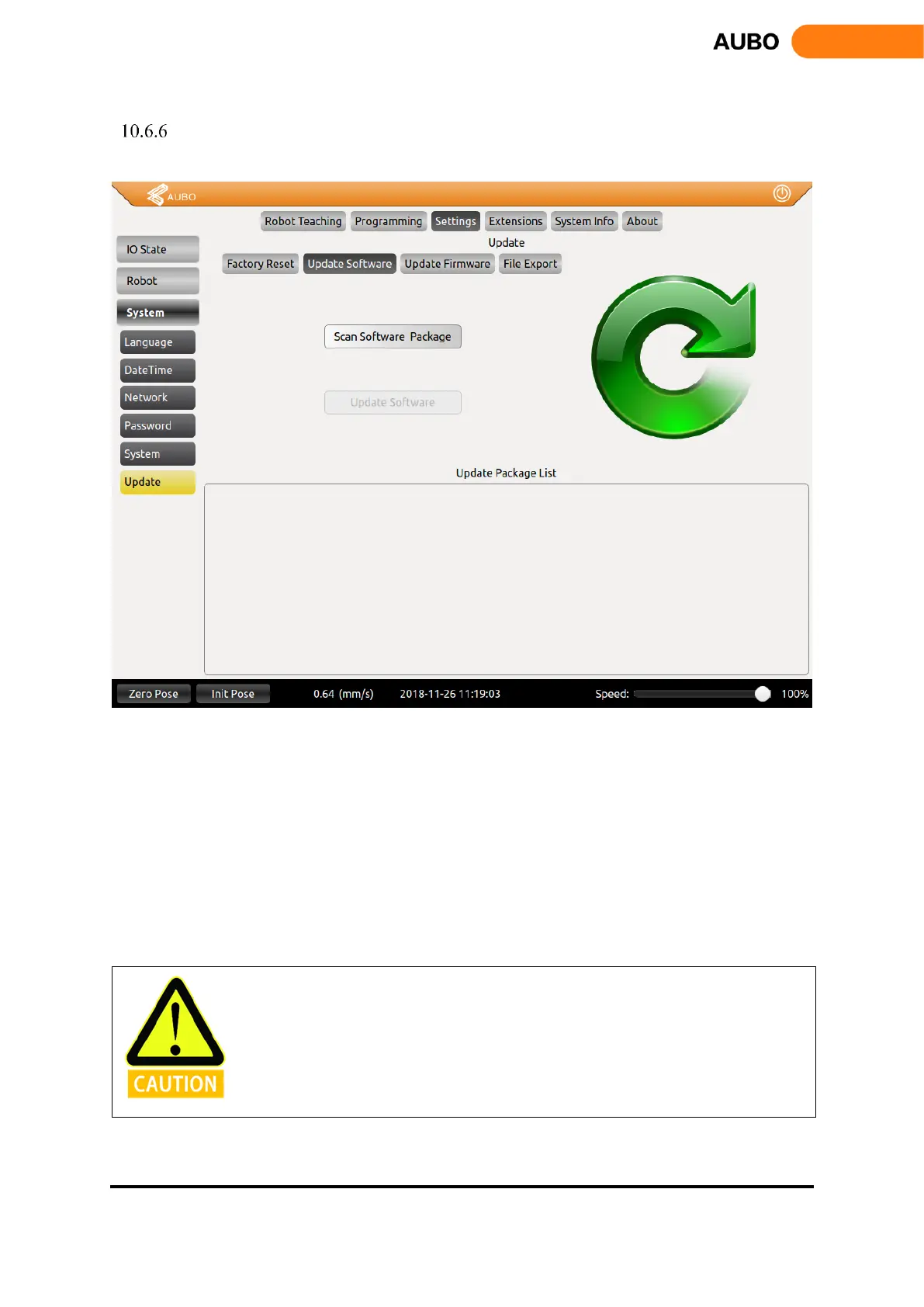
Update Tab
Update Tab can install new update, import or export the project file and reset from the USB memory stick.
Figure 10.43 Update tab
Steps of updating software: Insert an USB memory device and click【Scan software Package】as
shown in Figure 10.43, click the name of updated software and click【Update】, then the system
will reboot to finish update.
The name file directory can only be English
Updated Software can only be placed in root directory.
Updated Software must be a compressed file end with us.
After updating software, system will reboot automatically.
This tab can import or export the project file and reset too.



 To Next Page