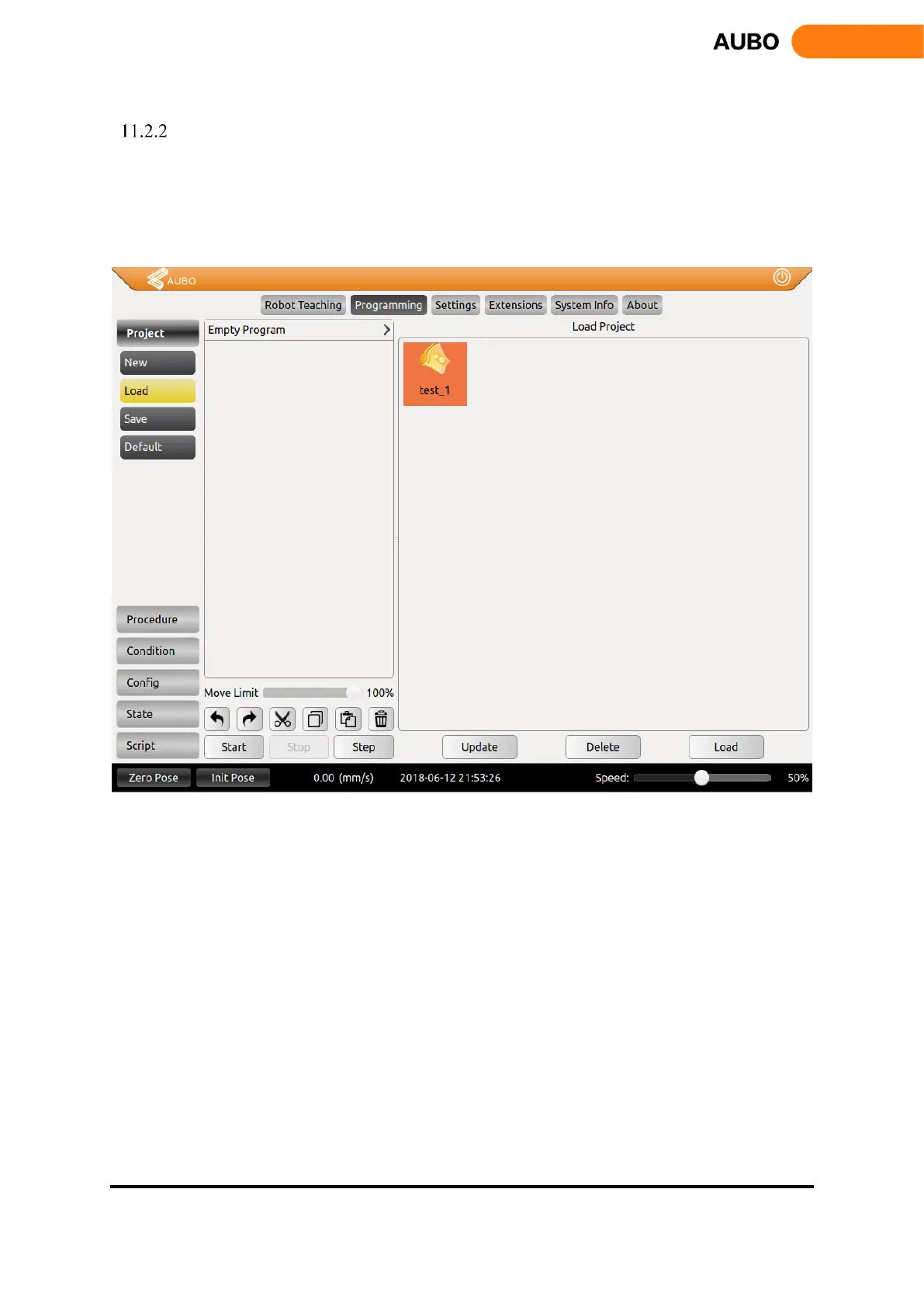
Load Project
Click【Load Project】, find a target program and load.
The selected program will be loaded in program logic list.
Click【Start】button on the lower left corner to enter auto move tab. Press and hold【Auto】button
to move robot to initial pose. Click【OK】->【Start】, the robot will start to move.
Figure 11.2: Project tab.


 To Next Page