Enabling Device Input
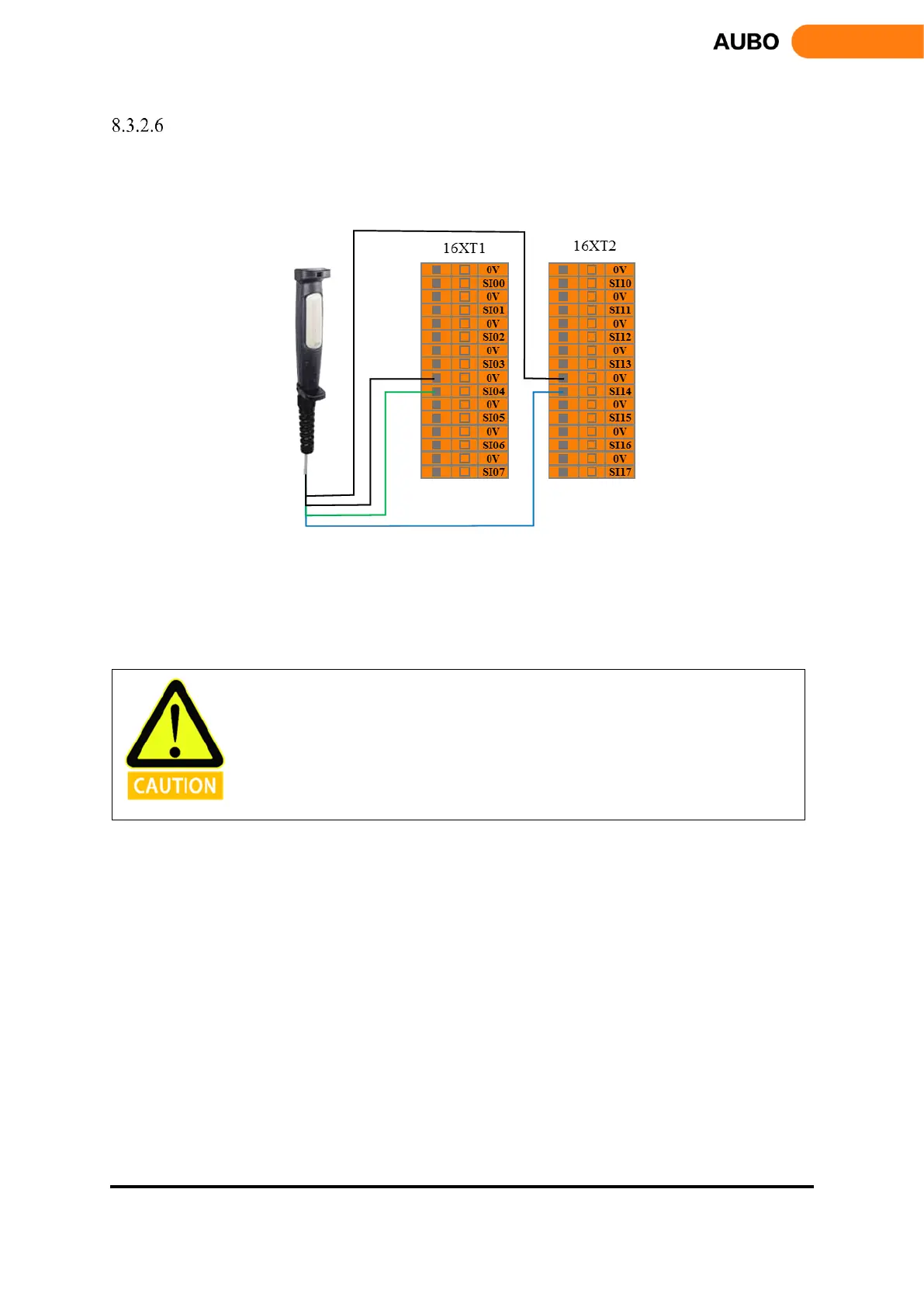
Users can use this interface to connect external safety devices (such as three-position enabling switch, etc.),
in order to verify the project. The user can refer to the following example, using the three-position enabling
switch to connect the enabling device input interface. See the next figure.
Figure 8.11 Enabling device input connection
In the verify mode, the robot starts to move when the three-position enable switch is in the enable position
(intermediate position); when the user releases or presses the three-position enable switch, the three-position
switch is in the non-enabled position, and the manipulator stops moving.
When using such a configuration, the user is required to ensure that the robot is in
verification mode. Users can configure the operating mode through AUBOPE to
verification mode, or also through the operation mode input configure the robot to
verification mode



 To Next Page