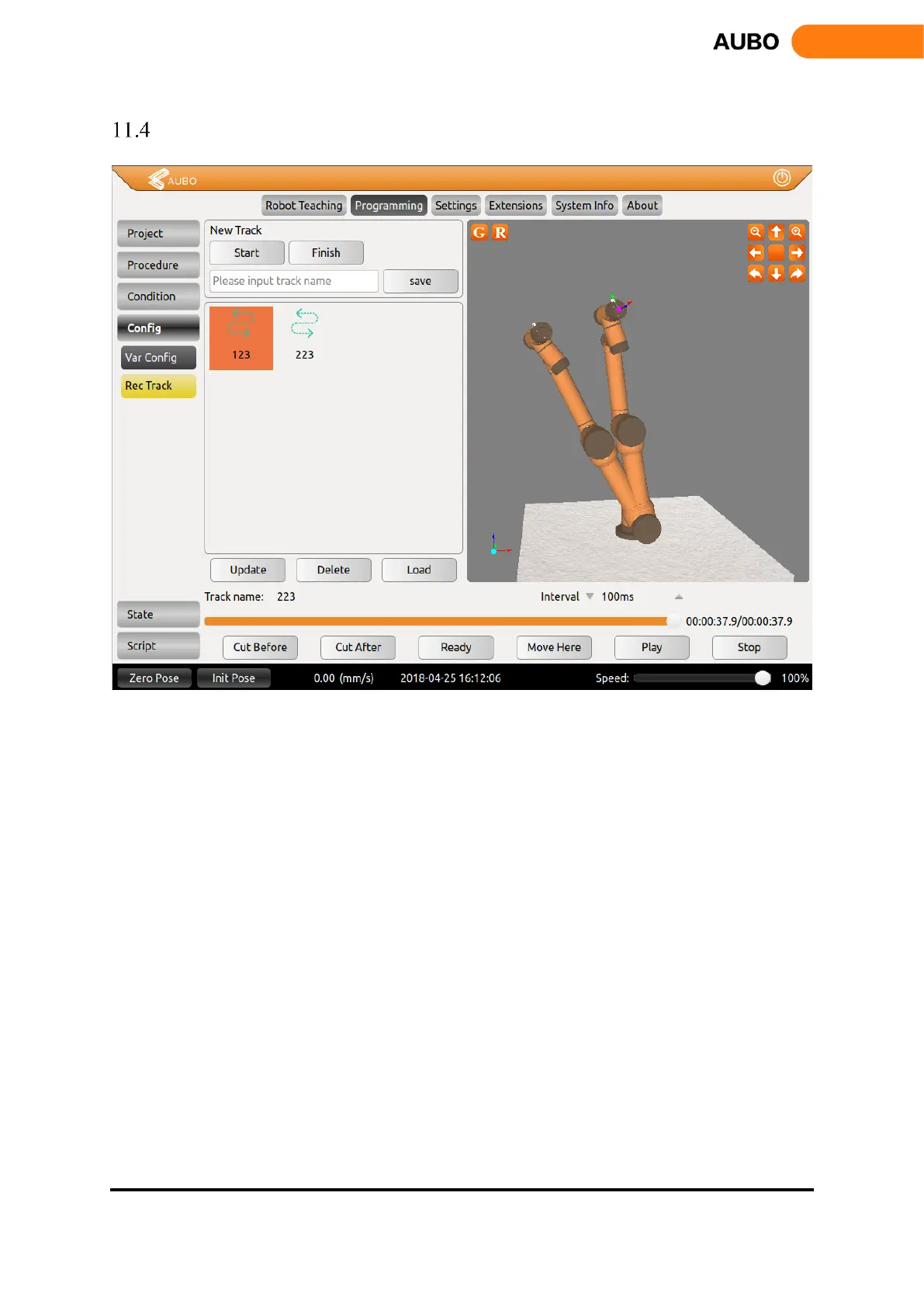
Track record
Figure 11.34 Track record
Track record can record the movement track of the robot for a certain period and used in online
programming.
New track: Click Start to record the movement track of the robot, click Finish to stop the recording, enter
the track name, click Save to finish.
Track replay: Click the Track to select, click Load, then press and hold Ready, wait it to reach its original
position, and then click Play to review the track.
Track pause: Click Stop to pause the track replay.
Resume to play after pause: Press and hold Move Here and wait it sync with current position, and then
click Play
During the replay, User can drag progress bar to operate the replay progress.
Edit track: click Cut Before to remove the track before selected position, click Cut After to remove the
track after selected position.



 To Next Page