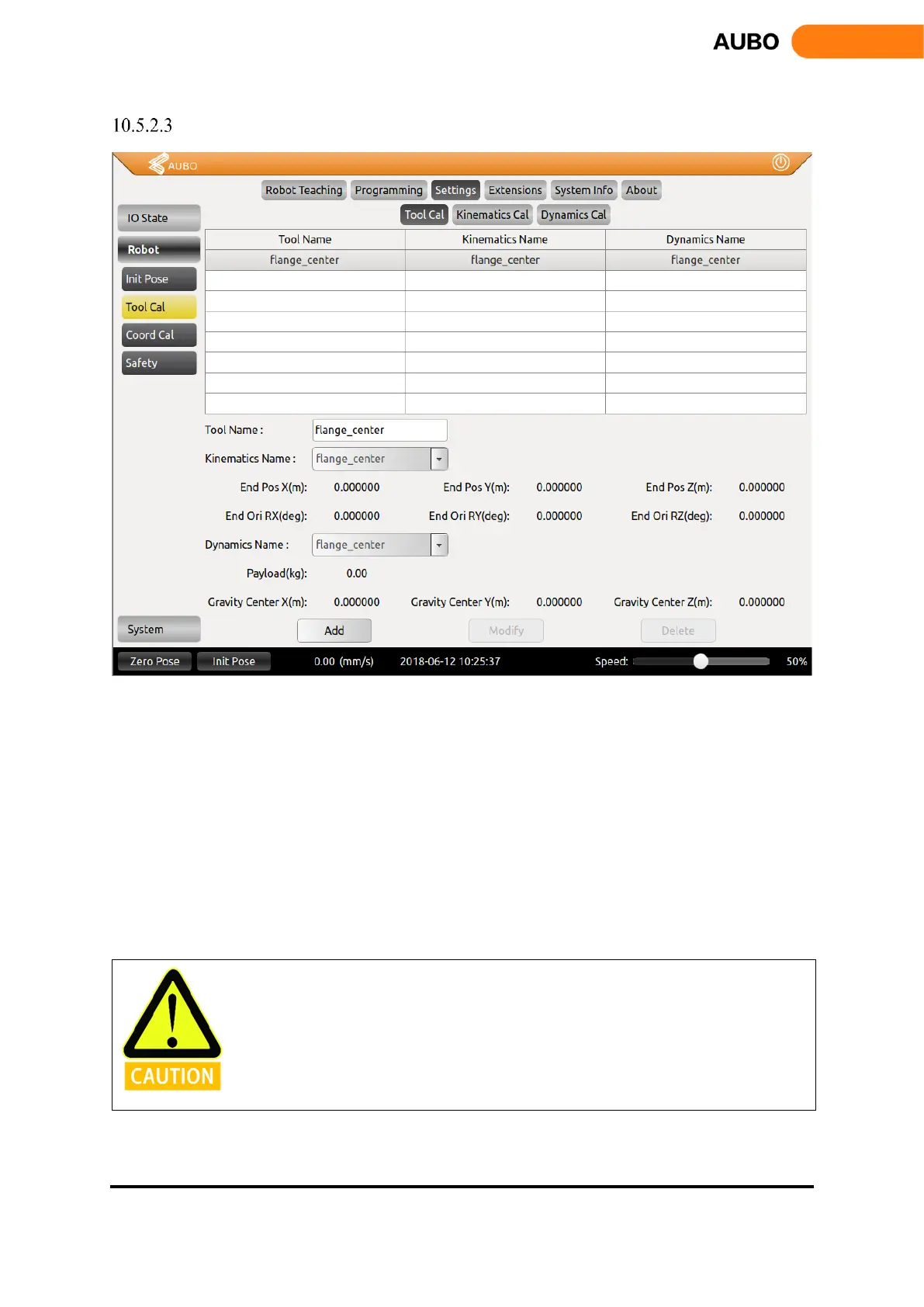
Tool Calibrate
Figure 10.26 Tool Calibrate
The picture above is the tool calibration interface. After completing the tool kinematics and the dynamic
parameters calibration, please follow the following steps: enter the interface, select the tool kinematics and
dynamics parameters from the drop-down list, enter the tool name, and click the Add button to save the tool
parameters.
When modify the tool calibration, select the item to be modified, you can modify the name, kinematic
parameters and dynamic parameters. Click the Modify button to complete the modification.
When delete tool calibration, select the item to be modified and click the Delete button to delete.
It should be noted that, flange_center option is the system default option, which cannot be modified and
deleted.
It may cause different malfunctions if setting data is inaccurate in the actual operation. If
the setting is wrong, the manipulator and the control box can’t work normally and can
cause danger to personnel or equipment around.



 To Next Page