Safeguard stop Input
Users can connect external safety devices (such as safety light curtains, safety laser scanners, etc.) through
this interface, then control the manipulator to enter the safeguard stop state and stop the movement of the
manipulator.
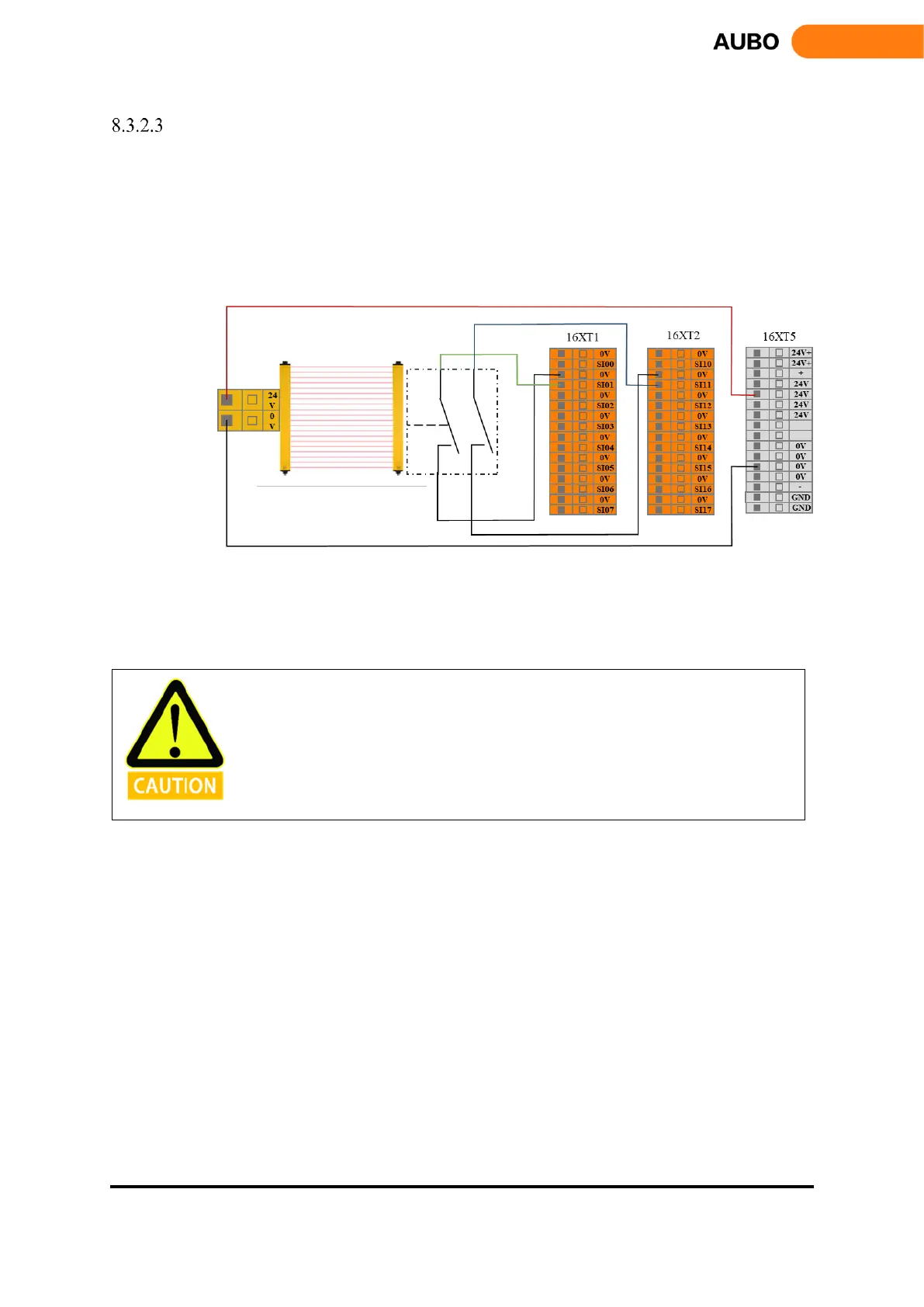
When configuring the auto-reset safeguard stop, the user can refer to the following example, using the safety
light curtain to connect to the safeguard stop input interface. See below.
Figure 8.7 Safeguard stop input (Internal Power Supply)
After the operator enters the safety zone, the robot stops moving and maintains category 2 stop. After the
operator leaves the safety zone, the robot starts automatically from the waypoint where it stopped. During
this process, there is no need to use protective reset input.
• In this mode, the response time of the system is 1200ms. If the user operates too
frequently, the system may report an error.
• In this configuration, user should select the protective reset as auto-reset via
AUBOPE.



 To Next Page