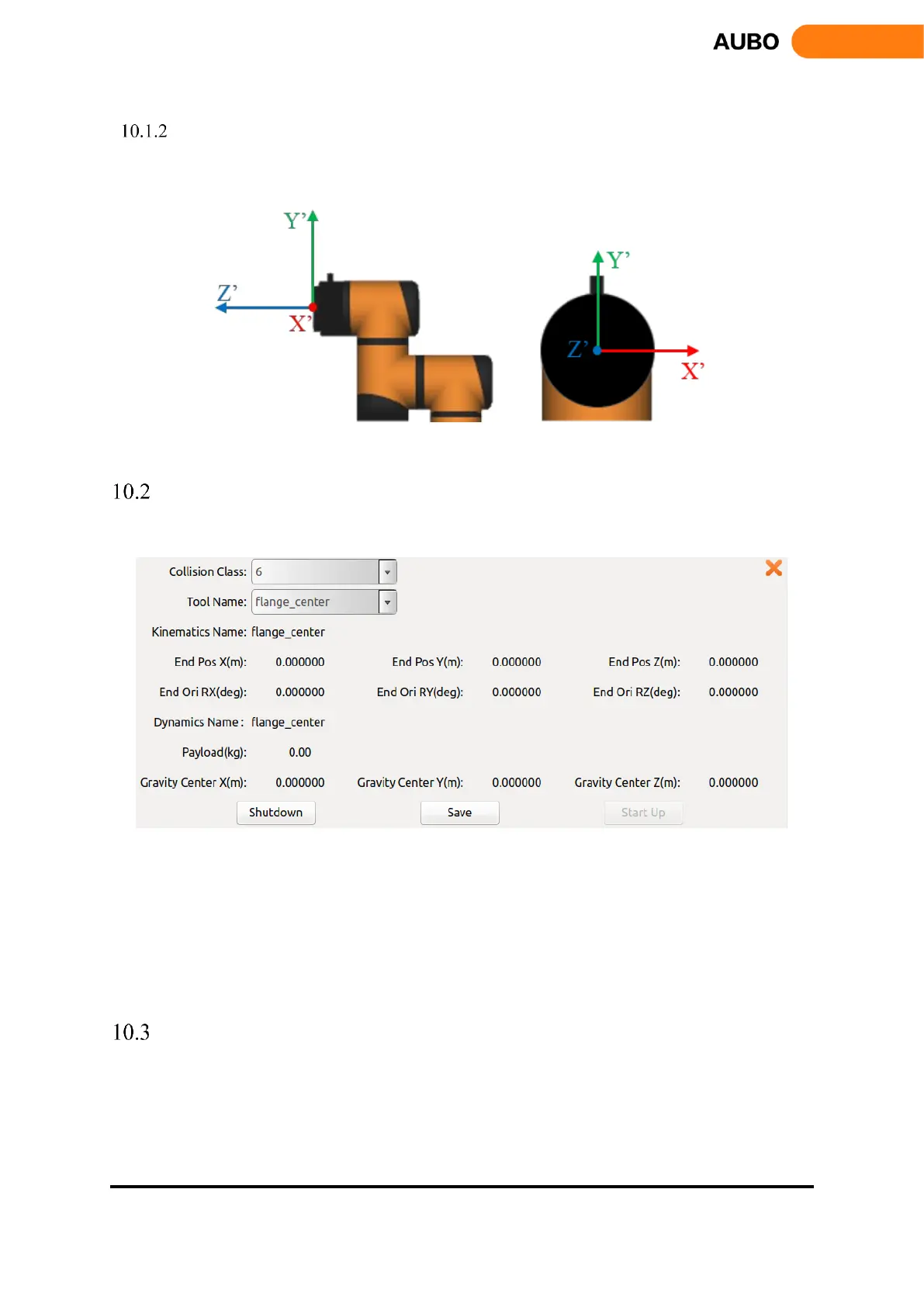
End coordinate system
Choose the end coordinate system in teach pendant interface, robot will operate as following figure.
Figure 10.2 End coordinate system
Initial Interface
After starting the AUBOPE, The following window will pop up:
Figure 10.3 Initial Interface
Collision class means safety collision detection level, a total of 1-10 safety levels. The higher the
level, the lower the force to stop the manipulator with the collision detection function. The sixth level is
the default level.
User can select the specified tool flange center as the tool name.
Click save-> start up button, then enter the teaching interface
"Robot Teaching" User Interface
The Robot Teaching panel is used for the robot teaching operation. User can move the robot by clicking icon
on the panel and get feedback information of movements from the panel. This section mainly focuses on the
Robot Teaching panel.



 To Next Page