Project Tab
The first step of writing a new program is to setup a new project.
Programs are saves as projects.
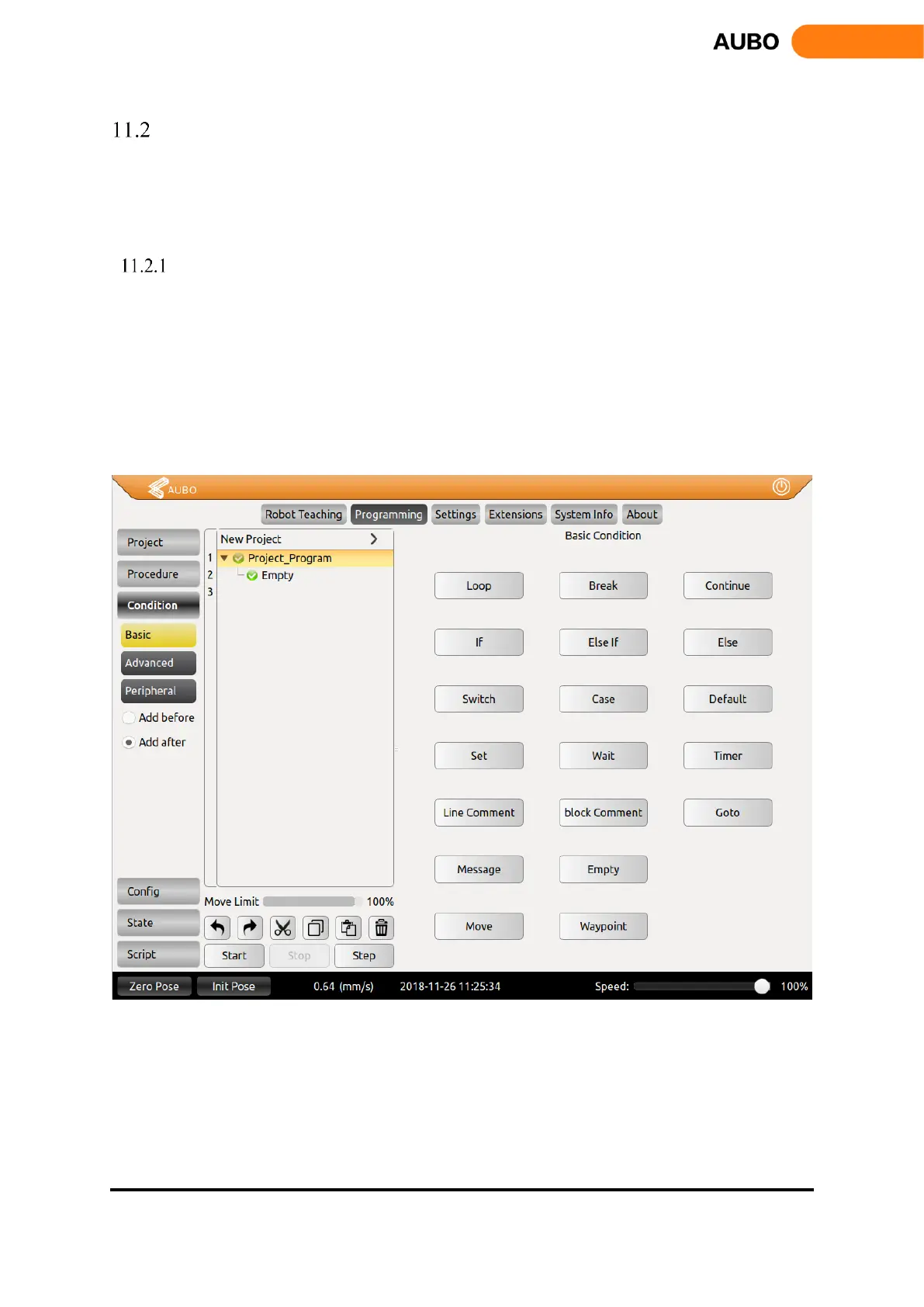
There are 4 buttons on the Project tab: New Project, Load Project, Save Project and Default project.
New Project
Click【New Project】to create a new project. There will be a root node (Robot Control Project) on
Program Logic. The following command will under this root node and the tab will change to
Command automatically.
When a new project is created, it will cover the current project. Therefore, remember to save the
current project.
Click【Add before】to insert a new command before selected command.
Click【Add after】to insert a new command after selected command.
Figure 11.1 Project tab


 To Next Page