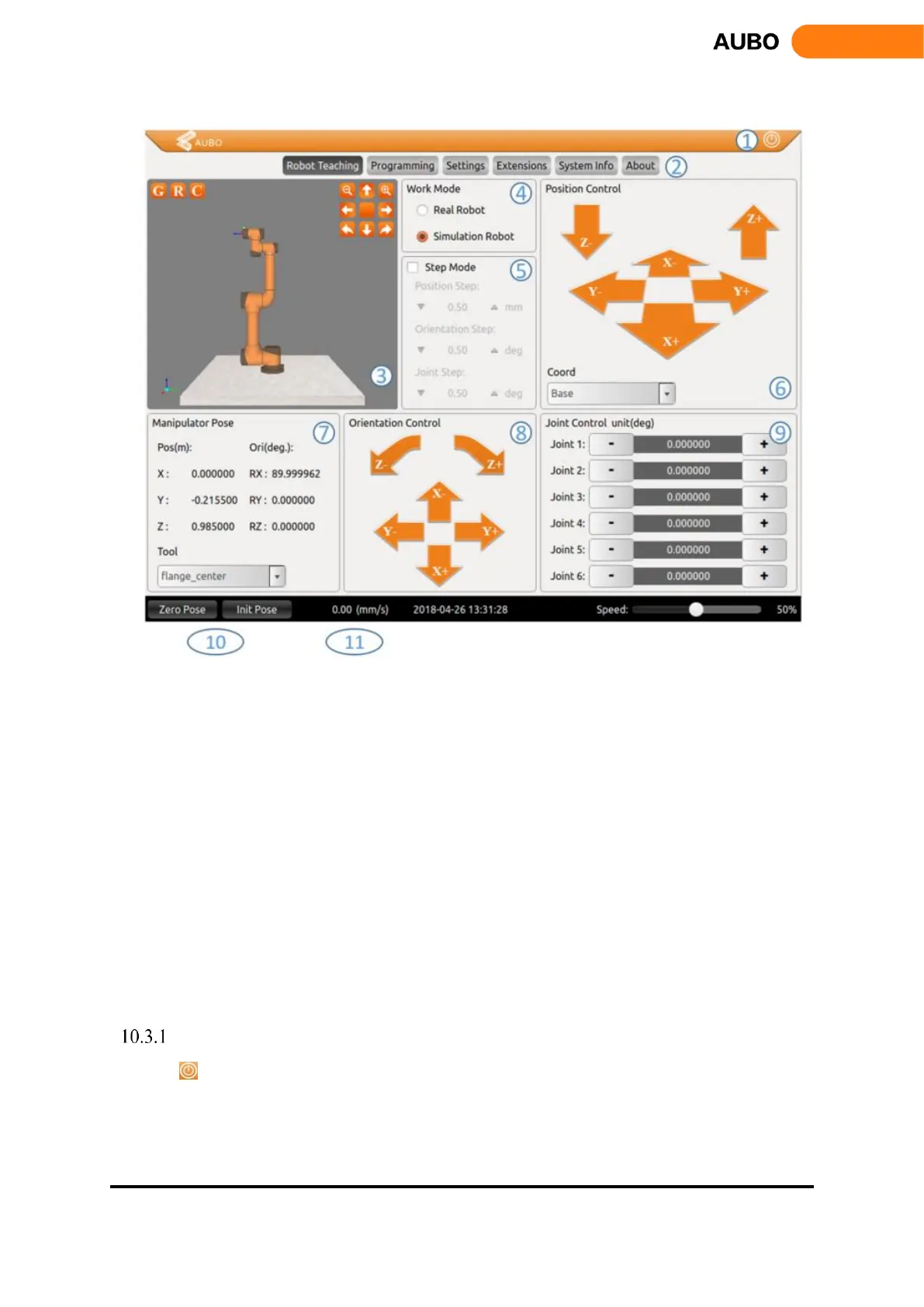
Figure 10.4 Robot Teaching interface
The Robot Teaching user interface consists of 11 components:
1. Software shut down button
2. Menu
3. Robot 3D display window
4. Simulation/real control switch button
5. Step mode control
6. Position control
7. Tool end position and pose information display
8. Orientation control
9. Joint control
10. Robot status control includes zero position, initial position
11. Motion speed control and display, robot time display
Software shut down button
Click to shut down the software.



 To Next Page