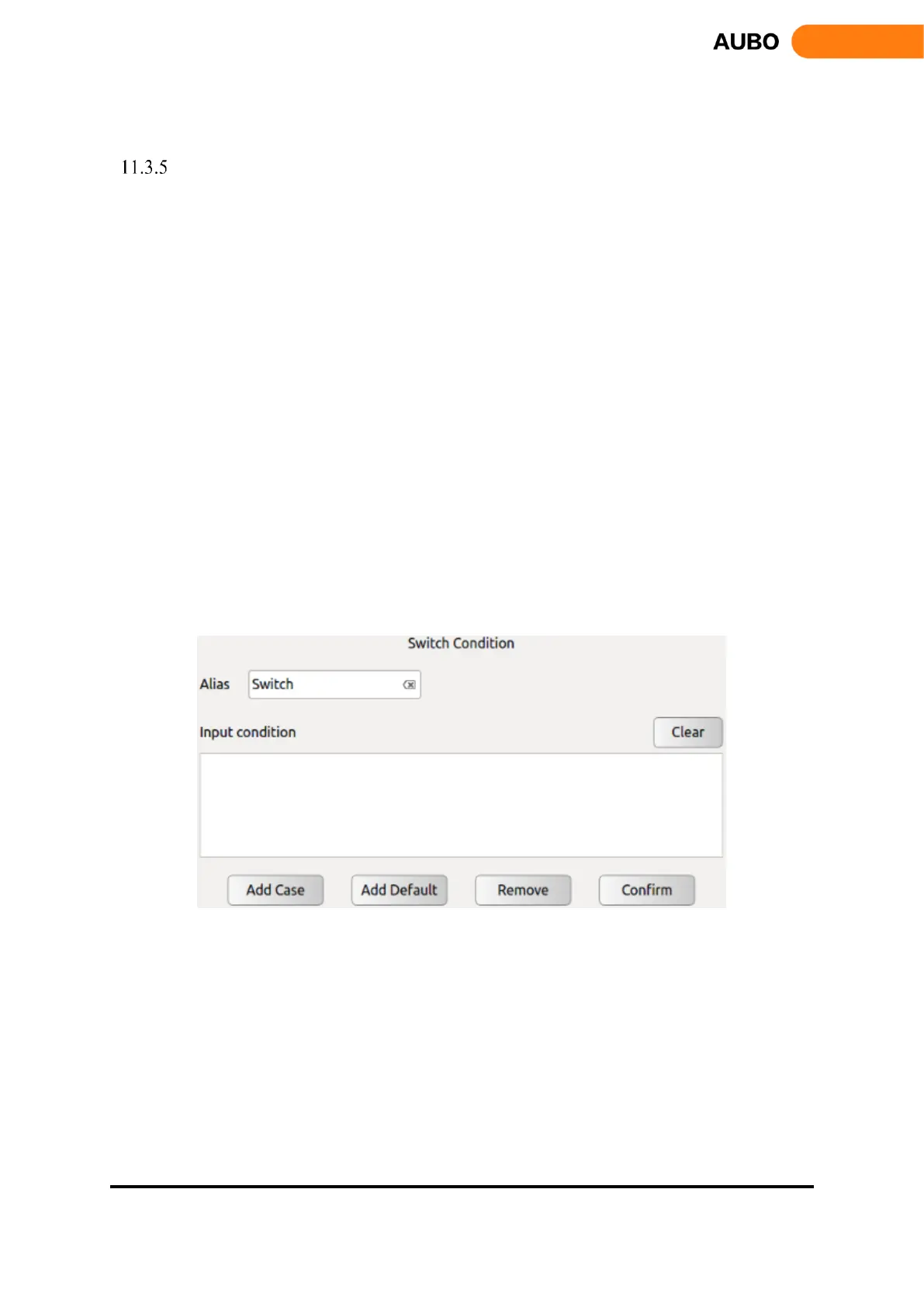
Switch...Case...Default
Switch...Case...Default is a condition selection command that runs different case program branches
by judging conditions.
Click the blank space on the right of【Alias】, It will pop up the input box, and user can modify the
command name.
Click the blank space on the right of【Input condition】, it will pop up the input box for input the
conditional expression. The expression operation follows the Lua language operation rules. When you
run the Switch command, the program will calculate the value of the Input condition expression and
compare with the condition value of the following Case statement. If they are equal, execute the
following program segment in the Case statement. If there is no Case value that satisfies the
condition, then execute Default corresponding program segment.
Note: To determine the authenticity, users can only use true / false, cannot use 1/0 instead.
Click【Clear】to clear the expression.
Click【Add Case】to add a Case node and form a Switch ... Case combination with the current
Switch node. A Switch can add more than one Case.
Click【Add Default】to add a Default node. One Switch can only add one Default.
Click【Remove】to delete the selected Switch, and the corresponding Case and Default of this
switch will also be deleted.
Click【Confirm】to confirm the configurations and save.
Figure 11.13 switch…case…default command



 To Next Page