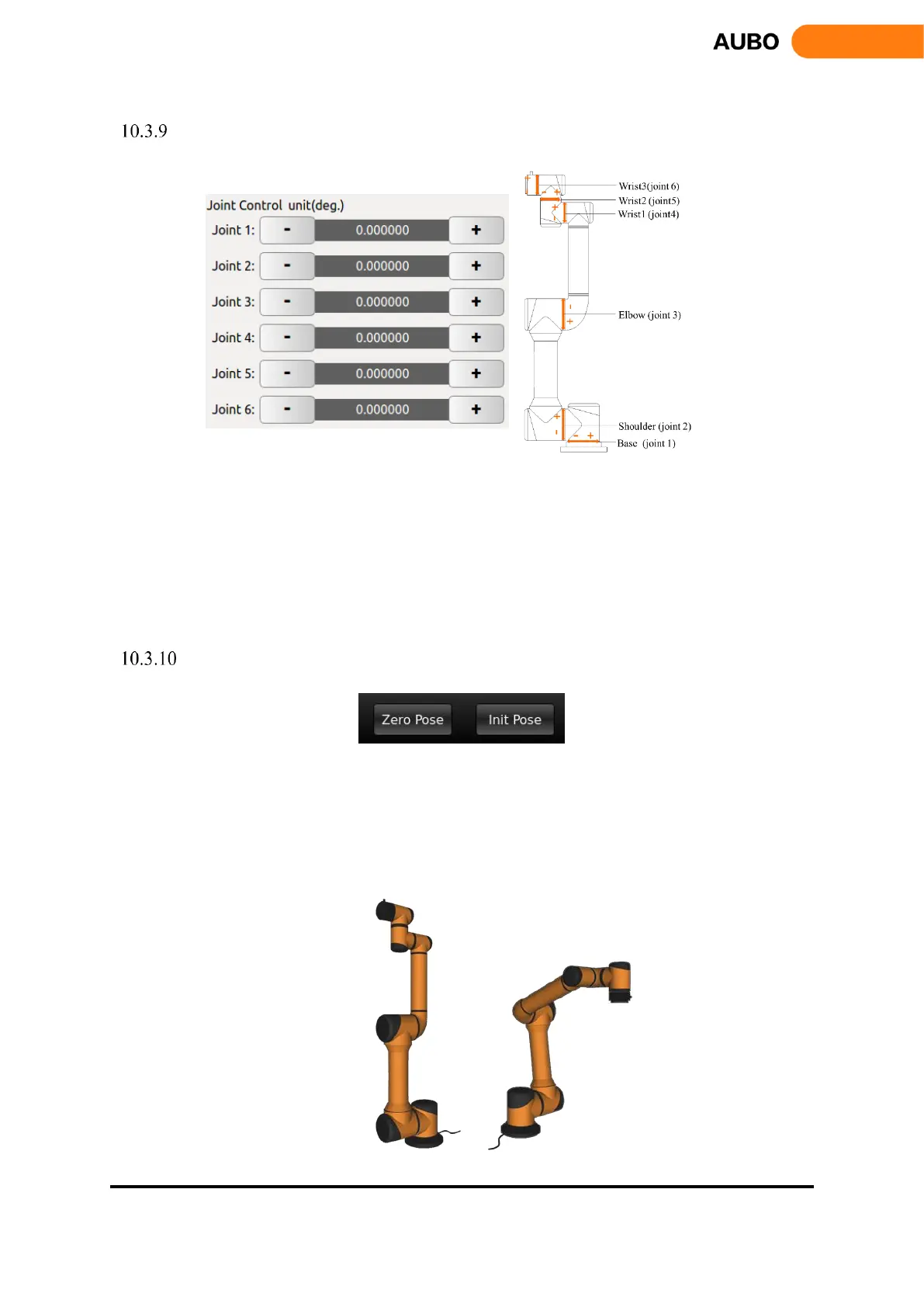
Joint axis control
Figure 10.14 Illustration of Joint control.
The robot has six degrees of freedom, namely Joint 1 to Joint 6 from bottom to top. Users can control
the movement of each joint by using the buttons on the teach pendant interface.
"+" represents that a joint motor rotates counterclockwise; and "-" represents that a joint motor rotates
clockwise, as shown above.
Unit: degree.
Zero Pose, Init Pose
Figure 10.15 Buttons for Zero Pose and Init Pose
Zero Pose: Press and hold the button to back to the zero position
Init Pose: Press and hold the button to back to the initial pose. Users can set arbitrary initial pose by
【Robot Settings】->【InitPose】on the teach pendant interface.
Figure 10.16 Zero Pose and Init Pose (default)



 To Next Page