10. TEACH PENDANT USER INTERFACE
The screen shows the user interface after opening the AUBO robot control software. The teach pendant
interface consists of 5 panels: Robot Teaching, Programming, Setting, System Info, and About, each
panel includes different operation buttons and information displays. Robot Teaching is used for
demonstrating the robot manipulation. Programming is used for robot programming. Setting is used for
setting the robot and system information. System Info displays status information of the robot. About
displays the information of the Software.
Coordinate System
User can use base coordinate system, end coordinate system, and user-defined coordinate system to control
robot’s movements.
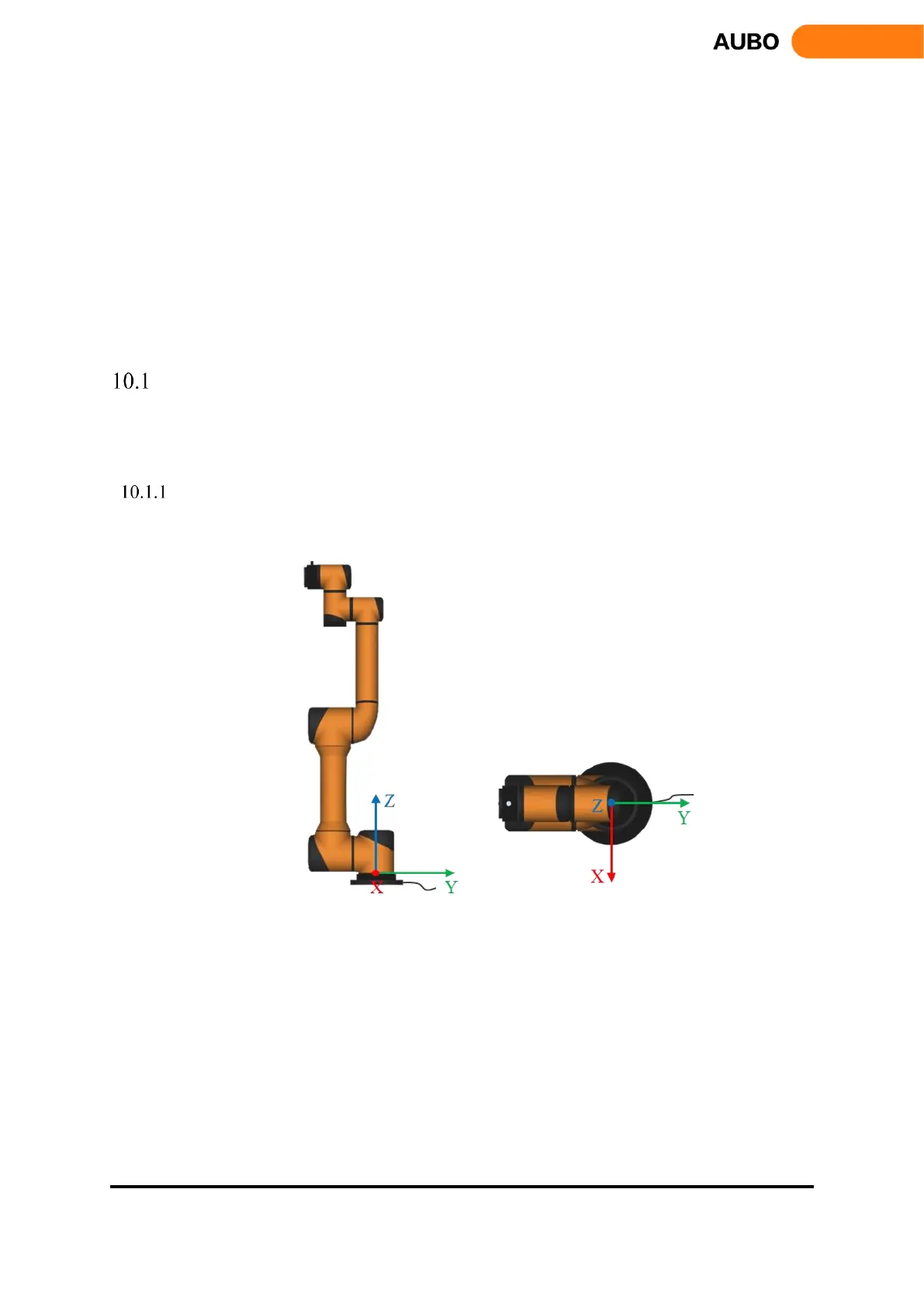
Base coordinate system
Choose base coordinate system in teach pendant interface, robot will operate as following figure.
Figure 10.1 Base coordinate system



 To Next Page