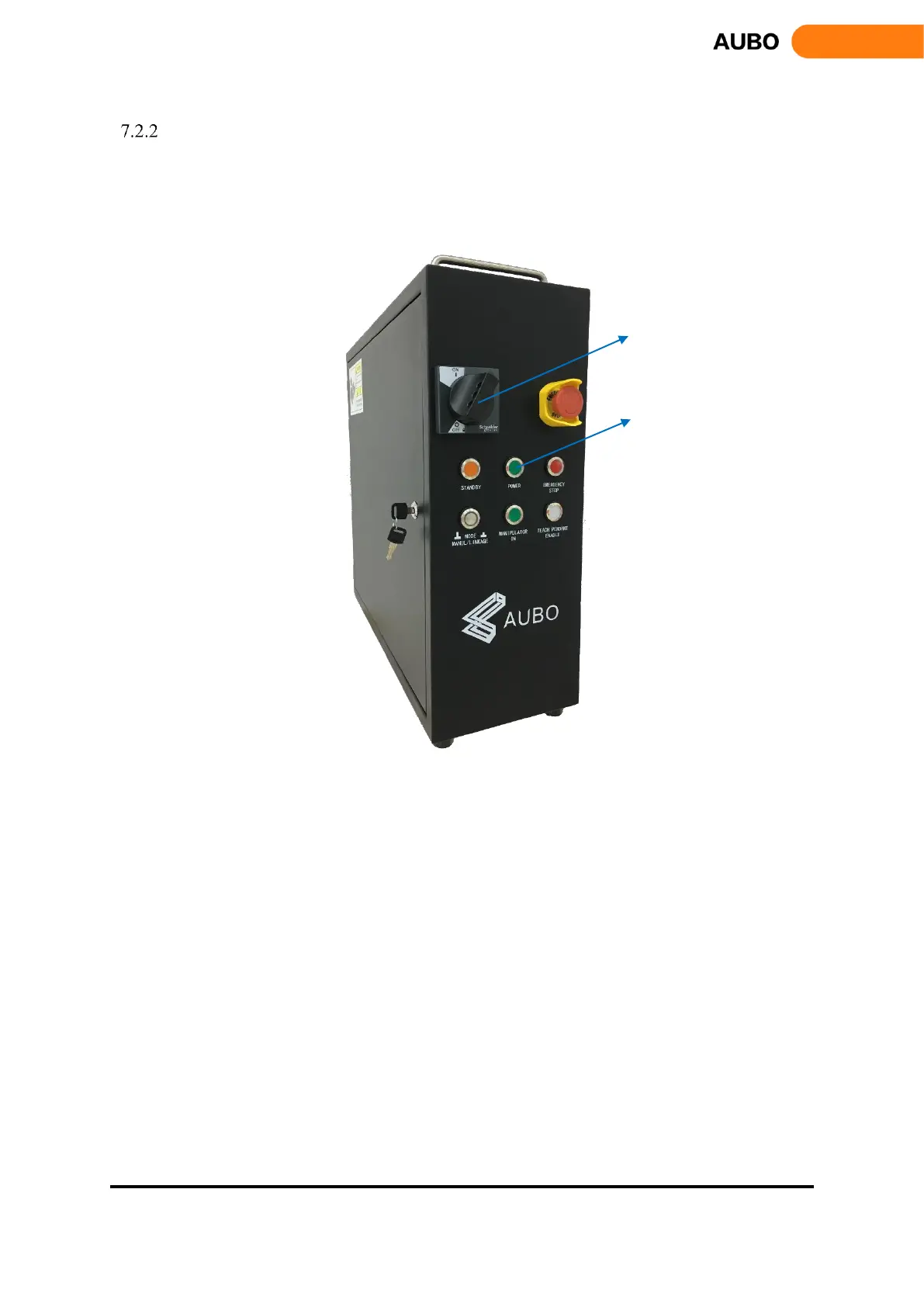
Power on System
a) Power on I series control box
Connect the cable connector to the AC power outlet, then switch the power from OFF to ON to light
the power indicator.
Figure 7.10 Power switch
b) Power on the teach pendant and the manipulator
• Turn the key switch to the manual mode (manipulator has two working modes: manual mode
and linkage mode. Please read chapter 8.4.4 for more instructions).
• Wait for STANDBY lights steady and enters the standby state.
• Press start up button on the upper left of the teach pendant for about 1s when the blue light
appears. Robot and the teach pendant power-on at same time and the screen of teach pendant
lights up.
• The startup button and the state of LED indicator are shown in figure 7.11



 To Next Page