Command & Condition Tabs
【Command】and【Condition】are two important parts in the programming environment.
【Command】is used for writing and adding commands.【Condition】is used for configuring the
selected command status. These two tabs usually are used in the same time, so this section introduces
them together.
This section mainly introduces the meaning and the usage of commands. Only known the usage of
commands, we can program successfully and completely.
Loop
Loop is a loop command. The underlying program commands are either looped infinitely, a certain
number of times or as long as the given condition is true.
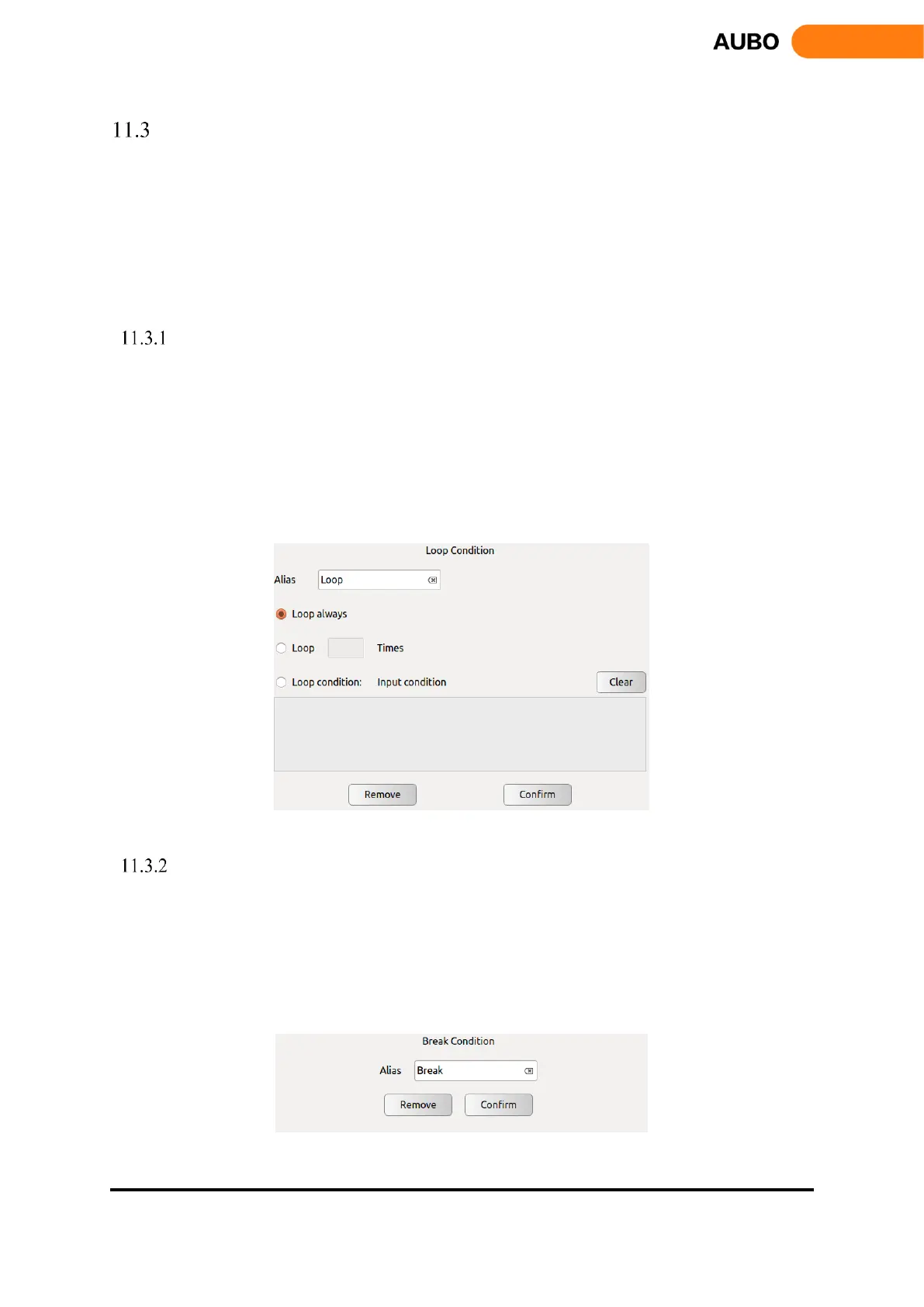
Choose【Loop always】to loop infinitely.
Choose【Loop XX Times】to set loop frequency and exit the loop when reach loop times.
Choose【Loop condition】to set loop expression. When expression is established, enter the loop,
otherwise, exit loop. Click【Clear】to clear the expression.
Click【Confirm】to confirm and save the configurations.
Figure 11.8 Loop
Break
Break command is used to jump out of a loop when Break condition is satisfied.
The gramma of Break should be formal. Break can only be used inside Loop. Before Break
command, there must be an If command. When If condition is true, Break will be executed and
jump out of the loop. Otherwise, an error message will pop up.
Click【Remove】to delete the Break command.
Figure 11.9 Break



 To Next Page