If…else
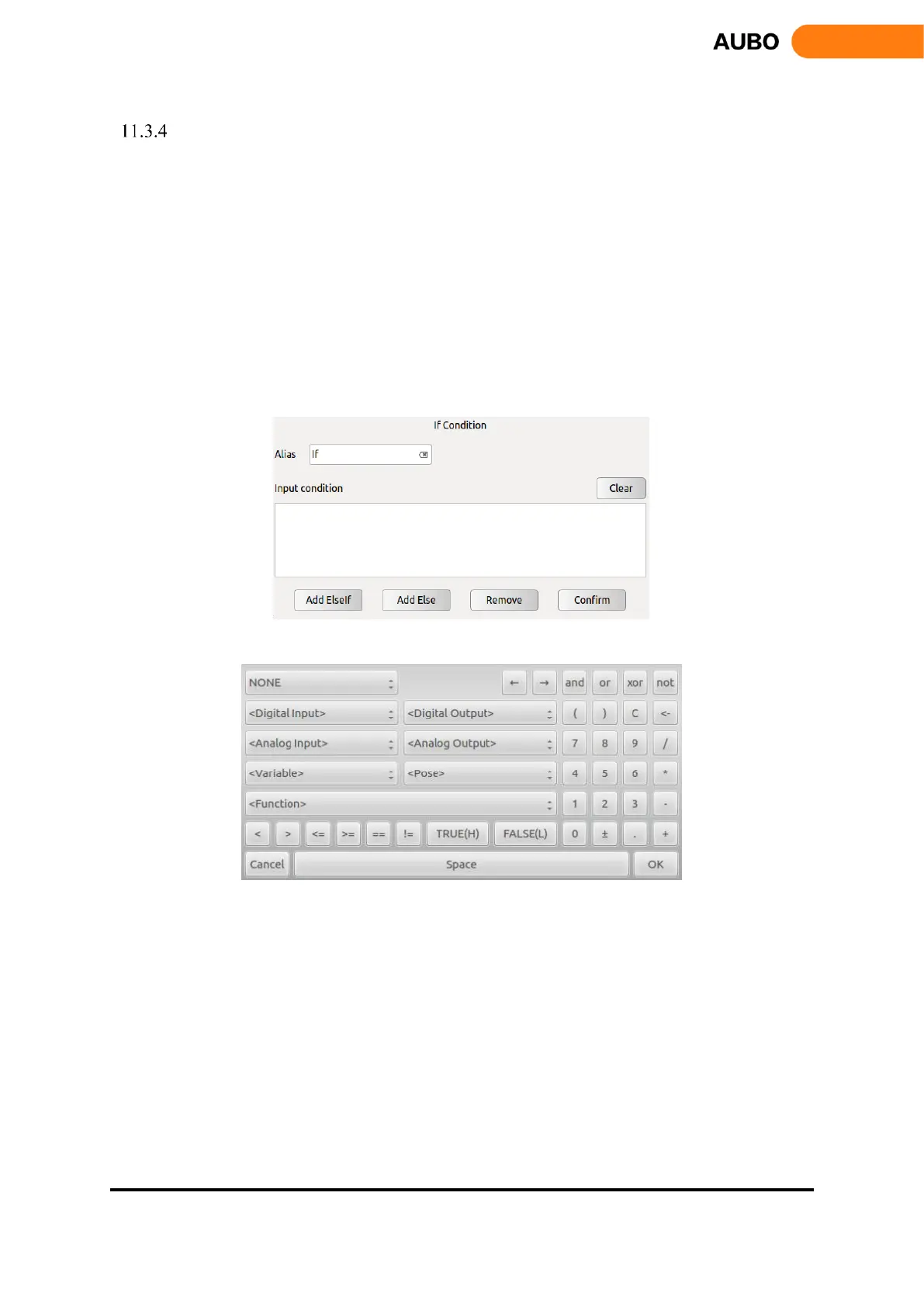
If...else command is used to operate different subprograms based on different conditions.
Click【Input condition】to input condition expression based on C language arithmetic rule, as shown
in Figure 11.18(b). If the condition is evaluated to be true, the program inside this If are executed. If
the expression evaluates to be false, the following Else If or Else statements will be executed.
Click【Clear】to delete an expression.
Click【Add Else】to add an Else node to make an If…Else statement. One【If】command can only
add one Else.
Click【Add ElseIf】to add an ElseIf node. One【If】command can add multiple Else If nodes.
Click【Remove】to delete【If】command. All ElseIf nodes and Else nodes will be deleted together.
Click【Confirm】to confirm and save the configurations.
Figure 11.11 If…Else
Figure 11.12 If…Else expression box



 To Next Page