168
7 Remote Access via Web Client
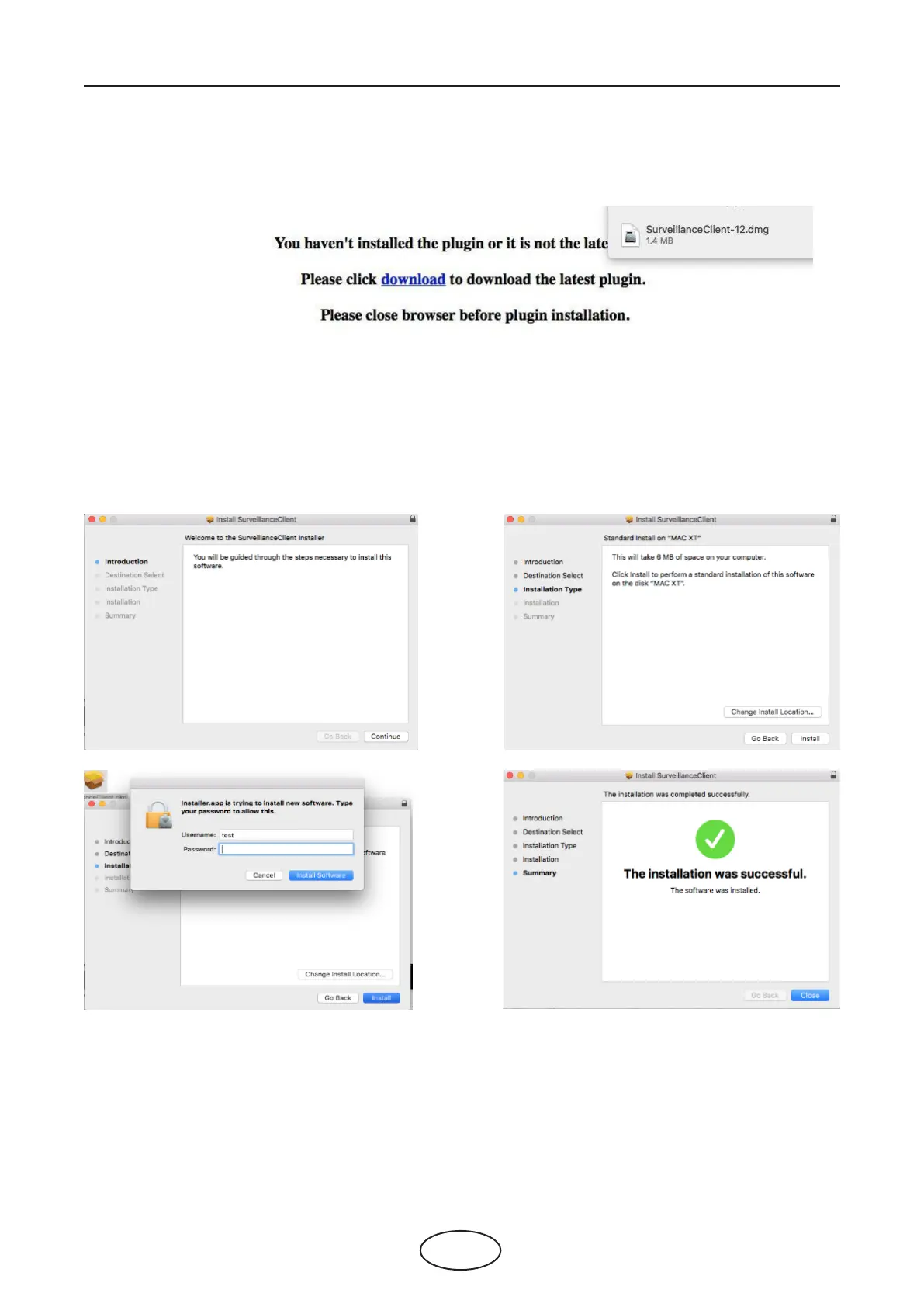
2. Download the plug-in “SurveillanceClient.dmg”, locate the downloaded le, and double-click it.
3. Click on “Continue” then “Install”. Enter user name and password for Mac computer,
Click on “Install Software” then “Close” to nish installation.
4. Close Safari and open again to repeat step 1 to open the Web Client login page.



 To Next Page