46
5 NVR System Setup
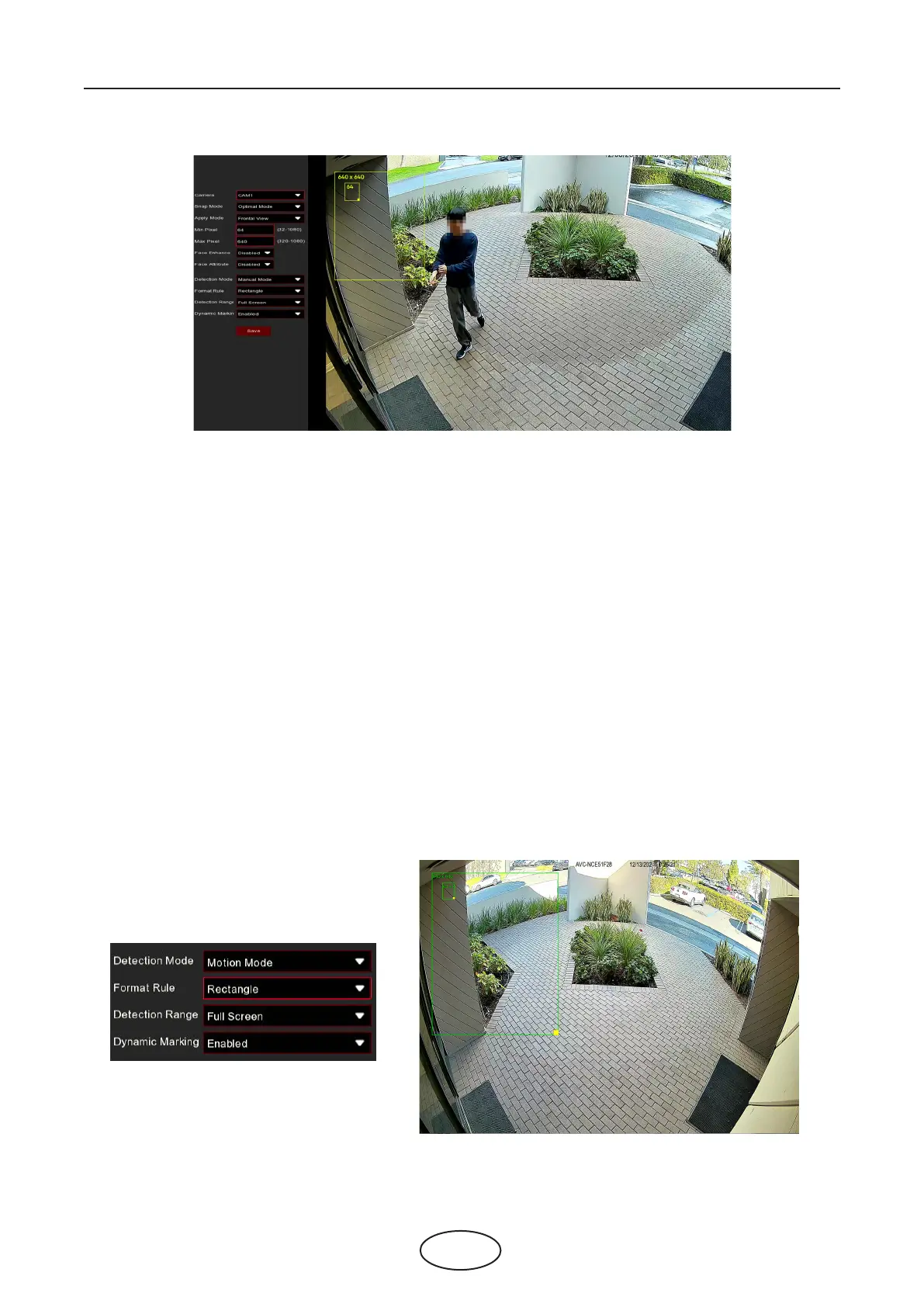
Camera: Select the camera you want to congure.
Snap Mode: There are "Optimal Mode" (automatically select & push the best image from all face images
of the same person whose faces were captured during his/her duration of stay), "Realtime Mode" (push
the rst captured face image and push again the last captured face image from the same person), and
"Interval Mode" (customized the capture time and interval).
Apply Mode: Set the face detection angle, including "Frontal View", "Multi Angle", and "Customize" mode.
X Range: Set the range of face rotation under the customize mode.
Y Range: Set the range of face pitch under the customize mode.
Z Range: Set the range of face horizontal ipping under the customize mode.
Min Pixel: Set the minimum detection pixel box. The face can be recognized only when it is larger than the
pixel box.
Max Pixel: Set the maximum detection pixel box. The face can be recognized only when it is smaller than
the pixel box.
Face Enhance: Face enhancement makes it easier to recognize the moving faces, but it may lower the
whole picture quality.
Face Attribute: Enable this function to detect mask, glasses, and facial expression.
Detection Mode: Motion Mode will detect moving faces. Static Mode will detect both moving faces and still
faces.
Format Rule: Set the rule format as Rect (rectangular) or Line (line).
If you choose Rect mode, you can choose "Full Screen" or "Customize" to adjust the shape of rectangular
detection zone in the camera image. Faces appear in this zone will be detected and captured.



 To Next Page