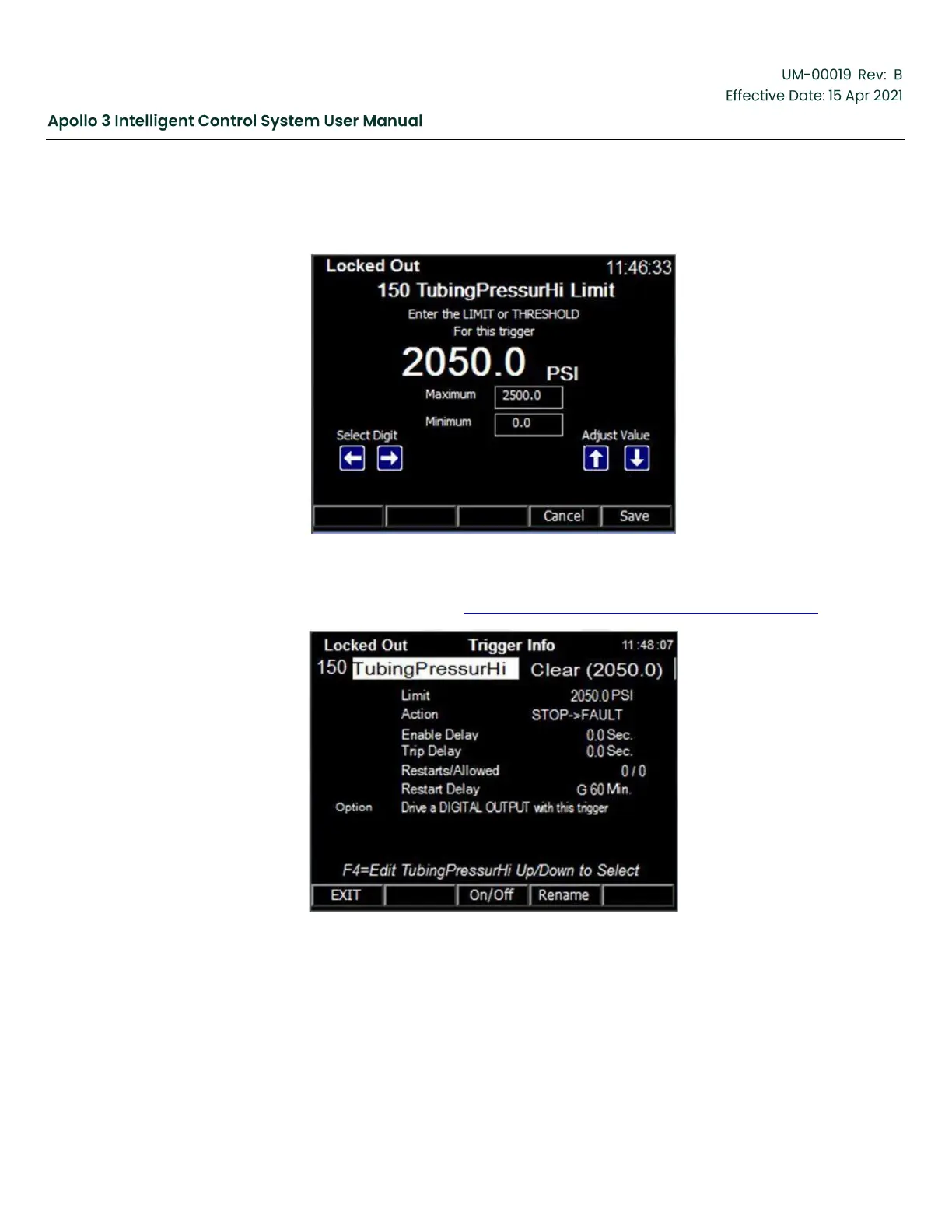
Change the trigger parameters as needed to fulfill the needs of the application. Note that triggers attached
to analog inputs are “Not In Use” by default. When you change any trigger settings the trigger will be
set to “IN USE” automatically.
Figure 113: Changing the Trigger Parameters
The resulting Trigger Info screen is shown in Figure 114: Resulting Trigger Info Screen, page 137.
Figure 114: Resulting Trigger Info Screen


 To Next Page