CALREC Putting Sound in the Picture 103
The new list will appear below the default
list and will contain the selected insert
resources. Touch the new list to confirm
this. It is possible to make a new list which
is empty, by ensuring that no resources
are selected when touching the ‘Create
List’ button.
Copying/moving insert resources to
lists
Resources can be copied or moved
between lists by selecting the required
resources in the source list and touching
‘Copy Lists’ or Move Lists’. A popup
dialogue will appear allowing selection of
the destination list. Select the destination
list and touch OK.
Removing insert resources from
lists
To remove resources from a list, select the
required resources and touch the ‘Remove
Inserts’ button.
Renaming lists
Touch the ‘Modify Lists’ button to bring up
a popup dialogue. This dialogue allows
you to select a list and rename it.
Removing lists
To remove a list, select the required list
and touch the ‘Remove List’ button. A
popup dialogue will appear asking for
confirmation of the removal.
Insert Order and Sets
Insert resources can be ordered into sets.
For a description of sets and the order of
items within a set, please refer to the Input
Sources section of this document.
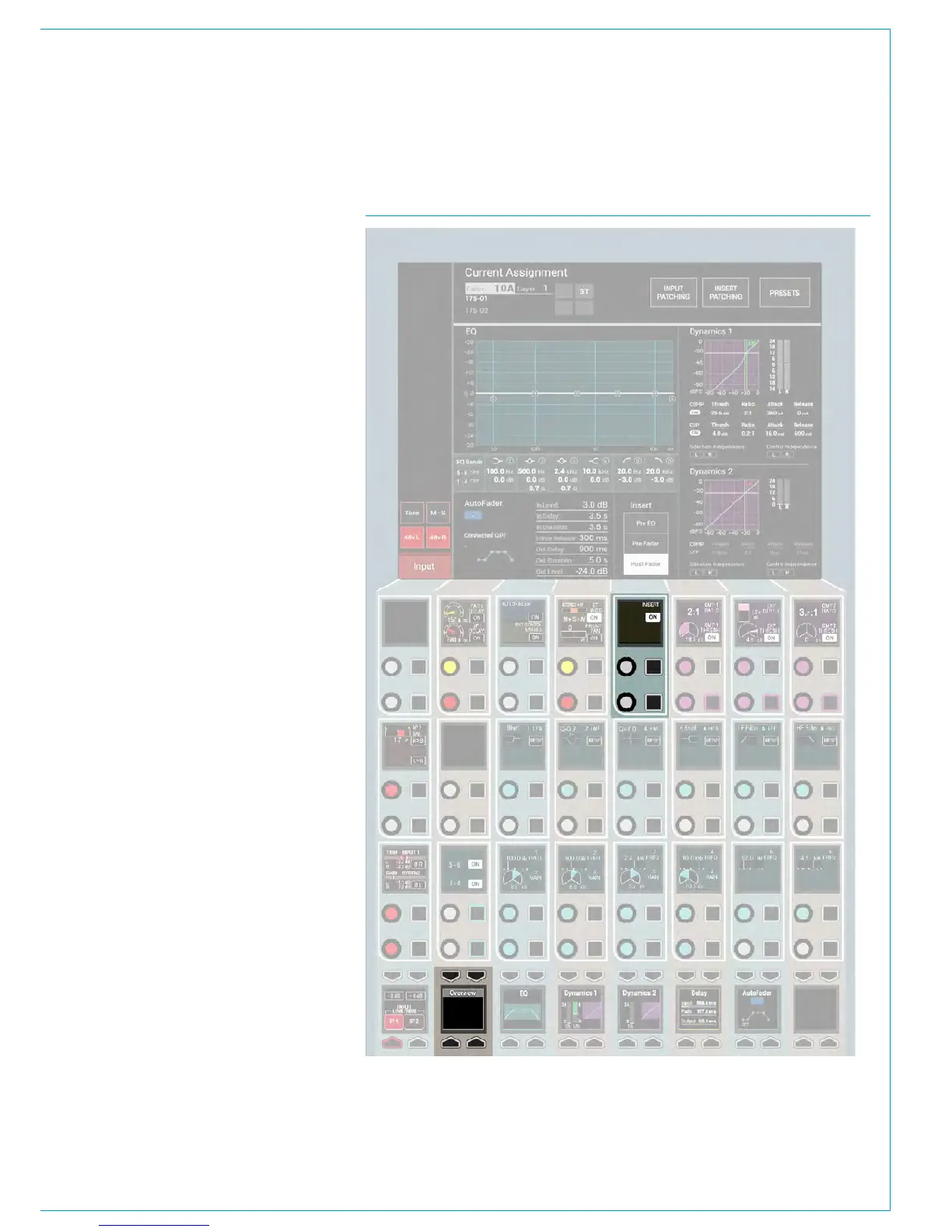
Insert ON / OFF Control
The Insert ON / OFF switch appears on
the PROCESSING-OVERVIEW panel
mode. It must be switched in circuit using
the INSERT ON button in the 5th Control
cell , top row as shown in Fig 5.
FIG 5 - INSERT ON / OFF CONTROL



 To Next Page