Routing Audio
114 APOLLO
Digital Broadcast Production Console
MAKING A ROUTE
Using Assign Mode
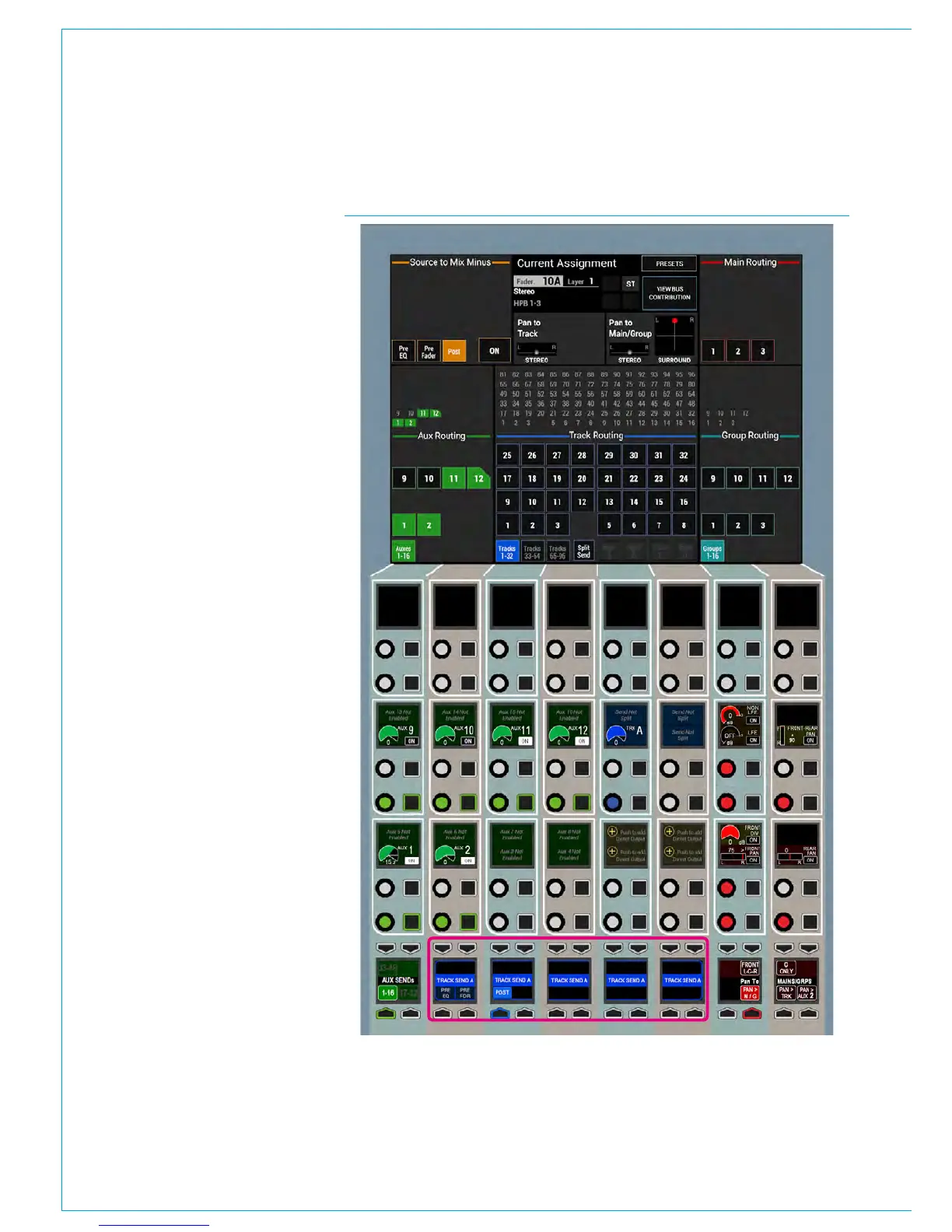
Routes can be made using the SENDS-
ROUTES assign panel as shown in Fig 1.
When a path is assigned, the wild assign
touchscreen displays and allows the user
to change which buses the assigned path
is routed or sent to. Touching a bus on the
touchscreen will toggle the route on or off.
Note: If individual legs of a 5.1 or Stereo
path are routed to a bus the corner of
the box is cut off to show that it is only
partially routed, as shown right for Aux 12.
The control cells allow the levels of
individual Aux sends to be set and their
routing to be toggled on or off. They also
allow the track send levels to be altered.
Accessing Detailed Send Controls
To select a send, push its rotary
control - this makes it the focus of the
central five button cells at the bottom
of the panel - Track Send A is the focus
in this image. These 5 button cells
highlighted below provide access to
positional controls such as pre/post fader
and on/off switching.
Paging Through Buses
Given the finite size of the touchscreen
and number of available control cells, it
may not be possible to view all required
buses at once. In this case, paging
buttons will be made available at the
bottom of each bus section on the
touchscreen and also on the left and right
button cells at the bottom of the panel.
Note that any undefined buses are
removed from the display rather than
greyed out.
Routing Overview
An overview of each bus type is located
on the touchscreen above the routing
buttons and provides a complete overview
of where the assigned path is routed
without having to page through the
different screens.
FIG 1 - ROUTING IN THE SENDS-ROUTES LAYOUT OF ASSIGN MODE



 To Next Page