CALREC Putting Sound in the Picture 37
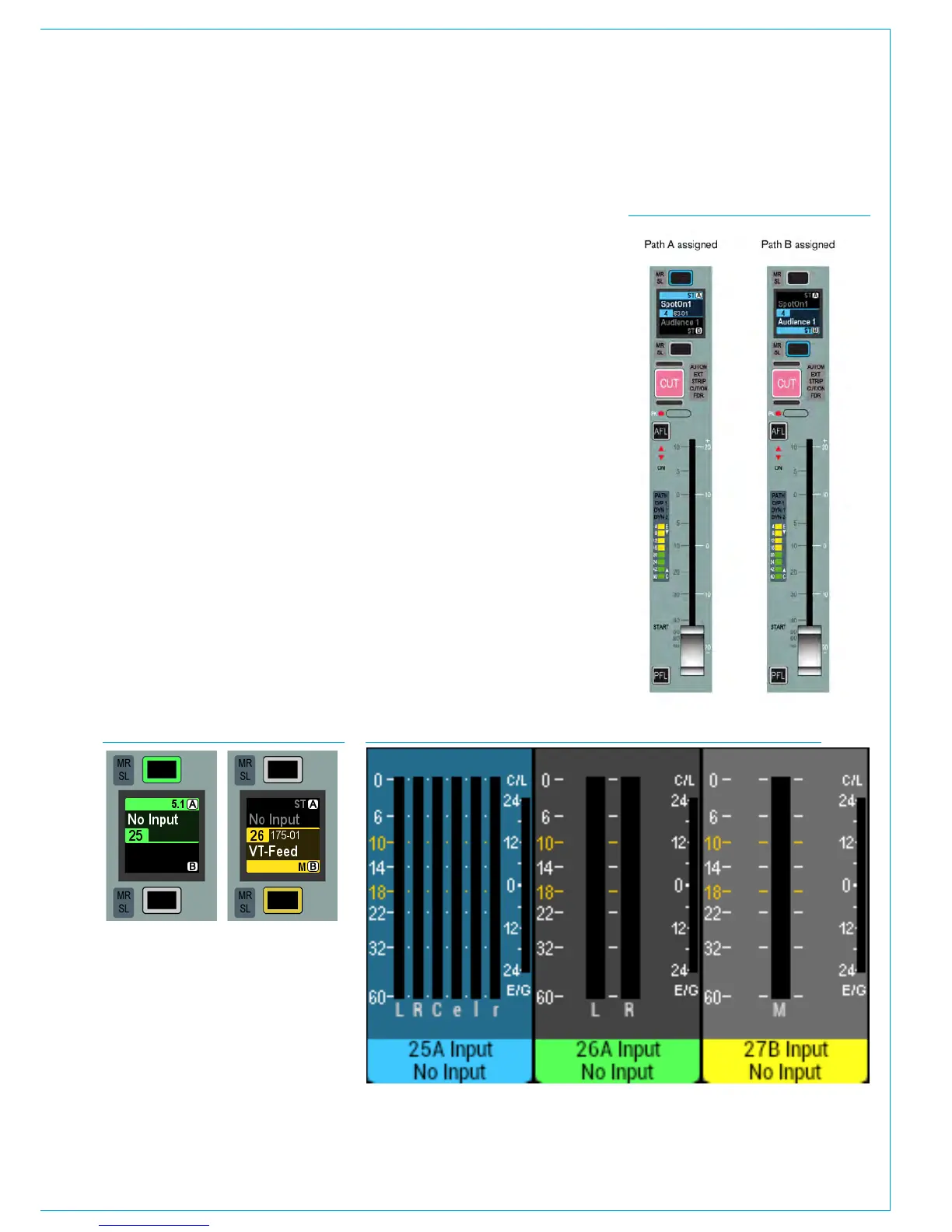
Current Assign and Fader Touch
indication shown on meters
When an Assign button is pressed the
associated meter highlights in a matching
colour to the blue Assign button and
blue background for the Fader display.
This is to further clarify which is the
currently assigned path, see Fig 3 Fader
25A below.
In addition when fader knobs are touched
the background of the associated upstand
meter highlights to indicate those paths,
see Fig 3. Fader 27B below right.
To assign either of these paths, press the
relevant button above or below the display
(above for path A, below for path B).
Note that the positions of the A and B
buttons are swapped over if a dual fader
panel is included in the surface layout.
ASSIGNING PATHS
An important concept of Calrec
consoles is that of assignability.
This allows controls to be shared
amongst all paths, reducing physical
space requirements and providing
quick and familiar access.
When a path is assigned, certain areas of
the surface will display and allow control
of parameters of that assigned path. For
example, any wild assign panels in Assign
mode and the surround spill panel will
update to reflect values of the currently
assigned path. Assigning a different path
will alter these displayed values.
Assigning a path
Above each fader is a display and two
buttons as shown in Fig. 1 below. The
display shows the name of the A and B
paths of each fader. The lower section
(green) shows the A path and the upper
section (yellow) shows the B path. The
path that is currently being controlled by
the fader takes up a greater percentage
of the display area, is coloured with the
relevant colour and has the relevant
assign button lit.
FIG 1. - ASSIGN BUTTONS
FIG 2. - A/B PATH ASSIGNMENTS
FIG 3. - CURRENT ASSIGNMENT AND FADER TOUCH SHOWN ON METERS
The section of the display showing the
assigned path will turn blue to indicate the
current assignment. The relevant button
will also light up blue as confirmation.
The fader will now control the assigned
path as shown in Fig 2 (shown right).
Other areas of the surface that are set up
to respond to Assignments will display and
control parameters of this selected path.



 To Next Page