Shows, Memories and Presets
172 APOLLO
Digital Broadcast Production Console
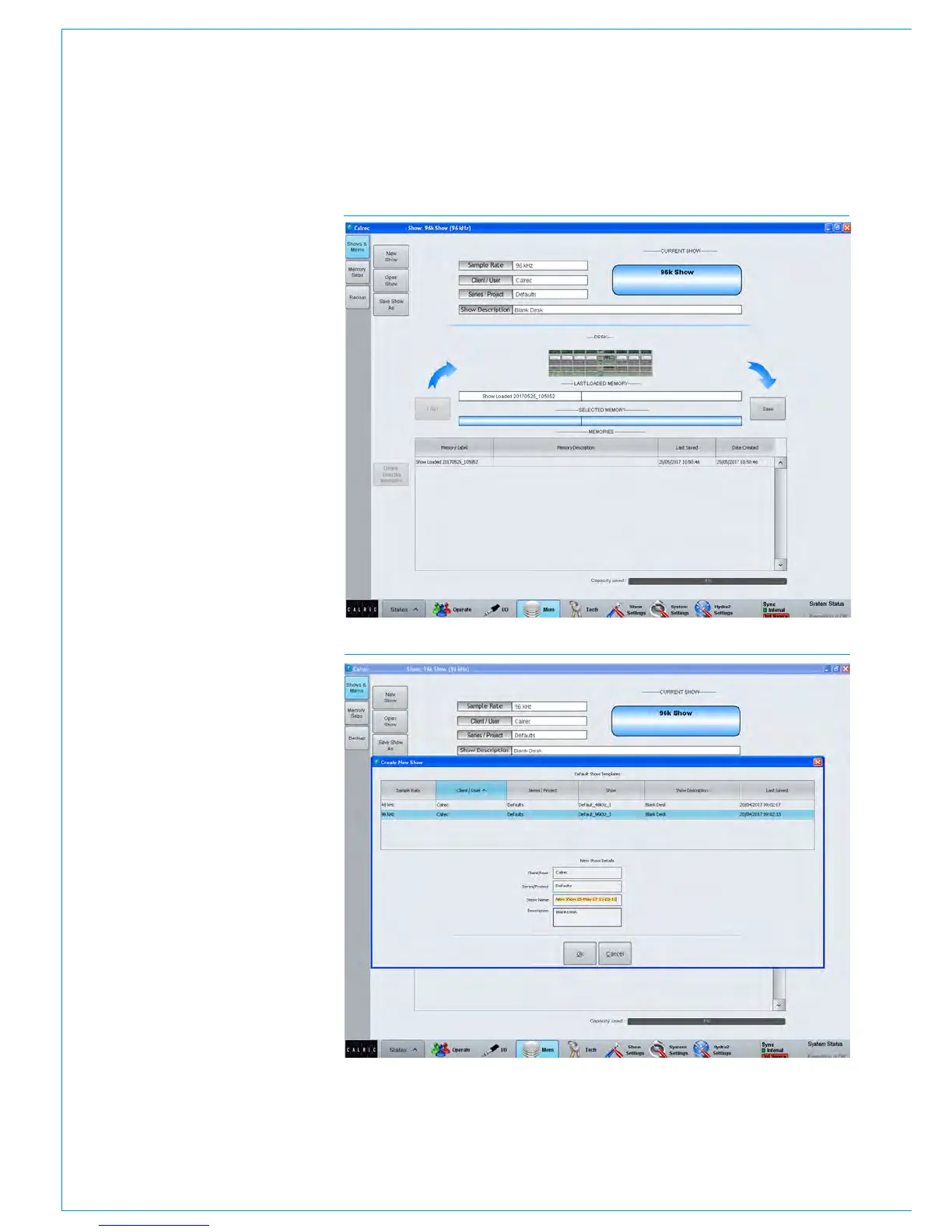
FIG 1 - MAIN APPLICATION>MEM>LOAD/SAVE SCREEN
USING SHOWS AND MEMORIES
Shows and memories are managed
from the console’s main application,
>Mem screens.
The upper section of the >Mem>Load/
Save screen (as shown in Fig 1 to the
right) displays the name and details of
the currently active show that is on the
control surface. The lower section of the
screen displays a list of the user memories
available within the current show. The
central area of the screen displays two
text fields in between the user memory
Load and Save buttons - the upper, white,
text field displays ‘Last Loaded Memory’
or ‘Last Saved Memory’ depending on
the most recent memory operation, i.e
this text field always displays the current
working user memory on the control
surface.
The lower, blue, text field displays the
memory selected, if any, from the available
memory list - This is the memory that will
be loaded if the Load button is pressed,
and the default save (overwrite) location
if the save button is pressed. Shows and
memories are saved on the controller card
in the console’s processing rack.
Note, the ‘Capacity Used’ bar-meter,
below the memory list, shows the amount
of space available on the controller card
for storing shows and memories, however,
the controller card memory is also used
for other files and folders and so the
capacity may vary.
Creating a new show
Press the ‘New Show’ button in the top
left corner of the >Mem>Load/Save
screen to open the new show dialogue.
See Fig 2.
You are required to select a default show
template from the list, upon which the new
show will be based, and to enter a name,
along with some other labelling by which
the new show will be identified. With valid
labels entered and a template selected,
press OK to create the new show and to
make it active on the control surface.
FIG 2 - MAIN APPLICATION>MEM>DEFAULT SHOW TEMPLATES SCREEN



 To Next Page