Getting Signals into Apollo
66 APOLLO
Digital Broadcast Production Console
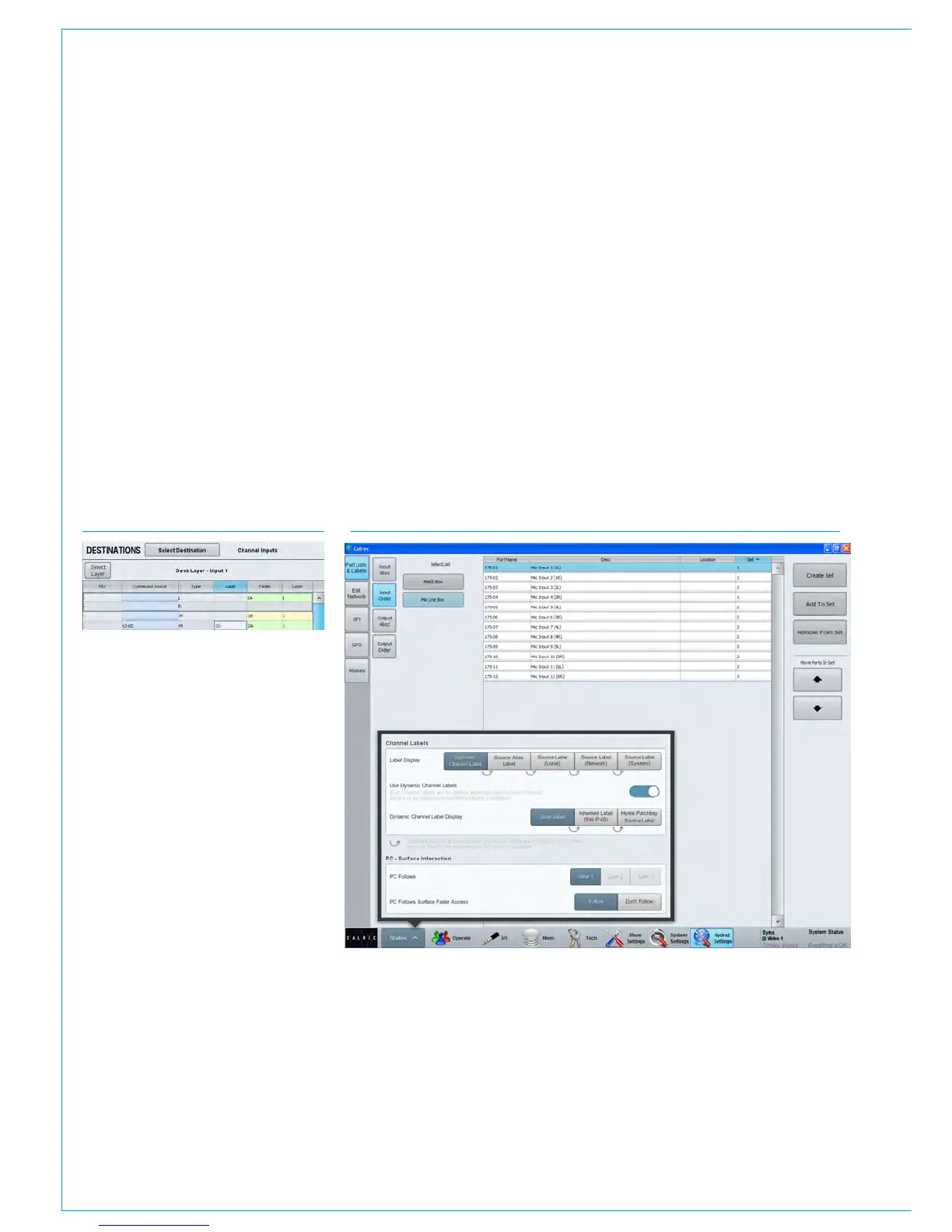
FIG 8 - SOURCE LABEL HIERARCHY
Source Label Hierarchy
Path labelling has been improved providing consistency across all path widths and types.
There is a hierarchy of labels available: from system defined default labels, through
network level user labels, all the way up to user defined path labels:
1. User Path Label
2. External Label (from SW-P-08)
3. Hydra2 Patchbay Source (if source connected to channel via a Hydra2 Patchbay)
4. Source Alias Label (if connected through an alias)
5. Source Label - Local (if given a label in the main application)
6. Source Label – Network (if given a label in H2O)
7. Source Label – System (combination of the box and port ID)
By default, the highest level of label in this hierarchy is displayed, but you can choose
to force this to show whichever level of label you prefer. This can be very useful for
diagnostics. It’s also possible to turn off dynamic labels received via SW-P-08, or when
showing the sources of Hydra Patchbays, see Fig 8.
Custom fader labels
The ‘Label’ column allows custom user
labels to be shown in the fader’s label
display. Double click on a cell in this
column to enter a custom label. Note that
custom labels are associated with the
fader, rather than the input port.
The custom label is retained even if
the input port is changed. If the port is
removed, the fader’s label will display ‘No
Input’. When a new port is patched, the
custom label will be displayed again.
To clear a custom label and revert to
the port label, double click the label cell,
delete it and press enter. See Fig 7.
Ability to Receive External Source
Labels via SW-P-08
Apollo and Artemis can now receive and
display external labels over SW-P-08.
This can be incredibly useful when
integrating with external matrices, as it
allows the source labels from the external
matrix to be passed through to faders on
the surface.
FIG 7 - ENTER CUSTOM FADER LABEL



 To Next Page